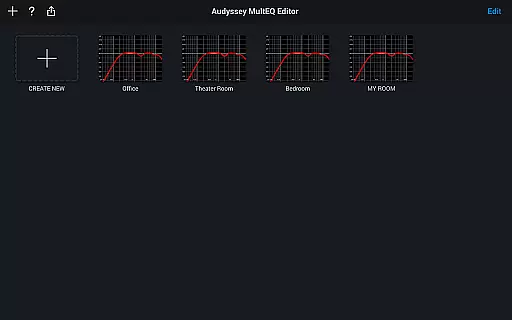
The Audyssey MultEQ Editor app is a powerful tool for audio enthusiasts who want to fine-tune their home cinema sound. This app works with the latest Denon and Marantz audio-video products, allowing users to go beyond basic calibration by providing access to detailed settings for more precise sound adjustments.
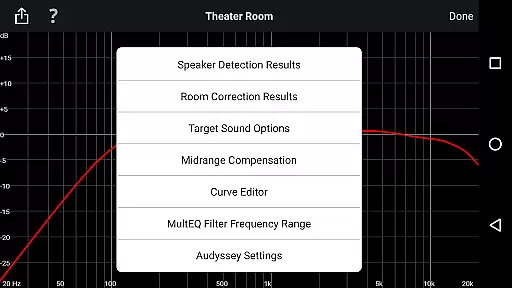
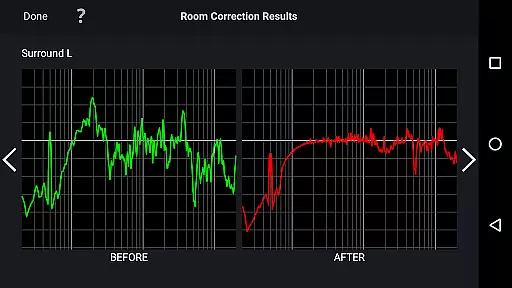
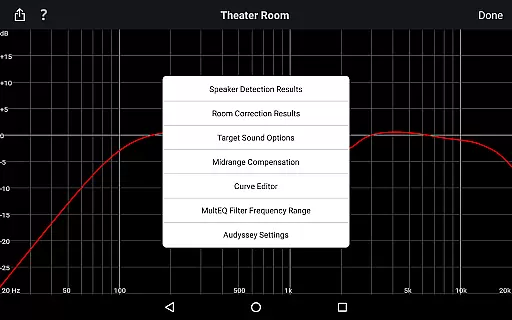
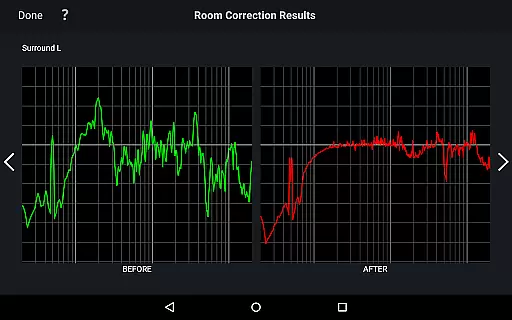
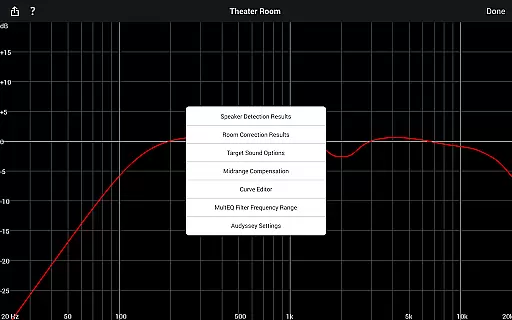
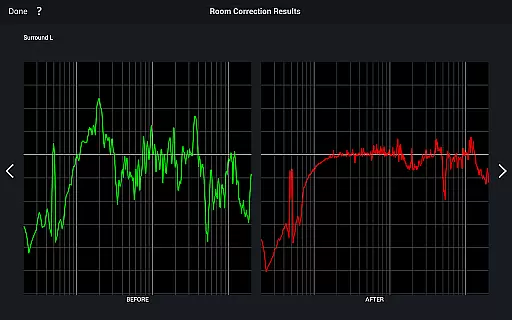
With this app, you can view speaker detection results, compare Audyssey calibration outcomes, edit target curves, adjust EQ frequency rolloff, switch high-frequency rolloff curves, enable or disable midrange compensation, and save or load calibration results. It supports multiple languages and requires specific hardware compatibility.
This level of control is ideal for addressing unique acoustic challenges in your room and customizing the audio experience to personal preferences, making it an invaluable tool for audiophiles seeking the perfect sound.
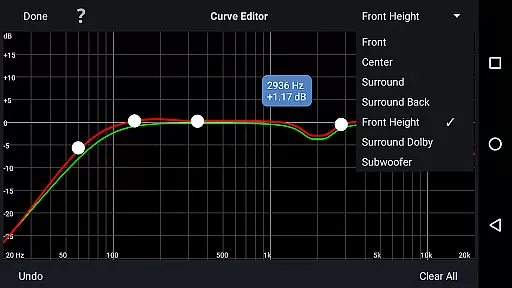
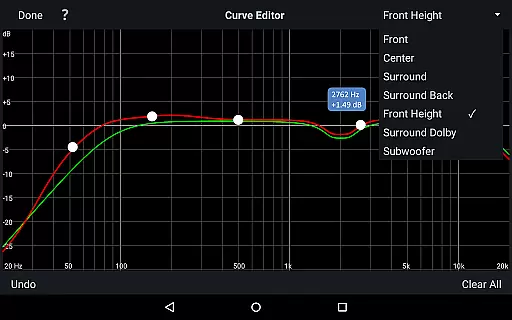
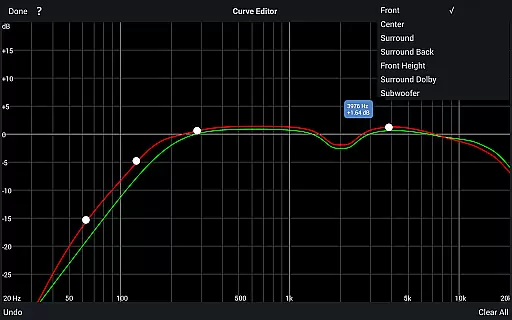
The Audyssey MultEQ Editor app offers a comprehensive suite of features designed for advanced sound customization. One of its standout capabilities is the ability to view and modify the Audyssey target curve for each channel pair, enabling users to tailor the sound precisely to their liking.
In addition to editing target curves, the app allows users to adjust the overall EQ frequency rolloff for each channel pair and switch between two high-frequency rolloff target curves. The app also provides options to enable or disable midrange compensation, which can make the sound brighter or smoother depending on user preference.
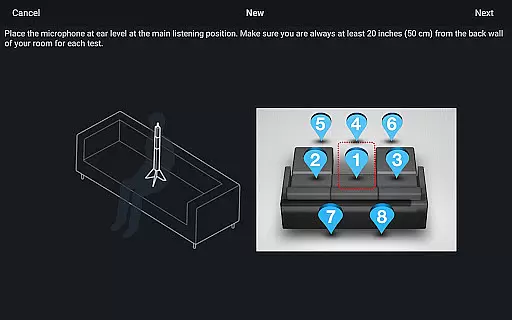
Other notable features include viewing speaker detection results to ensure correct installation, comparing before and after calibration results to identify room issues, and saving or loading calibration data for future use. These robust features make the app an essential tool for optimizing home cinema audio.
The Audyssey MultEQ Editor app provides a comprehensive suite of audio calibration tools that enhance your home cinema experience. While it doesn't offer a traditional music library, it allows you to fine-tune the sound output of your Denon or Marantz AV receiver. This ensures optimal performance and authentic sound reproduction tailored to your room's acoustics.
With this app, users can adjust the Audyssey target curve for each channel pair, modify the overall EQ frequency rolloff, and switch between two high-frequency rolloff target curves. These features give audiophiles precise control over their audio environment, ensuring that every note is reproduced with accuracy and clarity.
The application supports multi-language functionality, catering to a global audience with options like English, French, German, and more. This international approach guarantees that users worldwide can access the tool in their preferred language, making the calibration process accessible and user-friendly regardless of location.
Compatibility with specific Denon and Marantz models ensures that the app works seamlessly with supported hardware. By confirming compatibility before purchase, users can trust that they're getting an authentic and reliable product designed specifically for their audio equipment. This attention to detail reinforces the app's commitment to delivering genuine and high-quality audio solutions.
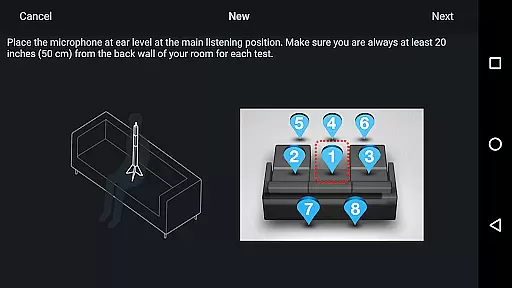
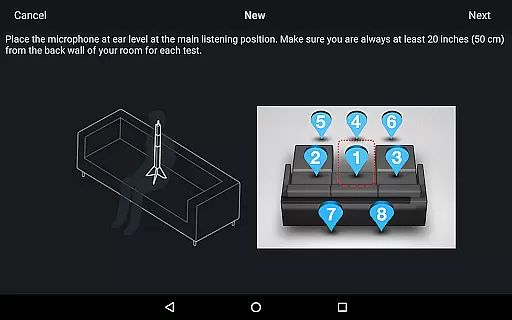
Audio quality is paramount when calibrating a home cinema system, and the Audyssey MultEQ Editor app excels in providing advanced options to refine sound output. The app enables users to view speaker detection results, ensuring correct installation and optimal performance. This feature alone significantly enhances the overall audio experience by addressing specific acoustic challenges in your listening space.
One of the standout capabilities is the ability to edit the Audyssey target curve for each channel pair. Users can adjust the frequency rolloff and choose between different high-frequency rolloff target curves. Additionally, midrange compensation can be enabled or disabled to make the sound brighter or smoother according to personal preference. These options allow for meticulous customization of audio quality tailored to individual tastes and room characteristics.
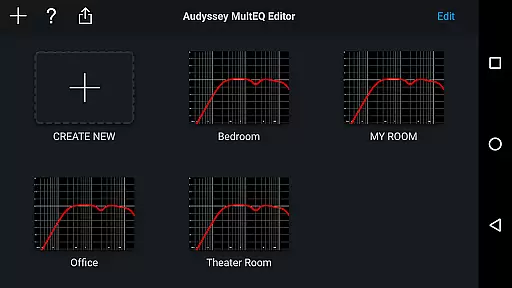
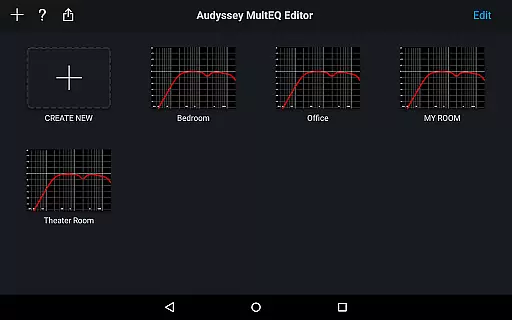
The app also supports saving and loading calibration results, which means users can experiment with different settings without losing their original configurations. This flexibility is invaluable for achieving the perfect sound balance. Furthermore, compatibility with various Android devices ensures that a wide range of users can access these powerful audio tools on their smartphones or tablets.
By offering such detailed control over audio parameters, the Audyssey MultEQ Editor app empowers users to achieve professional-grade sound quality at home. Whether you're a casual listener or a dedicated audiophile, the app provides the necessary tools to create an immersive and high-fidelity audio environment that meets even the most discerning standards.
Advanced sound customization
Multiple language support
Save and load calibration results
Compatible with select Denon and Marantz models
User-friendly interface
Limited device compatibility
Requires specific hardware
No iOS version available
Paid application
Complex for beginners

Offline and always ad-free - stream in the highest quality available.
 4.10
4.10
Full-featured, High-Quality Groovebox Workstation, perfect for Live Performance!
4.80
DJ Music Mixer Pro is a real DJ controllers and DJ Music Studio to remix DJ.
4.40
The ultimate media player for Android devices
3.90
Bass Booster & Volume Equalizer Pro improves your music and video sound quality
4.60
Record, Mix & Master with all n-Track effects, 64-bit audio and Stem Separation.
4.70
Ringtone Maker is free app create ringtone from music files or your recording.
4.40
Turn Every Moment into Music
3.60
Travel To The Music Universe
3.40
Voice recorder - Audio recorder. Best recorder for recording
4.90
Responsive piano with great sounds, graphics, and songs
4.80
Simple & Intuitive Metronome
4.70
Offline Music Player&MP3 Player with themes, equalizer, lyrics, music play mode
4.60
Bass Booster Pro takes auto-equalizing to the next level!
4.30
Learn and play 2M+ music tabs & chords on guitar, ukulele, bass, and more
4.30
Permanently backup Now Playing. Maps, filters & listening stats.
4.00
USB audio recording and playback finally possible on Android 3.1 or higher!
3.90
Slow music down without changing pitch.
3.70
MilkDrop for Android TV
3.00


User Reviews