
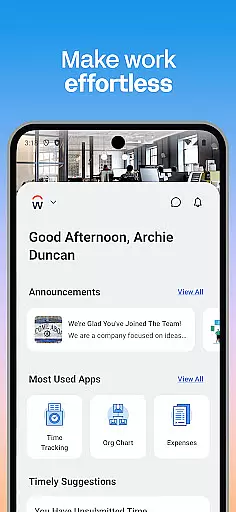
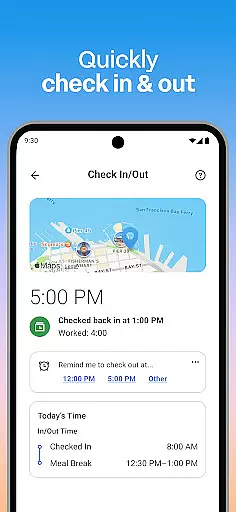
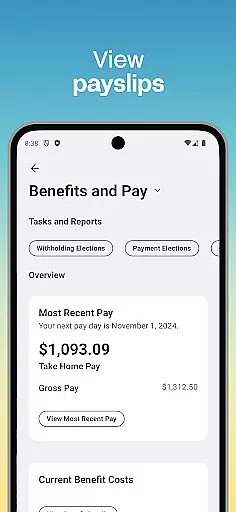
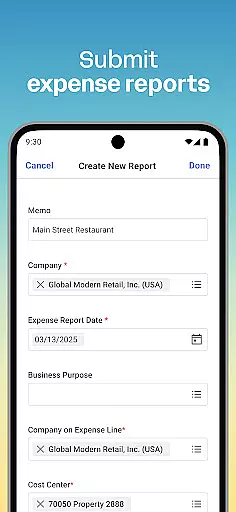
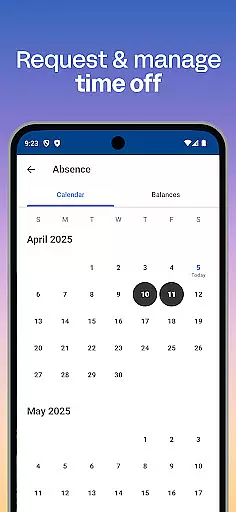
Workday is a comprehensive business management application designed to enhance workplace productivity through its all-in-one platform. The app provides users with essential tools and insights needed for efficient task management, making it an indispensable resource for both employees and managers. With instant access to a wide array of Workday tasks, users can conveniently check in to work, request time off, connect with teammates, and even learn new skills.
A key advantage of Workday is its ability to cater to various professional needs through personalized features. Employees can manage their schedules and payroll while managers have additional capabilities such as approving requests, managing employee roles, and conducting performance reviews. This flexibility ensures that every user can tailor the app to fit their specific work requirements, promoting a more organized and productive work environment.
The app's secure framework further enhances its value by ensuring that sensitive data remains protected. Features like biometric authentication and cloud-based information storage provide peace of mind, allowing users to focus on their tasks without worrying about data security. Whether you're an employee looking to streamline daily activities or a manager aiming to oversee team operations effectively, Workday offers a reliable solution to maintain high levels of workplace efficiency.
Workday stands out due to its extensive range of features tailored to meet diverse business needs. One of the primary highlights is the ability to receive push notification reminders, ensuring that no critical task is overlooked. Users can easily submit timesheets and expenses, view payslips, request time off, and engage with training videos to acquire new skills. These functionalities are seamlessly integrated into the app, providing a smooth user experience.
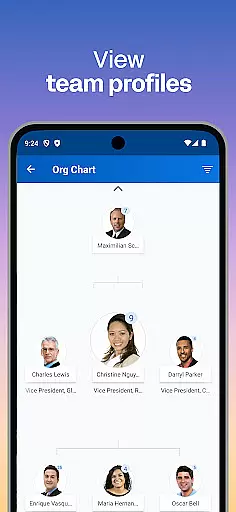
For managers, Workday offers specialized tools that simplify employee management. Approving employee requests becomes effortless with just a tap, while viewing detailed team profiles and adjusting roles can be done swiftly. Additionally, features such as managing payroll, giving performance reviews, and tracking hours contribute to maintaining operational efficiency within teams. Interactive reports and dashboards further empower managers with valuable insights at their fingertips.
Another significant aspect of Workday is its emphasis on personalization and ease of use. The app organizes everything intuitively, allowing quick access to frequently used tools and actions. Its flexible nature enables users to customize their experience according to individual preferences, ensuring maximum productivity. Moreover, top-notch security measures like biometric authentication protect against unauthorized access, safeguarding sensitive information stored in the cloud. This combination of robust functionality and stringent security makes Workday a preferred choice for businesses seeking a reliable mobile solution.
Workday's collaborative work features are designed to enhance team productivity and streamline communication. The app allows users to connect with teammates, approve employee requests with a simple tap, and view detailed team and employee profiles.
Managers can efficiently manage their teams by adjusting employee roles, giving performance reviews, and using the hours tracker to monitor timesheets. This ensures that all team-related tasks are centralized and easily accessible.
The app also supports interactive reports and dashboards, providing valuable insights into team performance and helping managers make informed decisions. These features collectively foster a more cohesive and productive work environment.
By integrating these collaborative tools, Workday ensures that teams can work together seamlessly, regardless of their physical location, thus promoting a flexible and dynamic workplace.
Task management in Workday is comprehensive and user-friendly, allowing employees to maintain high levels of productivity. Users can submit timesheets and expenses, request time off, and check in and out of work directly from the app.
Push notification reminders ensure that no important task is overlooked, keeping users on track with their responsibilities. Additionally, employees can access their payslips and learn new skills through training videos, enhancing both personal and professional growth.
For managers, the app offers advanced task management features such as managing payroll, requesting compensation changes, and browsing interactive reports. These capabilities ensure that managerial tasks are handled efficiently and effectively.
Overall, Workday's task management system is crafted to provide a seamless experience, empowering users to manage their work life flexibly and securely from anywhere at any time.
User-friendly interface
Comprehensive task management
Advanced security features
Customizable user experience
Real-time notifications
Limited third-party integrations
Occasional syncing issues
Steep learning curve for new users
High subscription cost
Dependent on internet connectivity

All Your Gig Work. One App.
 4.30
4.30
Get your benefits on-the-go.
3.80
The MyWalmart App is available for all associates in stores.
4.70
viewing and sharing PDFs and other files—anytime, anywhere!
4.4
Finance, Investing, Stocks, Trading and Stock news
4.60
Use Generative Summary to understand your rental or insurance docs in seconds.
4.70
Delivery Track App - Tracking with Fedex, USPS, UPS, DHL. Monitor your Orders.
3.20
Roadie connects people with stuff to send with drivers already going that way.
3.50
Chat, meet, and collaborate to achieve more together, all in one place on Teams
4.60
Job search app that finds jobs for you! Takes the work out of looking for a job!
4.90
TurboScan turns your phone into a full-featured PDF document scanner.
4.80
Find the right fit, faster.
4.70
We help people get jobs
4.70
Paychex Flex - Save Time and Stay Connected
4.60
The app that lets you deliver with Amazon.
4.50
Formerly Facebook Ads Manager. Manage and create ads on the go.
4.20
FX Plus adds media, networking, and cloud capabilities to FX File Explorer.
4.10
Shop, deliver, and earn with the Spark Driver™ App
4.10
viewing and sharing of PDFs
3.60


User Reviews