
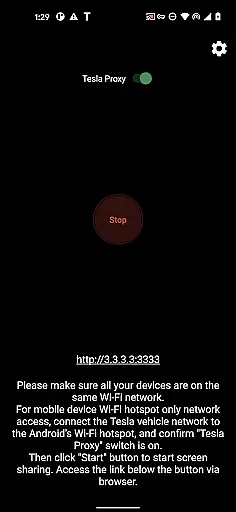
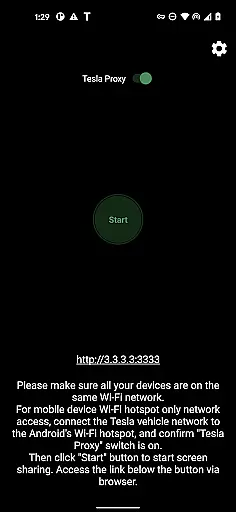
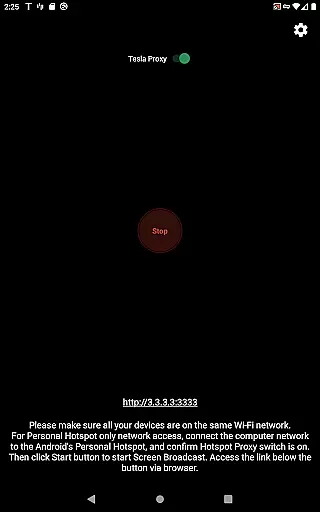
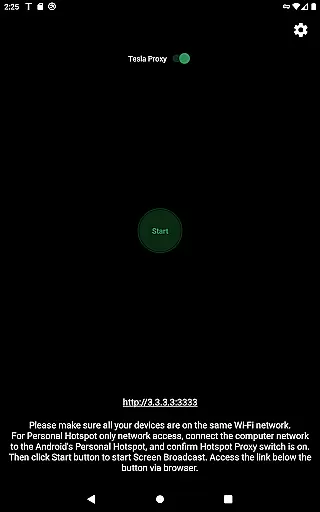
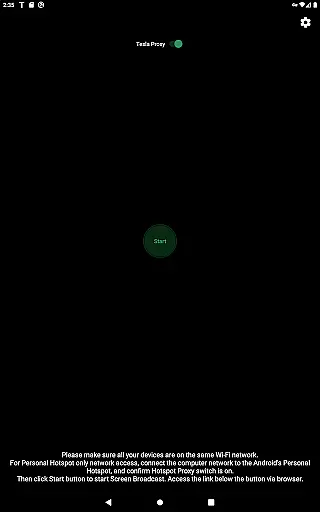
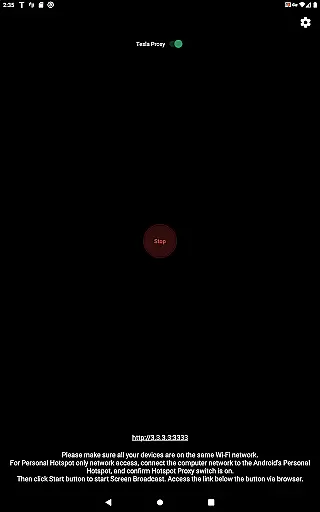
TeslaMirror is an innovative Android application designed specifically for Tesla owners, enabling seamless screen mirroring from an Android device to the vehicle's infotainment system. The app supports advanced video encoding standards like H.264 and H.265, ensuring high-quality display even at higher frame rates and resolutions. With a simple setup process that involves connecting the Tesla to the phone's hotspot and accessing a specific URL in the car’s browser, users can enjoy a lag-free mirroring experience.
One of the standout features of TeslaMirror is its compatibility with Tesla’s MCU2 and MCU3 hardware, allowing users to stream content, control their phone remotely via the Tesla touchscreen, and even enjoy lossless audio on supported devices. Whether it’s for entertainment, navigation, or productivity, TeslaMirror transforms the Tesla's large display into an extension of the user’s Android device, enhancing the overall driving and parking experience.
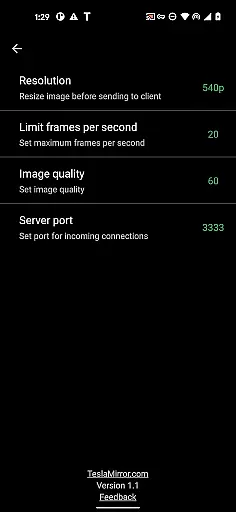
TeslaMirror offers a comprehensive set of features tailored for Tesla owners who wish to integrate their Android devices with their vehicle's infotainment system. The app supports multiple video encoding standards including H.264 and H.265, catering to different hardware capabilities and bandwidth conditions. For instance, MCU3 hardware can leverage H.265 for superior video quality at 1080p resolutions, while MCU2 users can opt for H.264 at lower resolutions to ensure smooth performance.
In addition to video streaming, TeslaMirror provides lossless audio support for devices running Android 10 and above, delivering high-fidelity sound that surpasses traditional Bluetooth audio quality. The Remote Control feature allows users to interact with their Android device directly from the Tesla touchscreen, offering unparalleled convenience. Furthermore, the app operates within a secure local network environment, utilizing a virtual IP and VPN tunnel to facilitate communication between the phone and the car without exposing data to the public internet.
TeslaMirror provides comprehensive access to your Tesla vehicle's infotainment system, ensuring you have detailed information at your fingertips. The app supports Tesla models with MCU2/3 hardware, including Model 3, Model Y, and newer versions of Model X and S. This compatibility ensures that users can view and interact with their vehicle's latest software features.
The application facilitates a direct connection between your Android device and Tesla's system, provided the car is parked and connected to a mobile hotspot. A 5 GHz hotspot is recommended for optimal performance, as Tesla vehicles do not support Wi-Fi 6 access points. This setup allows users to mirror their Android device screen directly to the Tesla infotainment display, providing real-time updates and interactions.
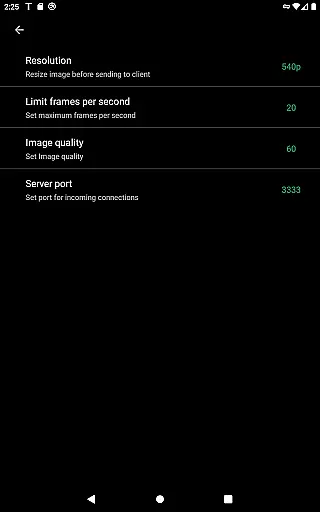
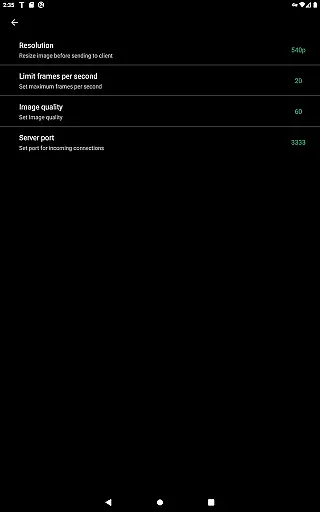
With TeslaMirror, users can enjoy advanced video settings tailored to their vehicle's hardware capabilities. For instance, MCU3 supports H.265 at 720p@60fps or 1080p@30fps, offering superior video quality. Meanwhile, MCU2 users can utilize H.264 at 540p@30fps. These options ensure that users experience the best possible visual output based on their specific Tesla model.
By enabling such detailed mirroring, TeslaMirror empowers users to maximize their vehicle's technological potential. Whether it's for entertainment, navigation, or monitoring vehicle data, this app bridges the gap between mobile technology and automotive innovation, enhancing the overall driving and ownership experience.
TeslaMirror offers a transparent pricing model by providing a free 144-hour trial period for users to explore its features without immediate financial commitment. This approach allows potential customers to evaluate the app's functionality and determine if it meets their needs before making a purchase decision. If unsatisfied, users can request a refund by contacting TeslaMirror support with their order details.
The app is available for purchase on Google Play, where users can view the exact cost upfront. There are no hidden fees or subscription models; once purchased, users have full access to TeslaMirror's capabilities. This straightforward pricing structure ensures that customers know exactly what they are paying for and can budget accordingly.
In addition to the initial purchase price, TeslaMirror clearly outlines any additional requirements for optimal use. For example, users need an Android device and a compatible Tesla model with MCU2/3 hardware. The recommendation for a 5 GHz hotspot is also specified, ensuring users understand the necessary setup for the best experience. Such clarity helps prevent unexpected expenses or technical issues.
Overall, TeslaMirror's transparent pricing and clear communication about system requirements empower users to make informed decisions. By aligning cost with value, the app ensures that customers feel confident in their investment, knowing precisely what benefits they receive in return for their expenditure.
User-friendly interface
High-quality video streaming
Lossless audio support
Remote control functionality
Secure local network operation
No DRM content support
Limited to Tesla vehicles
Requires specific hardware
Hotspot connection needed
Parked vehicle requirement

Theme for Car Launcher
 4.3
4.3
* This app needs an adapter cable and a certain OBD2 adapter to work *
4.20
Control maps, media and messaging, with the Google Assistant while you drive
4.10
Automotive Electrical Wiring Diagrams
4.40
Secure mobile payments & fuel savings at Phillips 66®, Conoco® and 76® stations
4.40
Take state-specific DMV permit tests and ace the exam.
3.90
MySubaru: Download. Connect. Love.
4.70
A smarter way to park and reserve your spot ahead of time.
4.40
Browse millions of cars, track vehicle listings or sell your car today
4.70
Quick and easy car diagnostics to get you the right fix.
4.70
Listings of Tesla's with FSD - Included package
4.60
Autolist - The Largest Selection of Local Used Cars and Trucks
4.50
Instant diesel savings. No credit checks or fees. Nationwide growing network.
4.40
Autotrader is your online solution for buying and selling new and used cars.
4.40
Realtime Charts is a plugin for the Torque Pro App (OBD 2 & Car)
4.20
Monitor your behind-the-wheel behavior to become a safer driver and save.
4.10
AlfaOBD software for Fiat Group cars native diagnostic
3.70
Mobile Phone Parking - So easy to park
3.70
Theme for Car Launcher
4.4


User Reviews