
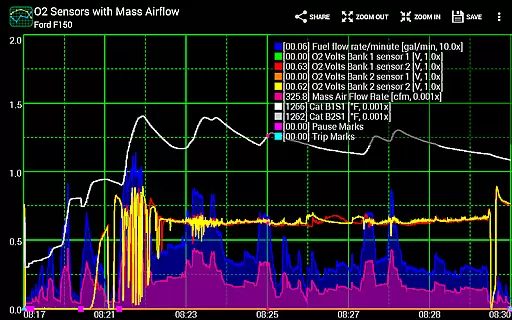
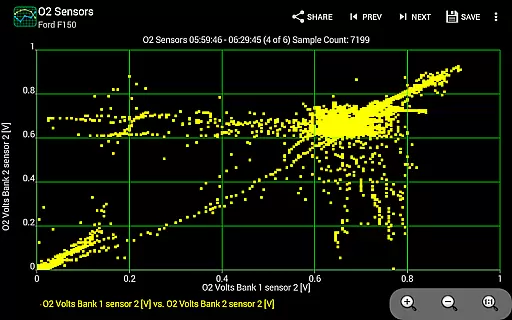
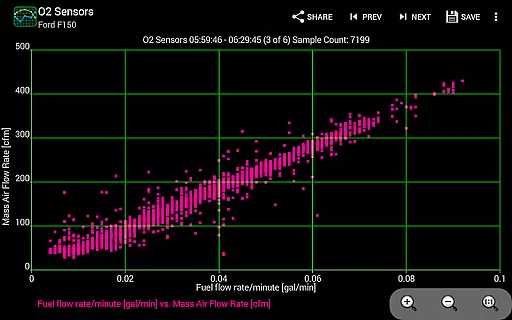
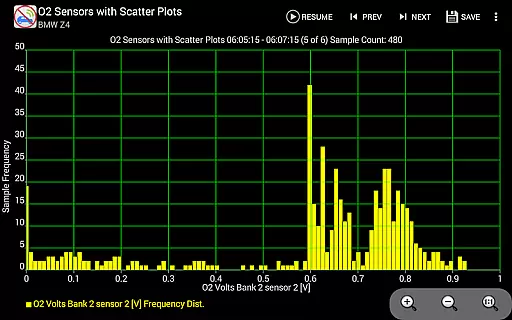
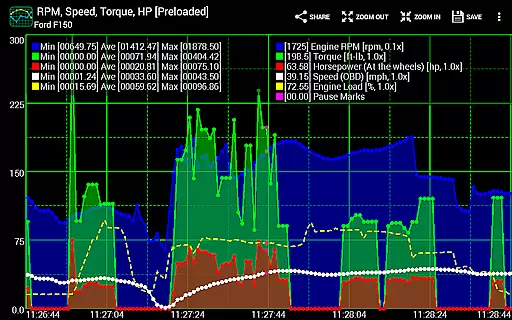
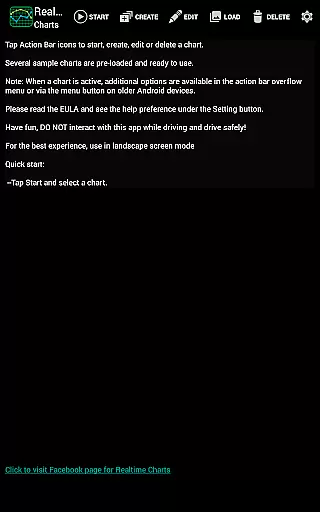
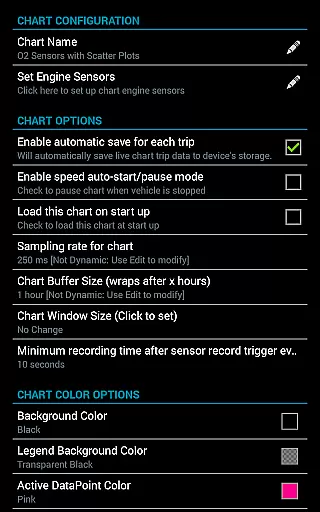
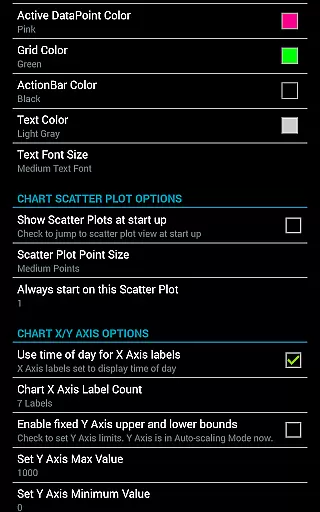
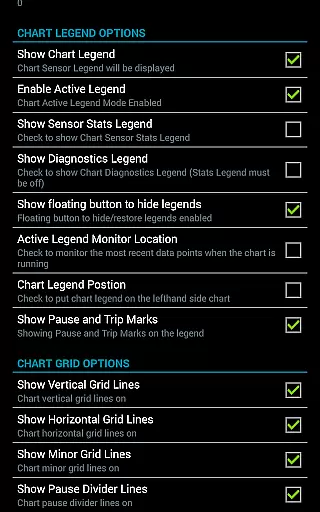
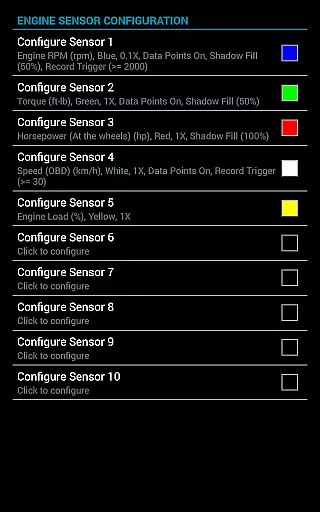
Realtime Charts for Torque Pro is a specialized plugin designed to enhance vehicle performance monitoring for automotive enthusiasts and professionals. This app allows users to graph up to 10 engine sensors simultaneously, providing real-time data visualization on Android devices. With features like scatter plot analysis and custom chart creation, it offers in-depth performance tracking tailored to user specifications.
The application supports advanced functionalities such as sensor data capture based on specific criteria and auto-pause options when the vehicle is stationary. Users can create and save up to 100 unique charts, adjust sampling frequencies, and customize visual attributes. These capabilities make it an essential tool for detailed automotive analysis and tuning.
Ideal for mechanics and hobbyists, Realtime Charts facilitates sharing professional-quality screenshots on social media and automotive forums. Its compatibility with wireless OBD2 adapters and requirement of the Torque Pro app ensure accurate diagnostics and performance evaluations, making it invaluable for those invested in optimizing their vehicle's operation.
Realtime Charts for Torque Pro boasts an array of sophisticated features that cater to automotive diagnostics. The app provides real-time graphing of multiple engine parameters, enabling users to monitor RPM, speed, MPG, and more with precision. Advanced chart customization options allow setting sampling frequencies from 100ms to 10 seconds, choosing preferred units, and adjusting dynamic scaling for optimal data representation.
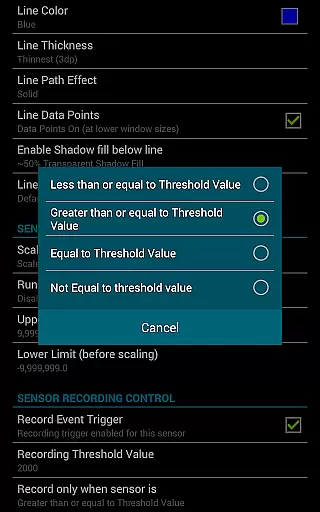
One standout feature is the ability to perform scatter plot and frequency analysis both during live sessions and on recorded data. This functionality supports detailed engine behavior studies. Additionally, users can trigger data capture based on specific sensor thresholds, ensuring relevant data collection. The inclusion of simulation mode aids in chart design without needing an active ECU connection.
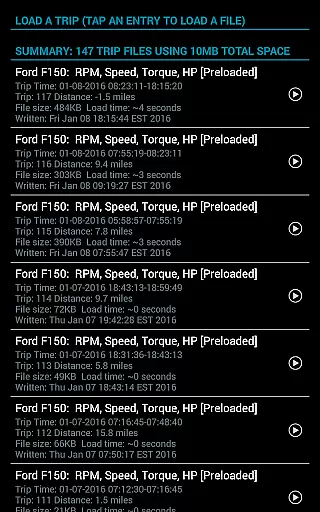
Usability enhancements include finger-scrollable and zoomable charts, session pause/resume with time compensation, and automatic trip data storage management. The app also enables exporting Excel CSV files for further analysis and supports background sensor recording while using other applications. These comprehensive features establish Realtime Charts as a versatile tool for automotive performance evaluation.
Realtime Charts for Torque Pro offers unparalleled access to detailed vehicle information by enabling users to monitor and graph up to 10 engine sensors in real-time. This includes critical data such as RPM, speed, MPG, horsepower, and torque, providing automotive enthusiasts with comprehensive insights into their vehicle's performance.
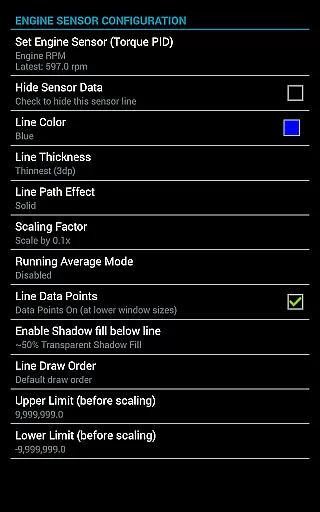
The application allows for the creation of custom charts, with the possibility to specify sensors, sampling frequency, chart colors, and series attributes. This level of customization ensures that users can tailor their monitoring experience to match their specific needs and preferences, making it an invaluable tool for both hobbyists and professionals.
With features like scatter plot analysis, dynamic scaling of data points, and graph running averages, users are equipped with advanced analytical tools. These capabilities allow for in-depth performance analysis, helping users understand their vehicle's behavior under various conditions and make informed decisions regarding maintenance and tuning.
While Realtime Charts for Torque Pro itself does not directly deal with monetary transactions, it provides a transparent overview of what is needed to utilize its full potential. To take advantage of this plugin, users must have a wireless OBD2 adapter and the Torque Pro app installed on their device, ensuring they are fully aware of the associated costs upfront.
The app lists additional resources for setting up Torque and understanding OBD-2 devices through links to support sites and tutorial videos. By directing users to these resources, it promotes an open approach to understanding the initial investment required in terms of both time and money to get started with vehicle diagnostics.
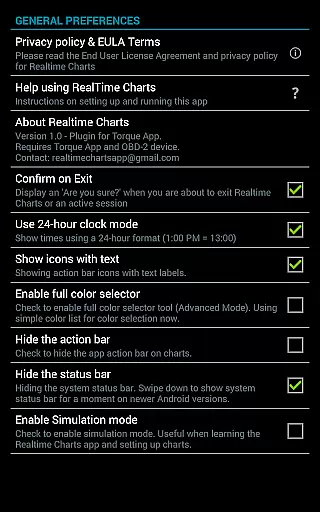
Moreover, the app supports a simulation mode that lets users design charts without needing an ECU connection. This feature highlights the app's commitment to user accessibility, allowing individuals to explore its capabilities without immediate financial outlay, thus enhancing overall price transparency within the context of necessary equipment and preparatory steps.
User-friendly interface
Highly customizable charts
Real-time data visualization
Advanced analysis tools
Excellent social sharing options
Requires separate OBD2 adapter
Dependent on Torque Pro app
Complex for beginners
Limited to Android platform
No iOS version available

Easily notify car owners in urgent situations, safe, fast, multilingual.
 4.2
4.2
Taximeter; the professional's choice
4.30
Theme for Car Launcher
4.5
Practice the drills within MotoJitsu Master Riding Program Volume 1 & 2!
4.80
Theme for Car Launcher
4.0
Boost profits and hit your goals faster with GigU's amazing tools for gigworkers
4.00
The ExtraMile App allows you to pay for fuel from the comfort of your car!
4.70
Take state-specific DMV permit tests and ace the exam.
3.90
7-Day Returns on All Cars
4.80
Car Values, Research and More
4.80
Marathon ARCO Rewards members earn rewards & apply the rewards for fuel savings!
4.80
DMV practice test 2025: Driver License permit test & written test for all states
4.70
Quick and easy car diagnostics to get you the right fix.
4.70
OBD1 ECMs application. Data log or tune directly from your phone or tablet!
4.60
Find, search, and browse 40,000+ used cars, SUVs, and trucks.
4.50
CVT diagnostics with ELM327 for Nissan-based vehicles
4.40
Discover new and used cars in Syria easily! Browse ads and connect with sellers.
3.70
Wonder how much horsepower and torque your car/truck makes? Look no further.
3.40
Monitor specific TOYOTA parameters by adding this plugin to Torque Pro.
2.00


User Reviews