
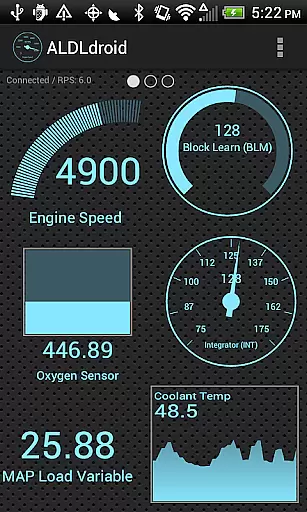
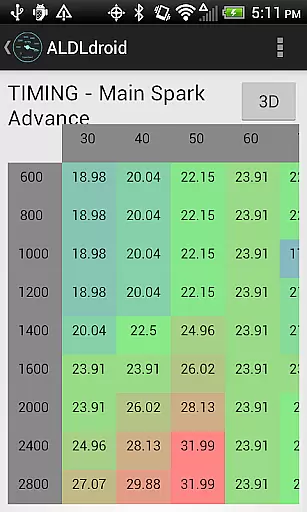
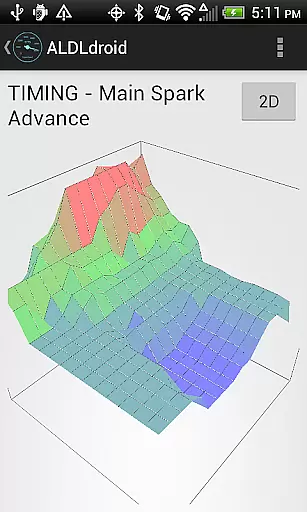
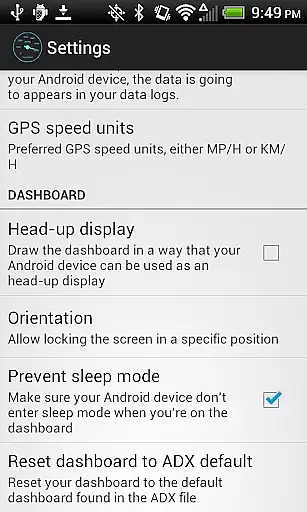
ALDLdroid is a specialized application designed for OBD1 GM (ALDL) ECMs, compatible with both 160 baud and 8192 baud protocols. This app allows users to perform data logging using TunerPro files (ADX), provided they have the correct ADX file for their specific ECM. Beyond GM ECMs, ALDLdroid extends its utility to other car and motorcycle brands such as BMW N54, Buell, DSM, Ducati, Ford, Holden, Nissan, Porsche, Volvo, Fiat, and Renault through the use of appropriate XDF files.
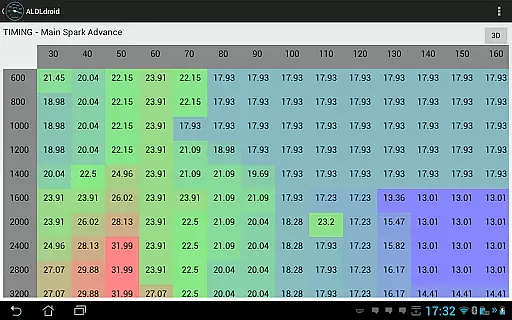
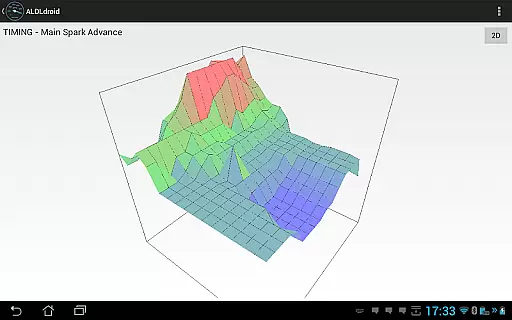
The tuning functionality supports real-time adjustments with Moates hardware and enables chip programming. Connection to the ECM can be established via Bluetooth or USB (FTDI), ensuring broad compatibility with Android devices. With features like dashboard customization, multiple log viewers, and alarm settings, ALDLdroid offers a comprehensive toolset for vehicle diagnostics and tuning.
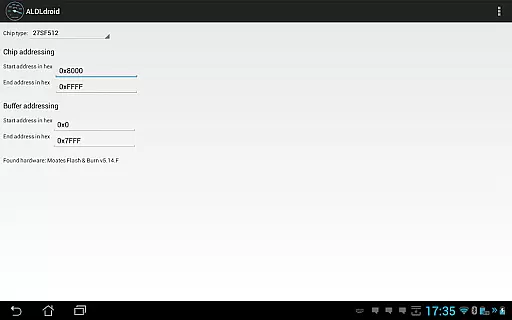
ALDLdroid boasts an array of sophisticated features tailored for automotive enthusiasts and professionals. The app's compatibility with TunerPro files (ADX and XDF) facilitates extensive data logging and tuning capabilities. Users can edit BIN files and perform real-time tuning with supported hardware like Moates Ostrich and AutoProm. Additionally, chip programming is possible with Moates BURN1/BURN2 hardware, catering to advanced modification needs.
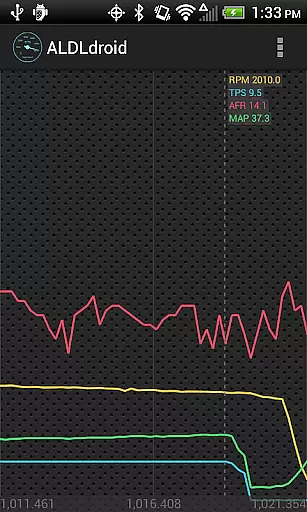
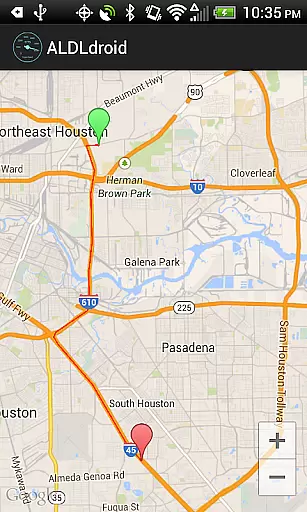
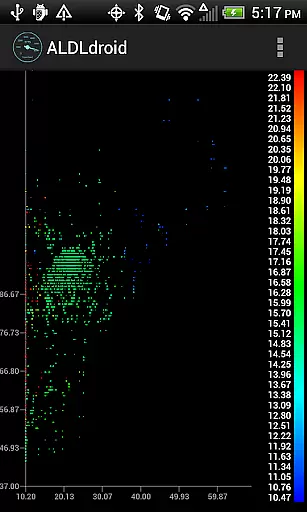
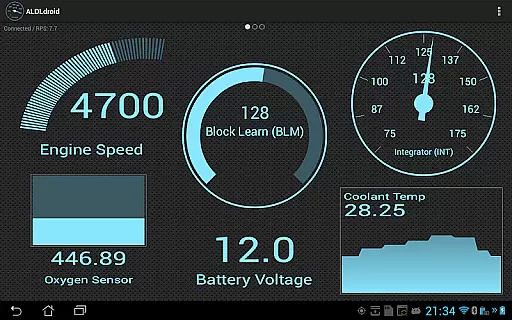
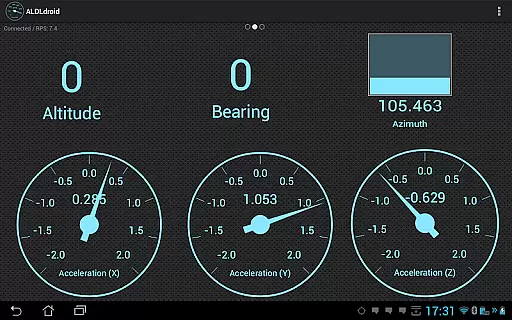
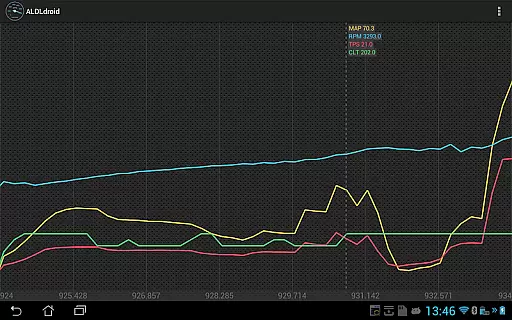
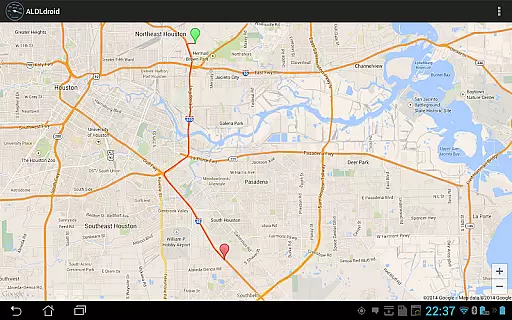
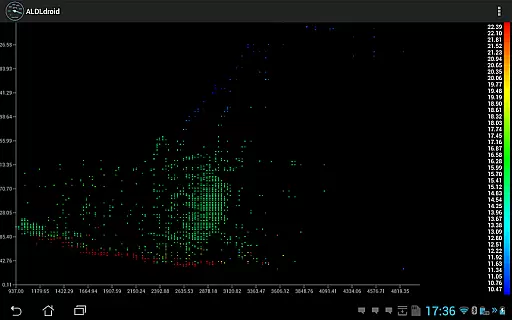
Dashboard customization is a standout feature, allowing users to personalize indicators in various formats including gauge, basic readout, bar graph, or histogram. Colors and styles are adjustable, and alarms can be configured to trigger visual and haptic feedback. The inclusion of multiple log viewers enhances data analysis, offering scatter plot visualization, GPS data mapping, and time-series data display. These robust features make ALDLdroid an indispensable tool for detailed vehicle diagnostics and performance tuning.
ALDLdroid provides comprehensive access to detailed vehicle information by interfacing with OBD1 GM ECMs and other supported car brands. The application supports both 160 baud and 8192 baud protocols, ensuring compatibility with a wide range of vehicles.
Through the use of TunerPro files (ADX), users can log data specific to their vehicle's ECM. This allows for an in-depth analysis of engine parameters and performance metrics. If the required ADX file is not pre-packaged, users can easily add it to the appropriate directory on their Android device.
Beyond GM ECMs, ALDLdroid extends its functionality to other car and motorcycle brands such as BMW N54, Buell, DSM, Ducati, Ford, Holden, Nissan, Porsche, Volvo, Fiat, and Renault. With the correct XDF file, users can edit tuning files for these various applications, enhancing the scope of vehicle information accessible through the app.
ALDLdroid maintains price transparency by offering a clear purchase process and detailing any additional hardware requirements that may incur extra costs. Before purchasing the app, users are advised to ensure they have the necessary ADX or XDF files for their specific ECM, avoiding unexpected expenses.
The app also lists compatible ALDL adapters for connecting to GM ECMs, available at specified online stores. By providing direct links to purchase Bluetooth and USB versions of these adapters, ALDLdroid ensures users are fully informed about potential additional costs related to hardware acquisition.
Furthermore, ALDLdroid operates a strict no-refund policy after the 15-minute window allowed by Google Play. This straightforward approach to pricing and refunds ensures that users are well-informed about their financial commitments when choosing to utilize the application for their vehicle diagnostics and tuning needs.
User-friendly interface
Extensive protocol support
Real-time tuning capability
Customizable dashboard
Comprehensive log viewers
Limited ECM compatibility
Requires additional hardware
No iOS version available
Complex for beginners
Premium pricing

Realtime Charts is a plugin for the Torque Pro App (OBD 2 & Car)
 4.20
4.20
Launcher for use in the car
4.40
Buy and sell your boat
4.70
Club Car Wash Mobile App—the fast lane to managing your wash membership.
3.30
Lexus app currently supports 2010 or newer vehicles (2018 or newer for Hawaii).
4.80
Your Path to Driving Licensing Success Begins Here! Develop your driving skills.
4.40
Shop cars & see your financing
4.60
MySubaru: Download. Connect. Love.
4.70
Autotrader is your online solution for buying and selling new and used cars.
4.40
Take Control of Your Car
4.80
Trip computer+car diagnostic tool with widest variety of features and dashboard!
4.70
Find Your Local Store or Shop Online for the Car, Truck, or SUV Parts You Need
4.70
Browse millions of cars, track vehicle listings or sell your car today
4.70
Instant diesel savings. No credit checks or fees. Nationwide growing network.
4.40
AI Powered - Automotive Mechanic Assistant
4.30
OBD diagnostics, Live Data, DPF regeneration for BMW
4.00
Available in select states.
4.00
BlueDriver® is a Premium Diagnostic OBD2 Scan Tool. www.BlueDriver.com
3.90
App Mirroring for Tesla Car's Browser
2.80


User Reviews