
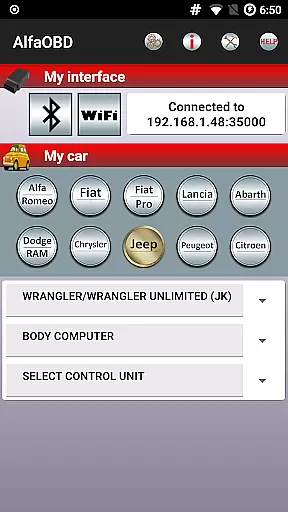
AlfaOBD is a comprehensive diagnostic software tailored for vehicles produced by Stellantis (formerly FCA), including brands like Alfa-Romeo, Fiat, Lancia, Dodge, RAM, Chrysler, and Jeep. It also supports Peugeot Boxer and Citroen Jumper models. Designed primarily for car owners, this application offers functionalities typically found in professional scanners, providing access to many dealer-level diagnostic and configuration procedures.
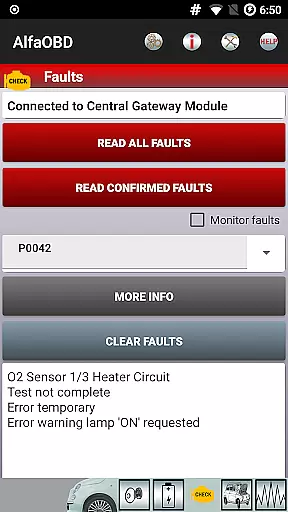
A key feature of AlfaOBD is its native support for electronic control units used in Fiat group cars, setting it apart from other diagnostic applications that offer only limited generic OBDII support. The app allows users to monitor various dynamic parameters of engine, gearbox, ABS, climate control ECUs, and present them graphically as plots. Additionally, it can read static data such as ECU identification, system status, fault codes, and clear these fault codes when necessary.
The application is available in multiple languages and requires a compatible OBD interface for operation. Whether you're diagnosing issues or configuring vehicle settings, AlfaOBD provides an accessible solution for car enthusiasts and professionals alike.
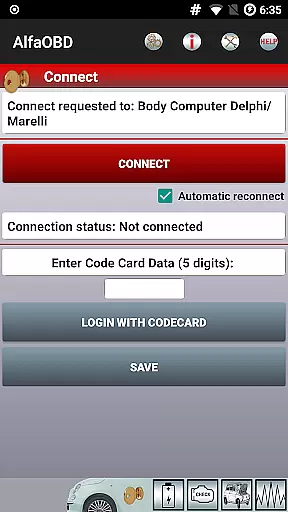
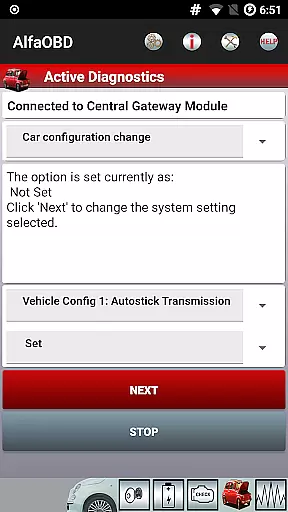
AlfaOBD stands out with its extensive range of features designed to provide detailed diagnostics and configuration options for a variety of vehicles. One notable capability is the active diagnostics and configuration procedures for equipment controlled by engine, gearbox, body computer, climate control, ABS, airbag, code control, and other ECUs. This functionality allows users to perform tasks such as electronic key programming and RF remote control programming, which are essential for comprehensive vehicle management.
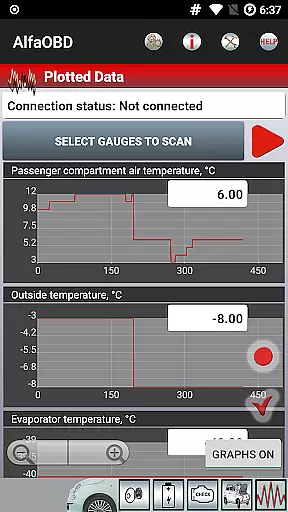
In addition to its diagnostic prowess, AlfaOBD offers monitoring capabilities for various dynamic parameters of engine, gearbox, ABS, and climate control ECUs. These parameters are presented graphically as plots, enabling users to visualize data trends over time. The app also reads static data including ECU identification, system status, fault codes with probable causes, and environmental information where applicable, ensuring a thorough understanding of the vehicle's condition.
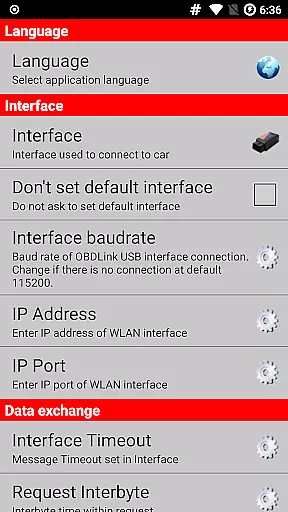
For those requiring multilingual support, AlfaOBD is available in Czech, English, French, German, Hungarian, Italian, Polish, Portuguese, Russian, Turkish, and Spanish. Users can select their preferred language via the application Settings menu, making it accessible to a global audience.
Accessing detailed vehicle information is crucial for effective diagnostics and maintenance. AlfaOBD provides comprehensive data directly from the Electronic Control Units (ECUs) of vehicles produced by Stellantis (formerly FCA), including brands like Alfa-Romeo, Fiat, Lancia, Dodge, RAM, Chrysler, and Jeep. This native support sets it apart from generic OBDII scanners.
The application enables users to monitor dynamic parameters of various systems such as engine, gearbox, ABS, and climate control in real-time. These parameters are presented graphically, allowing users to visualize system performance and identify anomalies quickly.
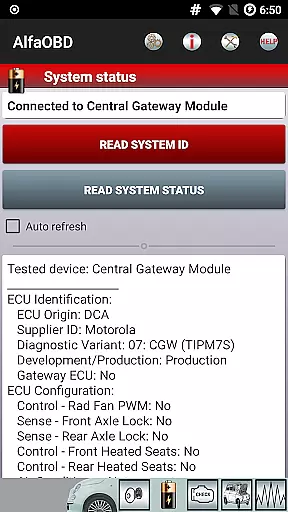
Additionally, AlfaOBD reads static data, which includes ECU identification, system status, fault codes, and environmental information where applicable. This feature helps car owners understand their vehicle's condition without needing professional assistance.
With this level of detail, users can make informed decisions about necessary repairs or adjustments, potentially saving time and money while ensuring optimal vehicle performance.
Price transparency in automotive diagnostics tools ensures users understand the costs involved before committing to a purchase or service. While AlfaOBD itself is a software solution, it requires compatible OBD interfaces for full functionality, which may involve additional costs.
The app clearly outlines compatibility requirements on its website, www.alfaobd.com, helping users choose appropriate hardware. If issues arise with installation or upgrades due to device compatibility, users are encouraged to contact info@alfaobd.com for guidance.
It's important to note that some features might be blocked by security gateway modules (SGW) installed in FCA vehicles since MY2018. To access all diagnostic functions, an SGW bypass may be required, adding to potential expenses.
By providing clear instructions and support resources, AlfaOBD ensures users are aware of possible costs upfront, promoting trust and informed decision-making when investing in diagnostic solutions.
User-friendly interface
Comprehensive diagnostic tools
Wide vehicle compatibility
Professional-level features
Multilingual support
Requires compatible OBD interface
Limited third-party diagnostics on newer models
Complex setup process
No iOS version available
Occasional connectivity issues

ODB2 based monitoring application for the Chevy Bolt (2017-2021)
 4.00
4.00
Theme for Car Launcher
4.5
CVT diagnostics with ELM327 for Nissan-based vehicles
4.40
myAudi offers users services and Audi connect services for Audi drivers
4.10
BlueDriver® is a Premium Diagnostic OBD2 Scan Tool. www.BlueDriver.com
3.90
Shop cars & see your financing
4.60
DMV practice test 2025: Driver License permit test & written test for all states
4.70
Find, search, and browse 40,000+ used cars, SUVs, and trucks.
4.50
Marathon ARCO Rewards members earn rewards & apply the rewards for fuel savings!
4.80
The Texaco App allows you to pay for fuel from the comfort of your car!
4.80
Oil change service & coupons for car maintenance at Valvoline Instant Oil Change
4.70
View your car’s service records and find out when maintenance is due.
4.70
Find Fast EV Chargers | Charge Your Vehicle at 1,100+ Fast Car Charging Stations
4.60
Autolist - The Largest Selection of Local Used Cars and Trucks
4.50
Your Path to Driving Licensing Success Begins Here! Develop your driving skills.
4.40
Simplify your drive
3.90
Club Car Wash Mobile App—the fast lane to managing your wash membership.
3.30
Earn and save with Fuel Rewards®
3.20
Theme for Car Launcher
4.4


User Reviews