
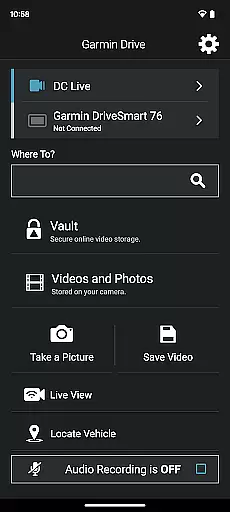
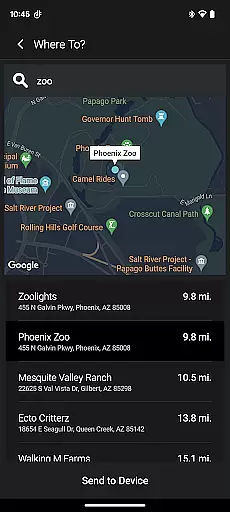
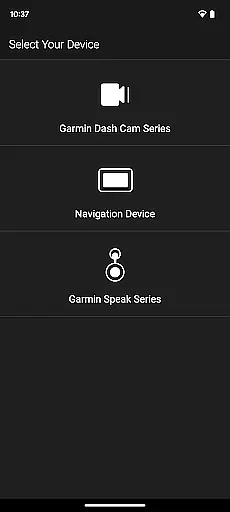
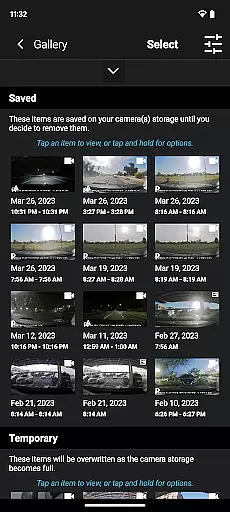
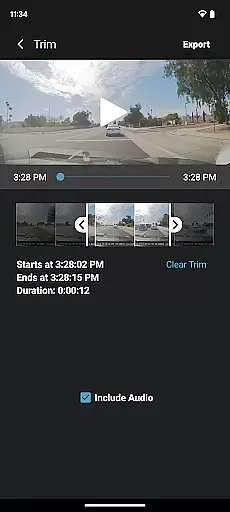
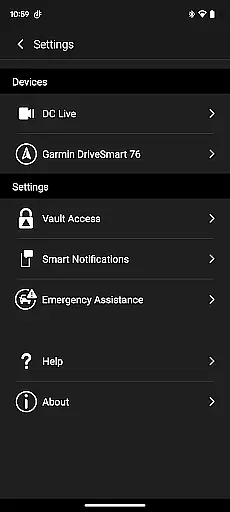
Garmin Drive is a versatile app designed for Garmin automotive navigators and dash cams. It provides real-time traffic updates, parking information, advanced weather alerts, and access to photoLive traffic cameras. The app also enables hands-free calling, texting, and notifications through Bluetooth connectivity. For dash cam users, it offers wireless control of up to four cameras, video playback, and easy sharing options.
This application is particularly useful for drivers who require comprehensive vehicle coverage and reliable navigation assistance. By integrating with Garmin Speak and Amazon Alexa, it delivers an enhanced driving experience with voice-controlled navigation and entertainment features. Whether you need to monitor road conditions or manage multiple camera views, Garmin Drive ensures you stay informed and connected on the road.
One of the standout features of Garmin Drive is its ability to sync with both navigators and dash cams. For navigators, it provides essential real-time data such as traffic patterns, weather conditions, and parking availability. Users can also receive calls, texts, and app notifications directly through their navigator's interface.
For dash cam users, the app supports the Dash Cam Auto Sync feature, allowing simultaneous connection of up to four cameras. This creates a multi-angle view of the vehicle's surroundings, which is crucial for safety and security. Additionally, the picture-in-picture functionality lets users review footage from two perspectives at once, simplifying video analysis and sharing with relevant parties like insurance companies or authorities.
The Garmin Drive app provides comprehensive details about your vehicle's surroundings through its advanced integration with navigators and dash cams. This includes real-time traffic updates, parking availability, and live weather conditions, ensuring drivers are well-informed at all times.
For users with compatible dash cams, the app allows access to camera settings and recorded footage. The Dash Cam Auto Sync feature supports up to four cameras, offering 360-degree coverage around the vehicle. This ensures that every angle is captured, providing detailed visual information for enhanced safety and security.
With the ability to create a 'picture-in-picture' view from two different camera perspectives, the app makes it easy to review and share crucial video evidence. Whether it's for insurance claims or legal purposes, this functionality adds significant value by delivering detailed and accurate vehicle-related information.
Garmin Drive offers clear information regarding the costs associated with using its various features. While the app itself is free to download, certain functionalities such as real-time traffic and advanced weather updates may require a subscription, ensuring users understand the financial commitment involved.
Users can easily identify which features are included with their device purchase and which might involve additional expenses. This clarity helps in making informed decisions about utilizing specific services like photoLive traffic cameras or enhanced navigation tools without unexpected charges.
Furthermore, the app provides insights into potential savings by optimizing routes based on current traffic conditions, thus reducing fuel consumption. By presenting these cost-effective solutions transparently, Garmin Drive empowers users to manage their driving expenses more effectively while enjoying top-notch navigation assistance.
User-friendly interface
Real-time traffic updates
Multi-camera support
Voice-controlled navigation
Comprehensive vehicle coverage
Limited device compatibility
Requires stable internet
Bluetooth pairing issues
Premium feature costs
Complex initial setup

OBD1 ECMs application. Data log or tune directly from your phone or tablet!
 4.60
4.60
OBDII - ELM327 Terminal tool for 96-00 Volvos
4.50
Buy and sell your boat
4.70
A full featured, real-time transit locator system
4.30
Autolist - The Largest Selection of Local Used Cars and Trucks
4.50
Secure mobile payments & fuel savings at Phillips 66®, Conoco® and 76® stations
4.40
Monitor your behind-the-wheel behavior to become a safer driver and save.
4.10
Find, search, and browse 40,000+ used cars, SUVs, and trucks.
4.50
7-Day Returns on All Cars
4.80
Easy connect & control your cars from afar. Remote Lock & unlock car and carplay
4.60
Get price alerts, vehicle history details and more for cars near you!
4.50
Autotrader is your online solution for buying and selling new and used cars.
4.40
OBD2 car scanner and diagnostics: read Check Engine, DTC, economy....
4.30
ODB2 based monitoring application for the Chevy Bolt (2017-2021)
4.00
Blink Charging Mobile app makes finding an EV charger an intuitive experience.
3.80
The Smarter Way Forward
3.30
Monitor specific TOYOTA parameters by adding this plugin to Torque Pro.
2.00
Ferrari inspired analog & digital watch face with quick access and premium style
4.1
DIY Vehicle Wheel Alignment
4.4


User Reviews