
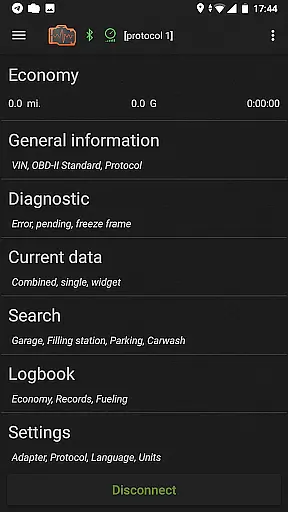
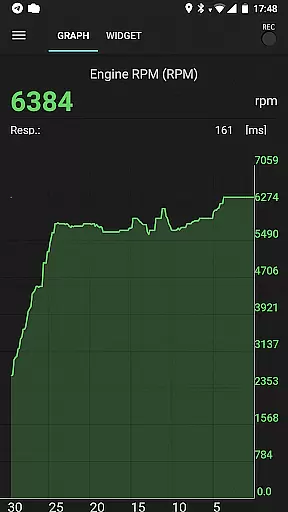
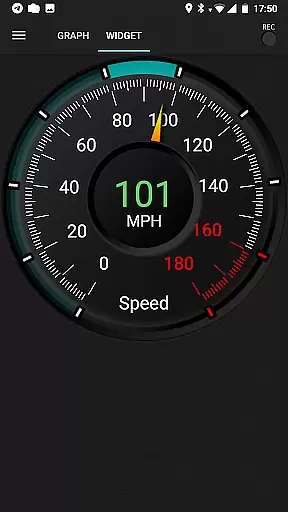
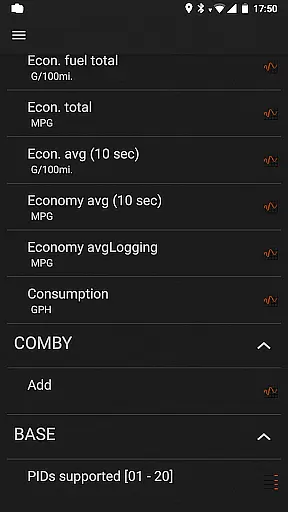
inCarDoc Pro is a comprehensive vehicle diagnostics and monitoring tool designed for car owners and automotive professionals. The application serves as an OBD-II scanner, reading real-time parameters from your car's Engine Control Unit (ECU) to provide detailed insights into its performance. With support for multiple connection types including Bluetooth, WiFi, and BLE devices like Kiwi 3 and V-Gate iCar 3, it ensures compatibility with a wide range of vehicles.
The app offers advanced features such as recording parameters in the background, viewing traces of recorded data, and GPS tracking. Users can upload their diagnostic information to a server for further analysis or sharing with service providers. Additionally, inCarDoc Pro includes widgets for fuel economy and acceleration metrics, enhancing the overall user experience by providing valuable data at a glance.
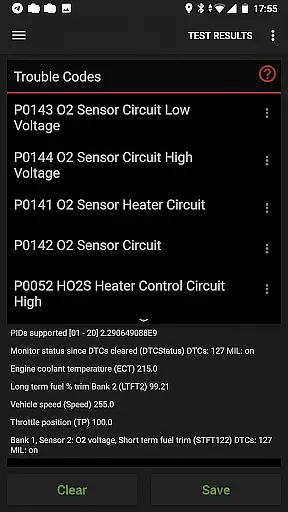
One of the standout features of inCarDoc Pro is its ability to function as a fault code reader, retrieving Check Engine Light (MIL) statuses along with freeze frame data and descriptions. This allows users to diagnose issues effectively and clear stored trouble codes once repairs are completed. The app supports extensive real-time parameter readings including speed, RPM, coolant temperature, pressure, and O2 sensor data, which are presented through charts and customizable widgets.
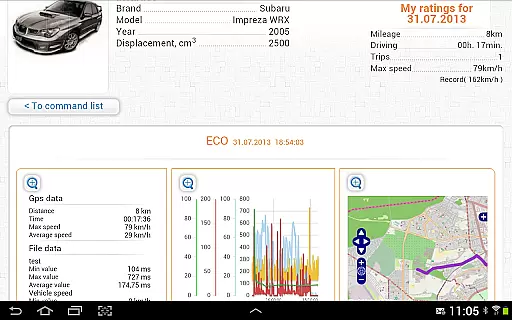
For those interested in fuel efficiency, the Economizer feature provides trip computer functionalities that track instant and average MPG, alongside daily and trip-based statistics. Users can maintain detailed logbooks for fueling, servicing, and maintenance records, ensuring all critical vehicle information is organized and accessible. Furthermore, the console mode caters to advanced users who wish to send direct OBD2 and ELM327 commands, offering unparalleled control over diagnostic processes.
Accessing detailed vehicle information is crucial for effective car maintenance and diagnostics. inCarDoc Pro provides comprehensive data about your vehicle's performance by connecting to the OBD-II system, which is standard in most modern cars. The app reads real-time parameters from the ECU, presenting vital details such as engine speed, coolant temperature, and oxygen sensor readings.
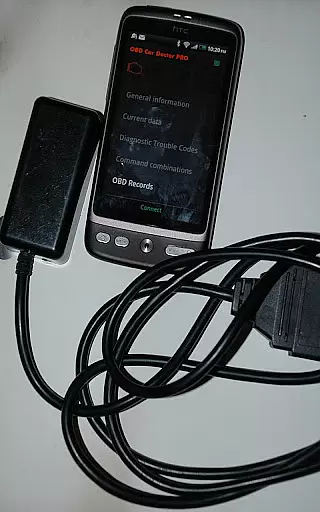
The application supports multiple OBD scanners including ELM327 and other compatible devices, ensuring wide compatibility with various car models. This allows users to monitor essential vehicle metrics like fuel economy, acceleration, and even GPS data. By providing this level of detail, inCarDoc Pro empowers car owners to understand their vehicle's health and make informed decisions regarding necessary repairs or adjustments.
With its advanced diagnostic capabilities, inCarDoc Pro goes beyond basic parameter display. It offers professional-grade features such as fault code reading and clearing, freeze frame data capture, and the ability to store and share diagnostic reports. These functions are particularly useful when seeking professional repair services, as they provide mechanics with precise information about the vehicle's issues.
Price transparency in automotive applications is essential for users to understand the value they receive for their investment. inCarDoc Pro offers a clear pricing model by providing a free version with basic features and a Pro version with enhanced capabilities. The Pro version removes advertisements and unlocks advanced functionalities such as real-time parameter recording, background mode operation, and extended widget support.
Users can evaluate the app's compatibility with their vehicle using the free version before committing to the paid option. This approach ensures that customers only pay for features that work with their specific car models. The app also maintains transparency about hardware requirements, clearly stating the need for an ELM327-compatible OBD scanner to access full functionality.
Additionally, inCarDoc Pro provides detailed descriptions of each feature available in the Pro version on their official website. This includes information about server upload capabilities, extended widgets for fuel economy tracking, and overlay features for presenting data over any application screen. Such openness helps users make informed decisions about whether the Pro version meets their diagnostic needs and budget constraints.
User-friendly interface
Comprehensive diagnostics
Real-time data tracking
Customizable widgets
Cloud data storage
Requires compatible OBD-II scanner
Limited without ELM327
Premium cost
Complex for beginners
Device compatibility issues

Attention! This is the theme for the Car Launcher app
 4.4
4.4
Play what you want through Android Auto
4.90
A full featured, real-time transit locator system
4.30
Get your personalized financing options and shop for used cars today!
4.20
Blink Charging Mobile app makes finding an EV charger an intuitive experience.
3.80
1M+ high-quality auto parts at your fingertips. Fitment guaranteed.
4.70
Find Your Local Store or Shop Online for the Car, Truck, or SUV Parts You Need
4.70
7-Day Returns on All Cars
4.80
A smarter way to park and reserve your spot ahead of time.
4.40
Shop, finance, or sell today.
4.80
Quick and easy car diagnostics to get you the right fix.
4.70
Find Fast EV Chargers | Charge Your Vehicle at 1,100+ Fast Car Charging Stations
4.60
CVT diagnostics with ELM327 for Nissan-based vehicles
4.40
Car Sounds Engine Sounds app welcomes Auto Lovers to feel Car Simulator Sound
4.20
Control maps, media and messaging, with the Google Assistant while you drive
4.10
BlueDriver® is a Premium Diagnostic OBD2 Scan Tool. www.BlueDriver.com
3.90
AlfaOBD software for Fiat Group cars native diagnostic
3.70
Read and delete OBD codes with any ELM327 OBD scanner. Coding functions included
3.40
Club Car Wash Mobile App—the fast lane to managing your wash membership.
3.30


User Reviews