
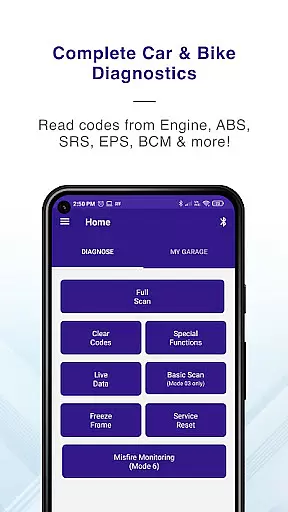
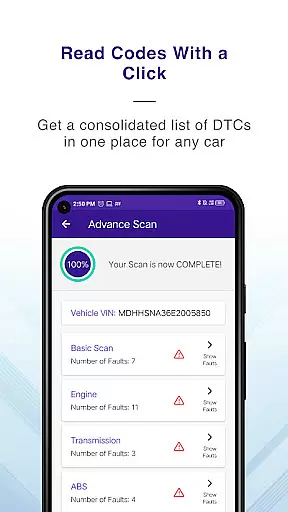
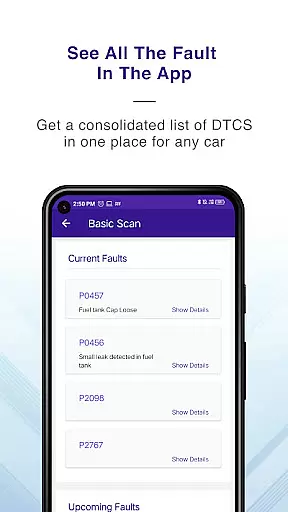
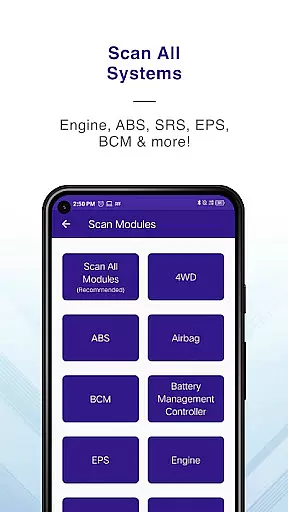
GaragePro is a comprehensive OBD scanning app designed for vehicle owners, repair shops, and DIY enthusiasts. It provides access to over 200 diagnostic functions across cars, bikes, and heavy vehicles, working seamlessly with common OBD2 scanners like ELM327. The app allows users to scan real-time data, retrieve trouble codes, and monitor crucial sensor datapoints from multiple vehicle systems such as Engine, ABS, SRS, and more.
One of the standout features of GaragePro is its ability to perform advanced functions like Injector coding, DPF regeneration, Throttle Reset, and Steering angle reset. These capabilities make it an invaluable tool for both professional mechanics and car enthusiasts who want deeper insights into vehicle performance. Additionally, the app offers live data monitoring, PDF reporting, and wireless Bluetooth connectivity, ensuring a seamless diagnostic experience.
Whether you're troubleshooting engine issues, running smog checks, or resetting dashboard lights, GaragePro empowers users with detailed explanations and customizable reports. Its compatibility with all OBD2-compliant vehicles and support for motorcycles further enhances its versatility. With free basic features and affordable premium plans starting at $10, GaragePro delivers exceptional value for anyone involved in vehicle maintenance.
GaragePro stands out with its extensive range of diagnostic tools and user-friendly interface. The app supports advanced OBD scanning, retrieving real-time data from various vehicle systems including Engine, ABS, Airbag, BCM, and Transmission. This multi-mode coverage ensures that users can access information beyond just the engine, providing a holistic view of the vehicle's health.
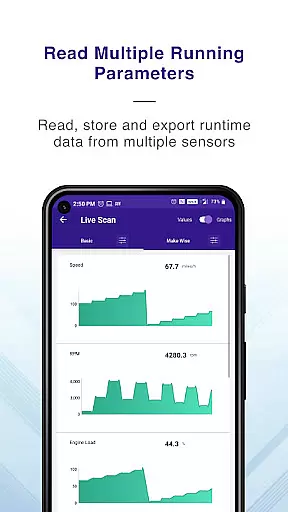
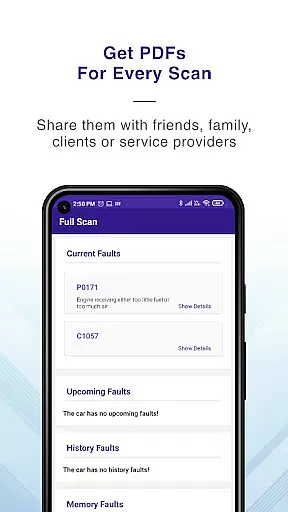
Another key feature is the live data monitoring capability, which tracks over 100 crucial sensor datapoints in real time. Users can view this data through intuitive graphs and even export it to Excel for further analysis. Special functions like Injector coding, DPF regeneration, and Steering angle reset add significant value for professionals performing complex repairs. Additionally, the app offers track mode for acceleration tests and generates shareable PDF reports after each scan.
Wireless connectivity via Bluetooth eliminates the hassle of tangled cables, making diagnostics more convenient than ever. Compatible with most ELM327-based scanners, GaragePro also works with specific recommended devices like VGate and OBDLink. With pricing plans starting at $10 for advanced features, the app strikes a perfect balance between affordability and functionality, catering to both casual users and professional mechanics.
Accessing detailed vehicle information is crucial for effective diagnostics and maintenance. GaragePro provides comprehensive OBD coverage, allowing users to scan and retrieve real-time data from multiple systems such as Engine, ABS, SRS, EPS, BCM, Transmission, HVAC, and more.
The app goes beyond basic code reading by offering advanced explanations for trouble codes. This feature empowers users to understand the underlying issues within their vehicles, making troubleshooting more efficient and accurate.
With support for over 100 crucial sensor data points and live monitoring, GaragePro ensures that users can track their vehicle's performance in real time. The ability to export this data into Excel further enhances its utility, enabling deeper analysis and better decision-making.
Whether you're a DIY enthusiast or a professional mechanic, having access to such detailed vehicle information helps maintain optimal vehicle health and performance.
Price transparency is essential for users to make informed decisions about the services they choose. GaragePro offers scanning and live data features for free, ensuring that users can access basic diagnostic information without any cost.
For those requiring more advanced functionalities, GaragePro provides paid plans starting at just $10. These plans include higher-level diagnostic functions, offering excellent value for money.
The clear pricing structure allows users to select a plan that best suits their needs without worrying about hidden fees or unexpected charges. This straightforward approach builds trust and confidence among users.
By providing both free and premium options, GaragePro ensures that all users have access to necessary tools while offering enhanced capabilities for those who need them, maintaining transparency throughout the process.
User-friendly interface
Comprehensive diagnostics
Live data monitoring
Special repair functions
Affordable pricing plans
Paid features only
Bluetooth dependency
Limited free options
Device compatibility
Technical knowledge required

Monitor specific TOYOTA parameters by adding this plugin to Torque Pro.
 2.00
2.00
* This app needs an adapter cable and a certain OBD2 adapter to work *
4.20
CVT diagnostics with ELM327 for Nissan-based vehicles
4.40
Better fuel to help keep you on the road
3.20
myAudi offers users services and Audi connect services for Audi drivers
4.10
By enthusiasts, for enthusiasts
4.00
PayByPhone: A quick and easy way to pay for parking.
3.80
Easy connect & control your cars from afar. Remote Lock & unlock car and carplay
4.60
A smarter way to park and reserve your spot ahead of time.
4.40
Quick and easy car diagnostics to get you the right fix.
4.70
Browse millions of cars, track vehicle listings or sell your car today
4.70
Shop cars & see your financing
4.60
Digital Car Key/Launcher, Screen Mirror, Android Dashboard, Remote Wireless Link
4.40
Autotrader is your online solution for buying and selling new and used cars.
4.40
A full featured, real-time transit locator system
4.30
ODB2 based monitoring application for the Chevy Bolt (2017-2021)
4.00
Mobile Phone Parking - So easy to park
3.70
App Mirroring for Tesla Car's Browser
2.80
Easily notify car owners in urgent situations, safe, fast, multilingual.
4.0


User Reviews