
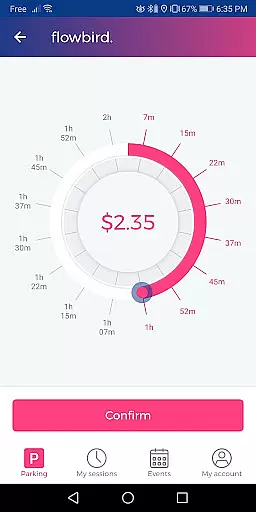
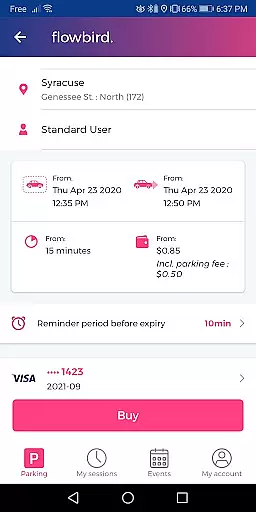
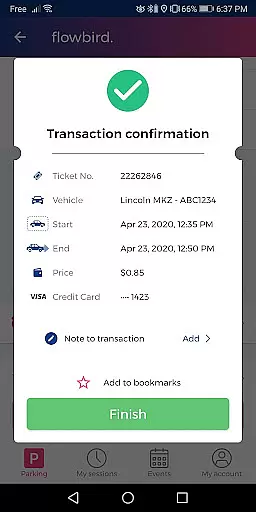
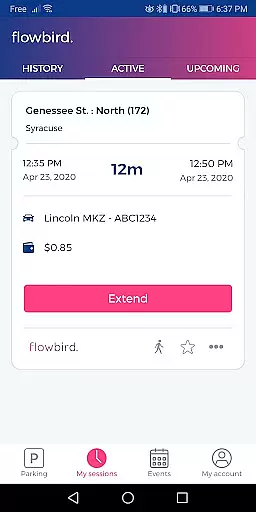
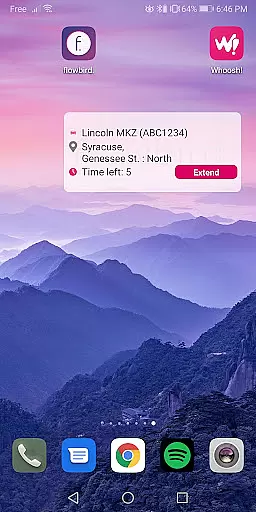
Flowbird Parking is a mobile application designed to simplify the parking experience for users. The app allows drivers to pay for parking directly from their smartphones, eliminating the need to use traditional parking meters. One of its standout features is the ability to receive notifications when parking time is about to expire, allowing users to extend their parking duration remotely. This functionality varies by location but provides significant convenience where available.
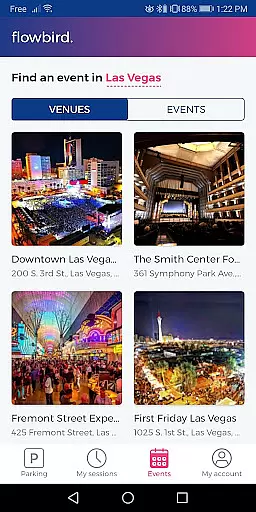
In addition to mobile payments, Flowbird Parking offers helpful tools such as Parking Pressure display for certain areas, which helps users identify less congested parking spots. The app also includes a 'Find my car' feature for those who tend to forget where they parked, and supports fingerprint login for quick and secure access. Registration is free, and once an account is created, users can utilize the service in any supported location. However, availability is not universal, so it's important to check eligible locations on the Flowbird website.
Flowbird Parking boasts several key features that enhance the user experience. First and foremost, the app facilitates mobile payments through smartphones or web access, ensuring a seamless transaction process. Users can easily manage their parking sessions without needing physical currency or interacting with parking meters. Another notable feature is the Parking Pressure display, available in select locations, which visually indicates the availability of parking spaces, helping users make informed decisions quickly.
The app also incorporates a 'Find my car' function, which uses location data to guide users back to their parked vehicles—a valuable tool in unfamiliar or large parking areas. Security is prioritized with options like fingerprint login, providing a fast yet secure method to access the app. Additionally, Flowbird Parking adheres to stringent Payment Card Industry Data Security Standards, ensuring that all transactions are safe and user data is protected against unauthorized access.
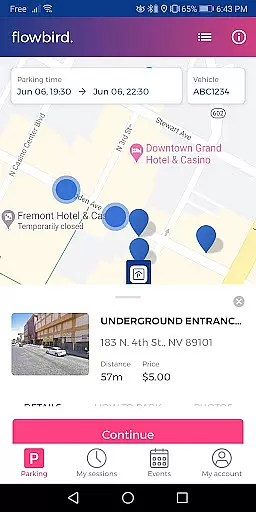
Detailed vehicle information is crucial for ensuring a seamless parking experience. The Flowbird Parking app provides essential details about your vehicle, allowing you to manage multiple vehicles easily within the app.
Upon registration, users can input specific vehicle information such as license plate numbers. This feature ensures that all your parking sessions are linked to the correct vehicle, which is vital for avoiding any potential parking violations or fines.
The app's ability to store and retrieve detailed vehicle information simplifies the process of selecting the right vehicle for each parking session. Users can switch between vehicles effortlessly, making it convenient for families or individuals managing multiple cars.
By maintaining accurate and detailed vehicle records, Flowbird enhances user convenience and ensures compliance with local parking regulations, ultimately providing peace of mind while parking.
Price transparency in parking apps like Flowbird Parking is essential for users to understand the costs involved before initiating a parking session. Flowbird excels in displaying clear and concise pricing information tailored to each location.
When users select their parking location on the map, Flowbird provides real-time pricing details based on the duration and specific parking zone. This immediate access to pricing data empowers users to make informed decisions about their parking expenses.
In addition to showing base rates, the app also outlines any additional fees or taxes applicable to the parking session. Such comprehensive price breakdowns ensure there are no hidden costs, fostering trust and satisfaction among users.
Flowbirdu2019s commitment to price transparency not only enhances the overall user experience but also sets a standard for fair and open pricing practices in the parking industry.
User-friendly interface
Secure payment processing
Free registration
Remote time extension
Convenient parking management
Limited location support
Requires internet connection
Parking rules vary
No offline functionality
Dependent on third-party services

Attention! This is the theme for the Car Launcher app
 4.4
4.4
Ferrari inspired analog & digital watch face with quick access and premium style
4.3
Theme for Car Launcher
4.3
DMV Test Pro offers all the updated FREE DMV tests online.
4.60
Get your personalized financing options and shop for used cars today!
4.20
Digital Car Key/Launcher, Screen Mirror, Android Dashboard, Remote Wireless Link
4.40
Car Sounds Engine Sounds app welcomes Auto Lovers to feel Car Simulator Sound
4.20
Automotive Electrical Wiring Diagrams
4.40
Secure mobile payments & fuel savings at Phillips 66®, Conoco® and 76® stations
4.40
Play what you want through Android Auto
4.90
Lexus app currently supports 2010 or newer vehicles (2018 or newer for Hawaii).
4.80
MySubaru: Download. Connect. Love.
4.70
Browse millions of cars, track vehicle listings or sell your car today
4.70
Listings of Tesla's with FSD - Included package
4.60
Autolist - The Largest Selection of Local Used Cars and Trucks
4.50
Your car is talking. Start listening.
4.30
Read and delete OBD codes with any ELM327 OBD scanner. Coding functions included
3.40
The Smarter Way Forward
3.30
O'Reilly Pro will streamline your parts lookup and ordering process!
3.20


User Reviews