

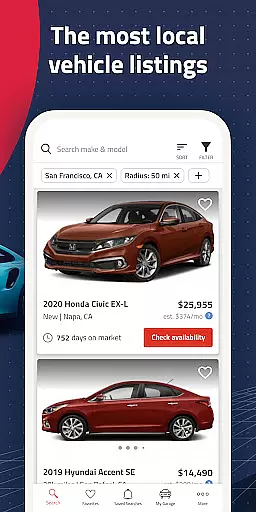
Autolist is a premier automotive marketplace application designed to simplify the used car buying process. With access to millions of listings from thousands of sources, it aggregates the largest selection of local cars, trucks, and SUVs in one convenient platform. Whether you're searching for a specific make and model or comparing prices across different vehicles, Autolist provides all the necessary tools to find your ideal car at the best possible price.
The app's intuitive filtering system allows users to refine searches by price range, vehicle year, color preferences, and installed features. Additionally, Autolist offers valuable insights through its price history and Listimate value estimates, empowering buyers to make informed decisions. The ability to directly contact dealers or private sellers within the app streamlines communication and accelerates the purchasing process.
Autolist is particularly beneficial for first-time car buyers or those looking to upgrade their current vehicle. By providing real-time updates on price changes and new inventory matching user preferences, the app ensures that shoppers never miss an opportunity to secure their perfect ride. This comprehensive approach to car shopping makes Autolist an indispensable tool in today's automotive market.
Autolist distinguishes itself through several key features that enhance the car-buying experience. First and foremost is its extensive inventory aggregation system, which collects listings from thousands of sources nationwide. This ensures users have access to the most comprehensive selection of used vehicles available, regardless of location or vehicle type.
The app's advanced filtering capabilities allow for precise search refinement. Users can specify exact criteria including price range, vehicle age, exterior and interior colors, and desired features. The inclusion of price history charts and Listimate value estimates provides crucial market insights, helping buyers determine fair pricing and optimal purchase timing.
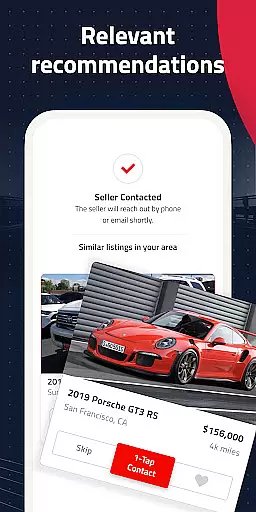
Additional notable features include direct seller communication tools, allowing users to call, text, or email dealers and private sellers directly through the app. The saved search functionality automatically notifies users of new listings matching their criteria, while the favorites tracking system monitors price changes and availability for selected vehicles. These comprehensive tools collectively create a seamless and informed car-buying experience.
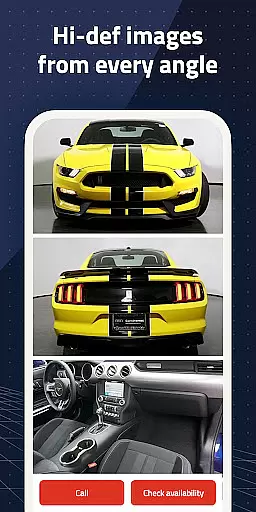
When searching for a used car, having access to comprehensive vehicle details is crucial. Autolist provides an extensive database that includes specific information on every listed car, ensuring users can make informed decisions. The app aggregates data from thousands of sources, presenting users with detailed specifications such as make, model, year, mileage, and installed features.
The importance of detailed vehicle information cannot be overstated in the car-buying process. With Autolist, users can filter their search using various criteria including price range, exterior and interior color, and additional features. This level of detail allows buyers to narrow down options based on their preferences and requirements, streamlining the selection process significantly.
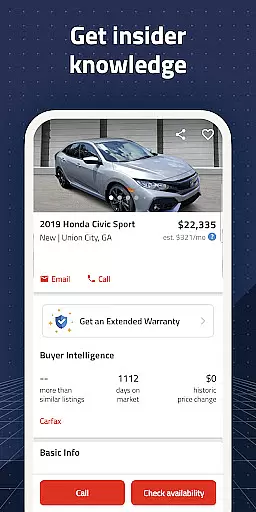
Autolist's commitment to providing detailed vehicle information offers immense value to its users. Shoppers can view complete price histories and Listimate values for each car, empowering them to negotiate fair prices confidently. By delivering all-encompassing details about each vehicle, Autolist ensures that users have everything they need to choose the perfect car at the best possible price.
Price transparency is a critical factor when purchasing a used car, and Autolist excels in this area by offering clear pricing information. The app provides complete price histories and Listimate values for every vehicle, giving users insights into market trends and helping them understand the true value of their desired cars.
Understanding the significance of transparent pricing, Autolist equips users with tools to make confident purchasing decisions. Users can easily compare prices across similar models and years, ensuring they are getting competitive deals. Additionally, the ability to request quotes directly through the app enhances the negotiation process, allowing buyers to communicate effectively with dealers or private sellers.
By prioritizing price transparency, Autolist builds trust with its users. Clear and accessible pricing information not only aids in budgeting but also prevents unexpected costs during transactions. This transparency ultimately leads to a more satisfying and stress-free car-buying experience, making Autolist an invaluable resource for anyone looking to purchase a used vehicle.
User-friendly interface
Comprehensive vehicle listings
Powerful filtering options
Price history transparency
Direct seller communication
Premium features require subscription
Occasional listing inaccuracies
Limited international support
Some ads present
Varied seller responsiveness

Taximeter; the professional's choice
 4.30
4.30
App Mirroring for Tesla Car's Browser
2.80
Listings of Tesla's with FSD - Included package
4.60
Theme for Car Launcher
4.1
DMV Test Pro offers all the updated FREE DMV tests online.
4.60
Lexus app currently supports 2010 or newer vehicles (2018 or newer for Hawaii).
4.80
Find Your Local Store or Shop Online for the Car, Truck, or SUV Parts You Need
4.70
PayByPhone: A quick and easy way to pay for parking.
3.80
Get price alerts, vehicle history details and more for cars near you!
4.50
Take Control of Your Car
4.80
Shop, finance, or sell today.
4.80
Oil change service & coupons for car maintenance at Valvoline Instant Oil Change
4.70
Trip computer+car diagnostic tool with widest variety of features and dashboard!
4.70
Instant diesel savings. No credit checks or fees. Nationwide growing network.
4.40
A smarter way to park and reserve your spot ahead of time.
4.40
AI Powered - Automotive Mechanic Assistant
4.30
Your car is talking. Start listening.
4.30
BlueDriver® is a Premium Diagnostic OBD2 Scan Tool. www.BlueDriver.com
3.90
Club Car Wash Mobile App—the fast lane to managing your wash membership.
3.30


User Reviews