
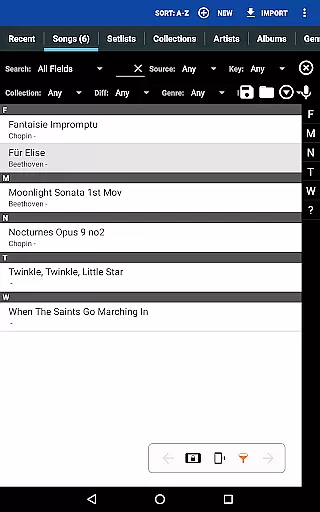
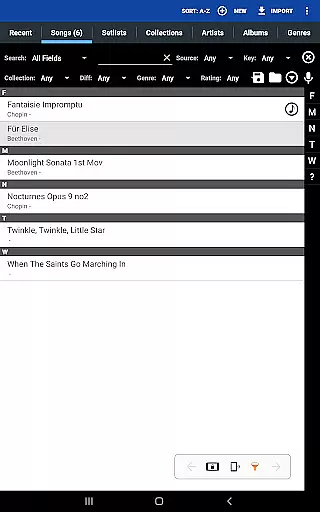
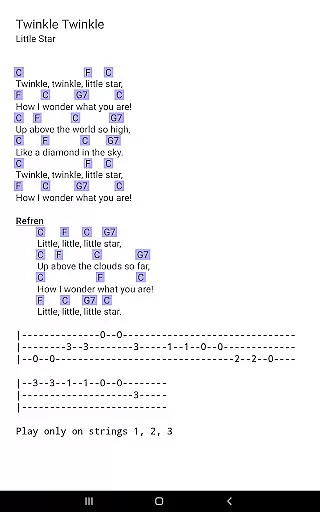
MobileSheets is a premier sheet music viewer designed specifically for Android tablets, offering musicians an efficient and versatile solution for managing their music library. The application eliminates the need for physical sheet music by providing instant access to any score within its digital library. With support for multiple file formats including PDFs, images, and chord pro files, MobileSheets ensures compatibility with various types of sheet music.
Beyond basic viewing, MobileSheets incorporates advanced features tailored to enhance the musician's experience. Users can take advantage of hands-free page turning through Bluetooth or USB devices, automatic scrolling, and even face gestures. The app also includes annotation tools, a metronome, bookmarks, and custom audio playback with A-B looping. These features collectively enable performers to focus on their music without being hindered by cumbersome physical scores.
Ideal for both practice sessions and live performances, MobileSheets streamlines music management while delivering powerful functionality. Its intuitive interface and customizable options make it suitable for musicians of all levels, from students to professionals. By digitizing sheet music and integrating essential performance tools, MobileSheets empowers musicians to perform with greater ease and efficiency.
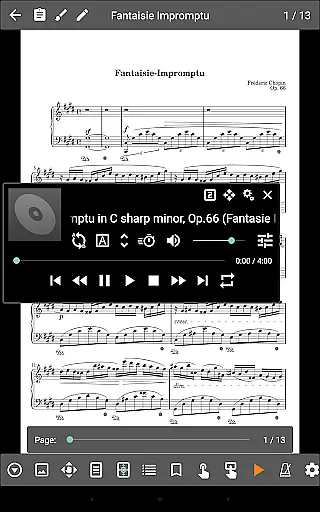
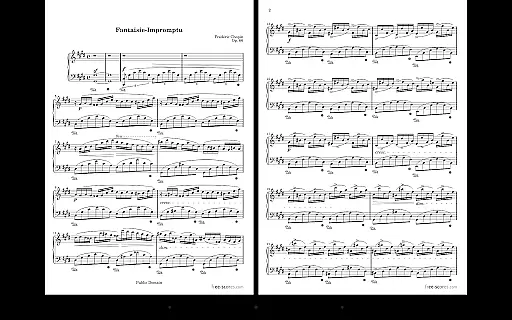
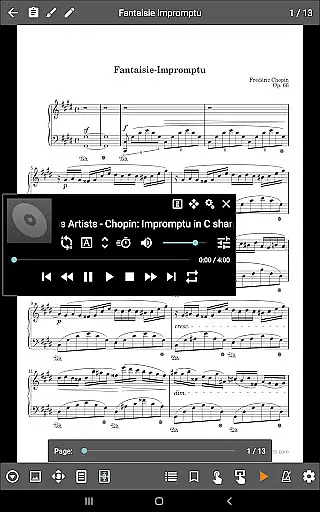
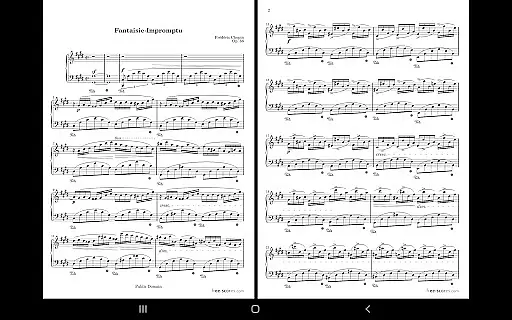
MobileSheets distinguishes itself through a comprehensive suite of features designed to meet the diverse needs of musicians. One standout capability is its support for multiple modes of operation, including side-by-side pages, half-page turns, and vertical scrolling. This flexibility allows users to tailor the viewing experience to their specific preferences and performance requirements. Additionally, the app supports hands-free page turning via Bluetooth or USB pedals, automatic scrolling, and innovative face gesture controls, ensuring uninterrupted play during performances.
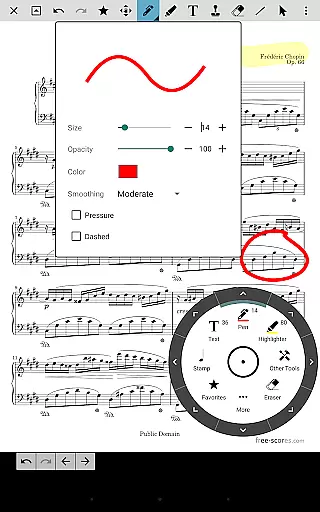
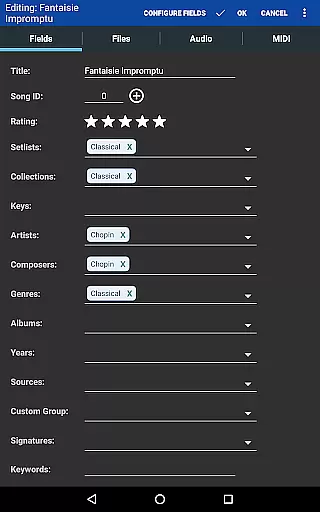
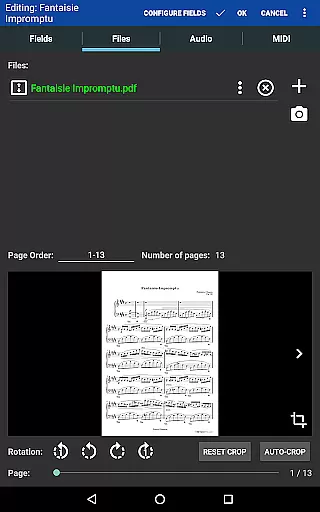
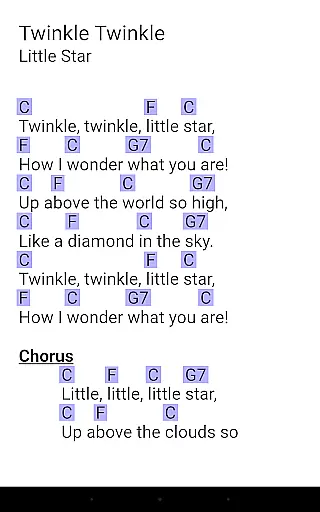
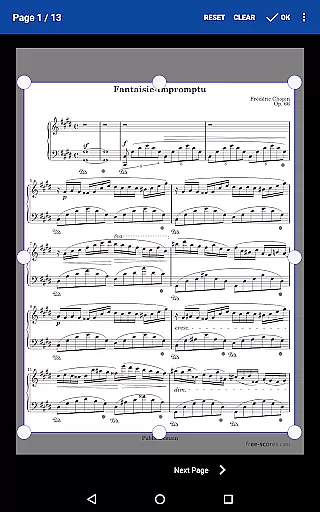
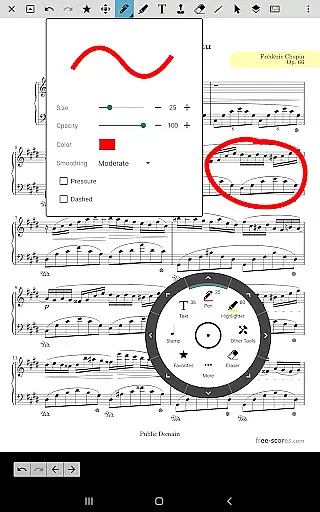
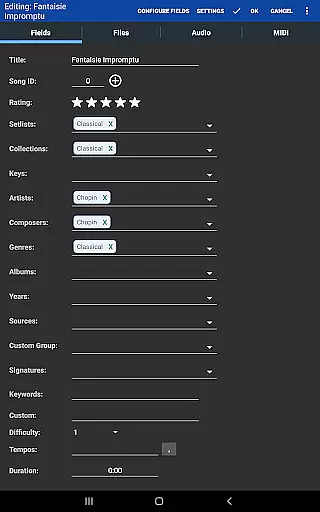
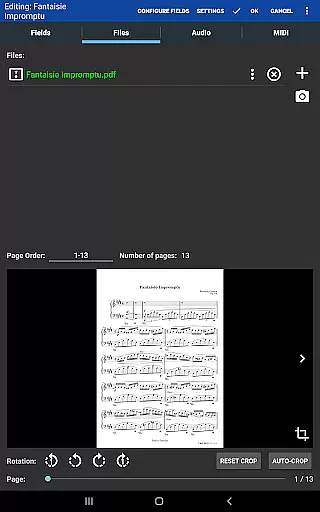
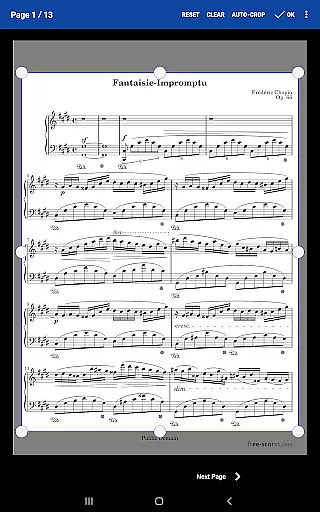
The app provides robust tools for annotations, enabling users to mark up their scores with freeform drawing, shapes, text, and stamps. For those who require audio accompaniment, MobileSheets includes a custom audio player that supports A-B looping and adjustable sizes. Advanced library management features allow detailed metadata tagging, making it easy to organize and retrieve scores. Furthermore, the app facilitates MIDI communication over USB, transposition of chords, and manual or automatic cropping to remove unnecessary margins.
MobileSheets also offers practical functionalities such as bookmarks, link points for repeats, and smart buttons that trigger configurable actions. Setlists and collections help musicians group songs efficiently for performances, while the companion PC application simplifies song creation and editing. These features collectively create a seamless and professional-grade environment for musicians to manage and perform their music with precision and confidence.
MobileSheets offers an extensive music library management system that supports a wide range of file types including PDFs, images, text files, and chord pro files. This versatility allows musicians to digitize their entire music collection, providing quick access to any score they need.
The application ensures copyright authenticity by allowing users to import only legally acquired sheet music. It does not include any pre-loaded scores, emphasizing the importance of using legitimate content. Users can organize their imported files through powerful metadata fields, maintaining complete control over their library's organization.
Additionally, MobileSheets provides features like manual and automatic cropping to eliminate unnecessary margins, custom page ordering for modifying sequences without altering original documents, and support for setlists and collections to efficiently group songs for playback sessions.
While MobileSheets primarily focuses on sheet music viewing, it also includes a custom audio player designed specifically for musicians. This feature supports high-quality audio playback with A-B looping functionality, enabling precise practice sessions by repeating specific sections of a track.
The audio player is compatible with multiple file sizes, ensuring optimal performance across various devices. Musicians can synchronize audio tracks with their corresponding scores, creating an integrated learning experience that combines visual and auditory elements.
Although the application cannot play back PDFs, images, or text/chord pro files directly, its specialized audio capabilities make it an invaluable tool for musical practice and performance preparation. The combination of visual score representation and synchronized audio playback enhances the overall user experience.
User-friendly interface
Extensive file compatibility
Hands-free page turning
Powerful annotation tools
Customizable audio playback
No built-in playback for PDFs
Requires external companion app
Limited to 7"+ tablets
Some features need additional hardware
Premium version costs extra

Equalizer, Bass Booster and Volume Booster (Eq & Bass) improve sound quality
 4.30
4.30
Make music anywhere. Turn your device into an instrument.
4.0
Remove ads permanently from Music Visualizer
4.0
Music Streaming suite for Ampache, Nextcloud Music and compatible backends.
4.0
Record, Mix & Master with all n-Track effects, 64-bit audio and Stem Separation.
4.70
Offline Music Player & MP3 Player.Powerful equalizer, Lyrics, Themes, Tag Editor
4.80
Slow music down without changing pitch.
3.70
Travel To The Music Universe
3.40
Uninterrupted Tunes, Unmatched Vibes
3.90
Play your hearts out on TouchTunes jukeboxes & connect with fellow music lovers.
4.80
Unleash your creativity! Turn simple prompts into full fledged songs.
4.70
AI Music Maker: Generate And Compose AI Tunes & AI Songs & AI Music & AI Melody!
4.60
Time Trainer: accurate metronome w tools to help you develop your internal time!
4.20
Next generation modular control surface
4.10
Turn your phone into a musical instrument from the future!
3.90
Background pads for your band
3.80
Learn to play the piano using falling notes!
3.80
Powerful beat maker & DJ mixer to remix tracks, make music, & perform DJ mix
3.70
Control your MIDI USB or Bluetooth devices in app and avoid some trampling
3.30


User Reviews