
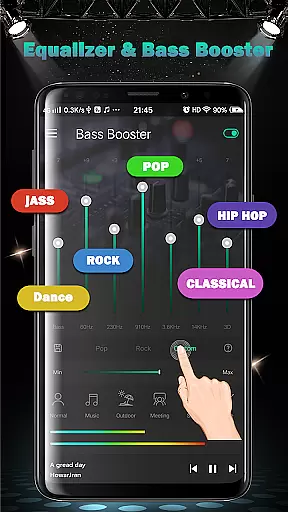
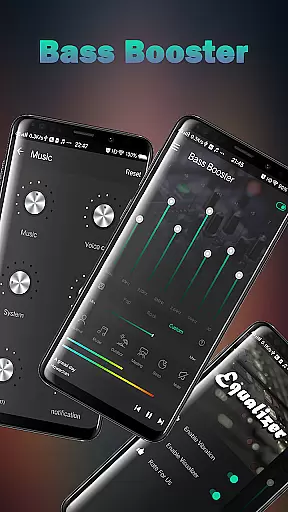
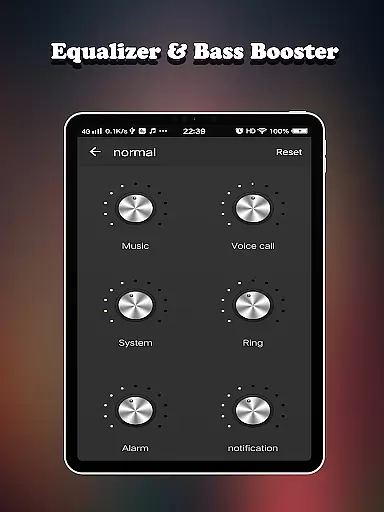
Equalizer FX Pro is a powerful audio enhancement application designed specifically for music and audio enthusiasts. This app combines an advanced equalizer, bass booster, and volume booster to significantly improve the sound quality of your Android device. Whether you're using a music player, video player, or any other media application, Equalizer FX Pro can transform your listening experience.
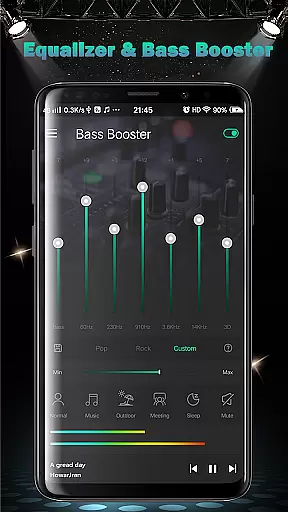
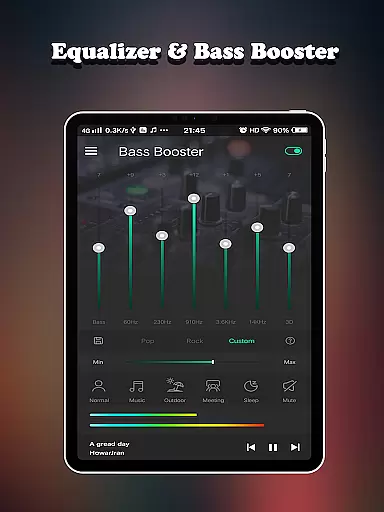
The app offers precise control over various sound parameters, allowing users to customize their audio output according to different scenarios. With support for multiple volume modes including music mode, outdoor mode, and meeting mode, it adapts perfectly to various listening environments. The inclusion of 7-band equalizer, virtualizer effect, and 10 professional presets makes it an essential tool for audiophiles who demand superior sound quality.
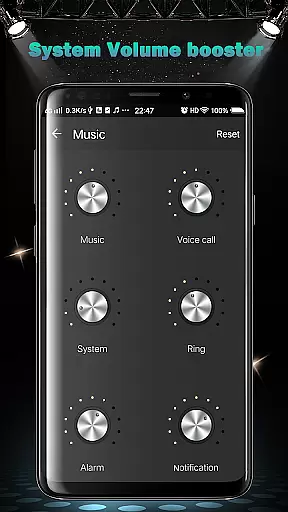
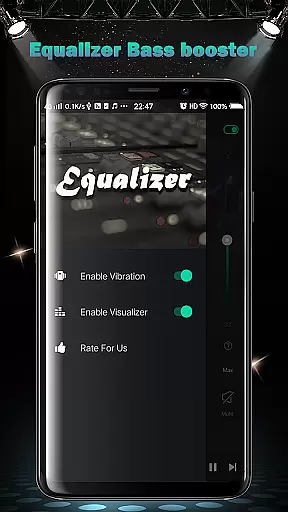
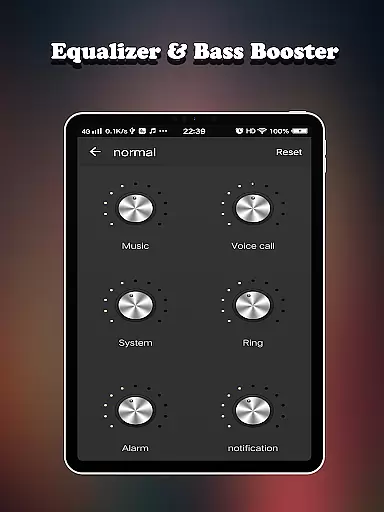
Equalizer FX Pro stands out in its ability to boost not just media volume but also system sounds, voice calls, alarms, and notifications. This comprehensive approach to audio management ensures that users can enjoy enhanced sound across all aspects of their device usage. The application's intuitive interface and real-time spectrum visualization make it easy to achieve perfect sound settings for any situation.
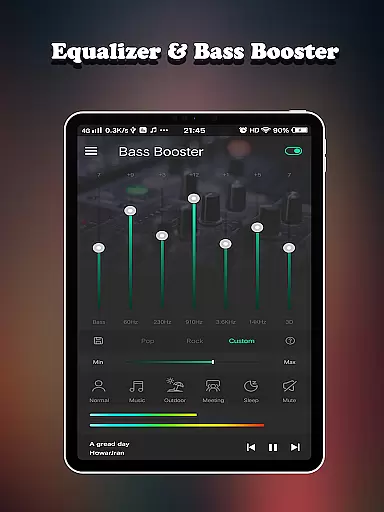
Equalizer FX Pro distinguishes itself through its comprehensive suite of audio enhancement tools. At its core lies a sophisticated 7-band equalizer with 10 professionally designed presets, allowing users to fine-tune their audio experience with precision. The app's virtualizer technology creates an immersive 3D sound environment, while the powerful bass booster adds depth and richness to low frequencies.
One of the app's most notable features is its multi-dimensional volume control system. Users can independently adjust six different volume types, including media, voice, system, ringtone, alarm, and notification volumes. The inclusion of six specialized volume modes - ranging from music mode to sleep mode - provides tailored audio experiences for various situations. Additionally, the app supports two distinct visual spectrums, giving users real-time feedback on their audio adjustments.
The application's versatility extends to its compatibility with all music and video players, making it a universal solution for audio enhancement. Its music playback controls and seamless integration with any audio source demonstrate its adaptability. Furthermore, the app's ability to work with both headphones and speakers ensures optimal performance regardless of the audio output device, while its efficient processing maintains device performance without excessive battery consumption.
Equalizer FX Pro offers a comprehensive suite of audio enhancement features that significantly expand the effective music library size for users. With its advanced equalizer, bass booster, and volume booster functionalities, the app allows you to customize and improve the sound quality of any audio file played on your Android device.
The application supports all major media players, meaning you can apply its powerful effects to a vast array of music files. Whether you're using a dedicated music player or streaming service, Equalizer FX Pro ensures each track sounds its best. This versatility effectively increases the usable music library size by making every audio file sound richer and more dynamic.
In terms of copyright authenticity, Equalizer FX Pro doesn't store or distribute music directly but rather enhances the playback of legally acquired audio content. The app's 10 equalizer presets and 7-band equalizer allow precise adjustments while respecting the integrity of original recordings. Users can be confident they're enjoying enhanced versions of authentic, properly licensed music tracks.
The combination of these features creates a unique value proposition - while not expanding the literal number of tracks available, Equalizer FX Pro dramatically increases the quality and enjoyment of existing music libraries. This approach maintains strict adherence to copyright laws while delivering professional-grade audio processing capabilities to mobile devices.
Equalizer FX Pro stands out in the Music & Audio category through its sophisticated audio quality options that cater to both casual listeners and audio enthusiasts. The application provides multiple tools to refine and enhance sound reproduction, including a 7-band equalizer, virtualizer effect, and two visual spectrums for real-time audio monitoring.
Users can choose from 10 carefully crafted equalizer presets or create custom configurations to suit specific musical genres or personal preferences. The app's bass booster and volume booster features offer additional control over low-frequency response and overall loudness, ensuring optimal audio performance across different devices and environments.
A key advantage of Equalizer FX Pro is its ability to maintain high-fidelity sound while applying enhancements. Unlike basic equalizers that can distort audio when pushed too far, this application employs advanced algorithms to preserve clarity and prevent clipping. The result is consistently clean and powerful sound reproduction, whether using headphones or external speakers.
The inclusion of 6 distinct volume modes - including music mode, outdoor mode, and sleep mode - further expands the audio quality options available to users. These specialized settings automatically adjust various parameters to optimize sound for different scenarios, ensuring that listening experiences remain both enjoyable and appropriate for their context.
Comprehensive audio controls
Intuitive user interface
Wide device compatibility
Real-time sound adjustment
Professional presets included
Premium version required
Occasional audio glitches
Drains device battery
Limited free features
Interface could be improved

Fun & Easy Voice Changer – Record, Edit & Add Hilarious Effects!
 4.50
4.50
Time Trainer: accurate metronome w tools to help you develop your internal time!
4.20
DJ Music Mixer - DJ Remix: remix songs, make beat music & record mix of DJ.
4.40
Music Streaming suite for Ampache, Nextcloud Music and compatible backends.
4.3
AI Music Maker: Generate And Compose AI Tunes & AI Songs & AI Music & AI Melody!
4.60
Slow music down without changing pitch.
3.70
Learn the notes on the guitar fretboard fast with this easy and fun app
4.60
Travel To The Music Universe
3.40
Play your music offline without limits
4.80
Bass Booster & Volume Equalizer Pro improves your music and video sound quality
4.60
Taal player that lets you sing any Indian & Western song with Tabla & Tanpura
4.60
Recording studio w/ 10k beats, pro vocal FX and a network of 20M rappers & fans!
4.60
Full featured mp3 and audio player with Chromecast and Android Auto support.
4.40
Powerful 10-Band equalizer pro with sound booster improves Android audio quality
4.30
A High-Precision Audio Spectrum Analysis App
4.20
The only true audiophile music player with Hi-Fi audio rendering and DSP engine
3.90
Background pads for your band
3.80
Powerful beat maker & DJ mixer to remix tracks, make music, & perform DJ mix
3.70
The Cubase remote control app
3.60


User Reviews