
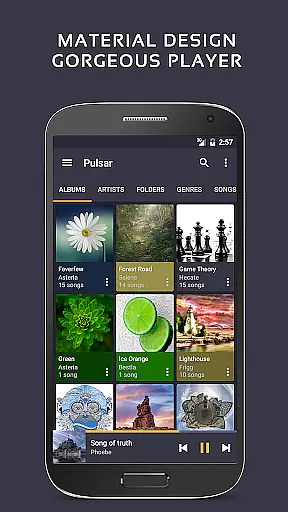
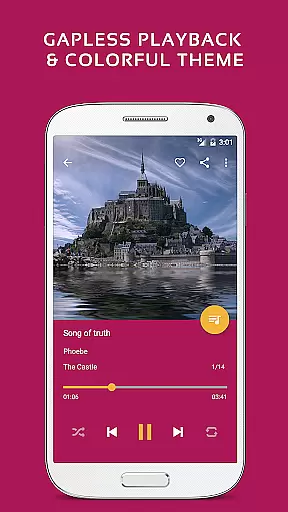
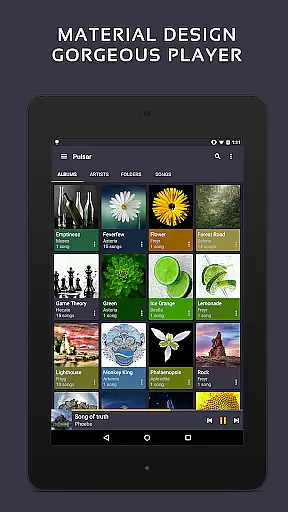
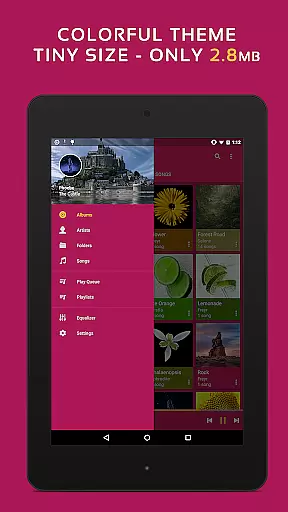
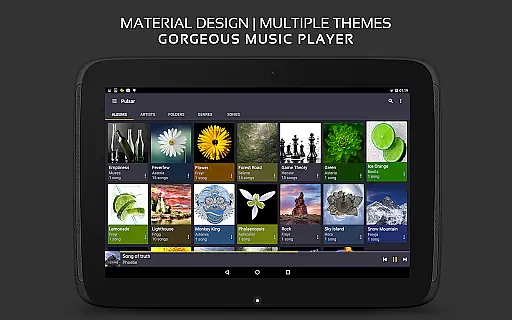
Pulsar Music Player Pro stands as a premium offline audio player designed for Android users who appreciate high-quality music playback without interruptions from advertisements. The app embraces material design principles, offering a visually appealing interface with smooth animations and customizable themes.
With an array of features such as gapless playback, crossfade, lyrics display, and play speed adjustment, Pulsar caters to audiophiles seeking a refined listening experience. It also supports advanced functionalities like tag editing, Chromecast streaming, and Last.fm scrobbling, making it a versatile choice for managing extensive music libraries.
Whether you're commuting or relaxing at home, Pulsar's support for Android Auto and its sleep timer feature ensure that your music needs are met in various scenarios. Its ability to render music visualizations and adjust audio balance further enhances the overall user experience.
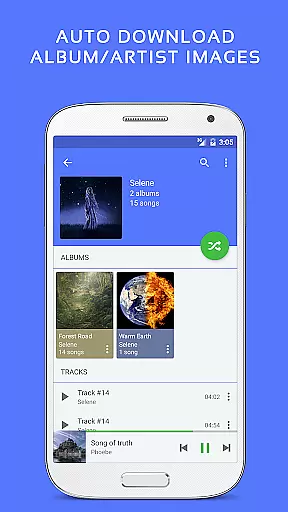
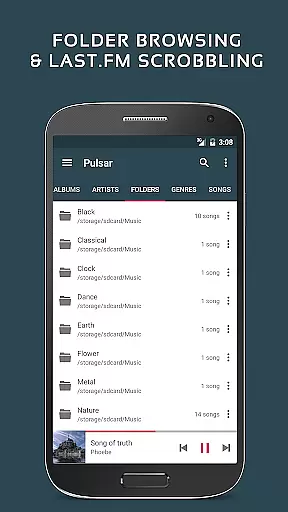
Pulsar Music Player Pro boasts an impressive set of features tailored to enhance music playback and management. The app allows users to organize their music by album, artist, folder, and genre, providing smart playlists based on listening habits. With automatic syncing for missing album artwork and fast search capabilities, navigating through your collection is seamless.
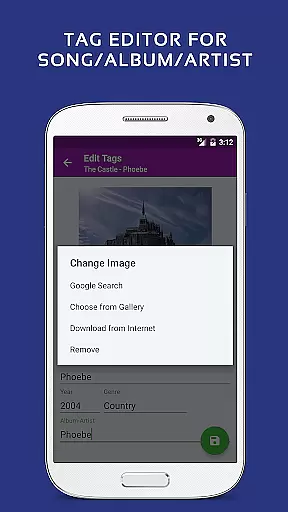
Advanced audio controls include gapless playback, adjustable play speeds, crossfade support, and ReplayGain volume normalization. Users can also edit metadata tags directly within the app and enjoy synchronized lyrics display. For those who value aesthetics, Pulsar offers theme customization and colorful themes alongside a built-in equalizer with bass boost and reverb effects.
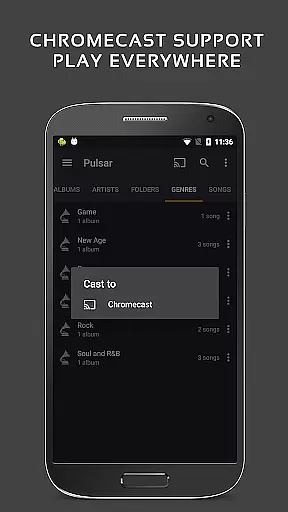
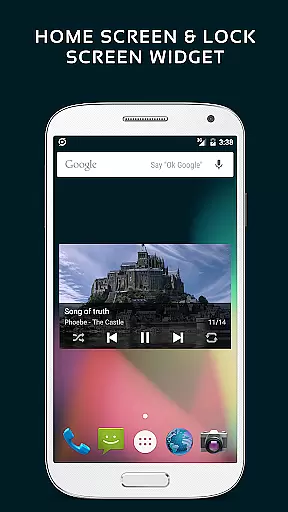
The inclusion of Chromecast support, Google voice commands, and Android Auto compatibility ensures that Pulsar integrates smoothly into modern digital lifestyles. Additionally, features like a sleep timer, sound balance adjustment, and last.fm scrobbling cater to specific user preferences, while resizable home screen widgets keep essential controls within easy reach.
Pulsar Music Player Pro offers an extensive music library that supports a wide range of audio file formats including MP3, AAC, FLAC, OGG, and WAV. This ensures that users can enjoy their music collection without compatibility issues.
The application emphasizes copyright authenticity by allowing users to manage and play their legally acquired music files. It provides features like tag editing for MP3 and other formats, ensuring accurate metadata that respects the integrity of the original content.
With support for offline playback and no advertisements, Pulsar guarantees an uninterrupted listening experience while upholding ethical standards in music consumption. Users can be confident that their music library is both vast and respectful of copyright laws.
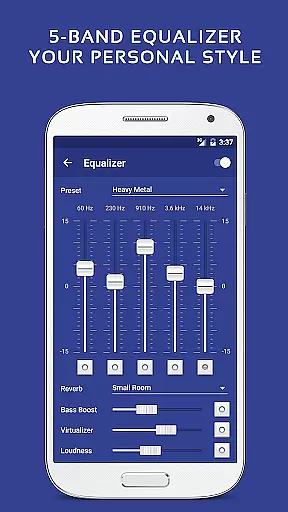
Pulsar Music Player Pro stands out with its advanced audio quality options, providing users with a 5-band equalizer controller and 9 pre-built equalizer presets. These features allow for personalized sound adjustments, enhancing the listening experience according to individual preferences.
In addition to the equalizer, Pulsar includes bass boost, reverb, and other audio effects. Such tools ensure that listeners can fine-tune their audio output, achieving the desired balance and depth in their music playback.
The app also supports high-quality audio formats like FLAC, preserving the nuances of sound that are often lost in compression. With these robust audio quality options, Pulsar delivers a premium auditory experience that caters to audiophiles and casual listeners alike.
Ad-free experience
Customizable themes
Advanced equalizer
Gapless playback
Chromecast support
Paid version only
No cloud integration
Limited file formats
Complex UI for beginners
Occasional bugs

Over 100 million tracks available for high quality streaming and download
 4.60
4.60
Listen to live FM radio stations, sports, music and news on global radios online
4.70
A High-Precision Audio Spectrum Analysis App
4.20
Your song collections with lyrics and chords on Android smartphones and tablets.
4.80
Brian Eno and Peter Chilvers’ acclaimed music app Bloom, radically reinvented.
4.80
Voice recorder - Audio recorder. Best recorder for recording
4.90
Help you quickly get started with Shokz headphones
4.40
Get alarms that fit your lifestyle and wake up to the sounds you love.
4.80
Customize Your Favorite Songs and Videos with booster.
4.70
Most Advanced AI Song Generator and Music Creator. Rap, Pop, Rock, Gospel & more
4.70
Ultimate Sonos Controller
4.70
Bass Booster & Volume Equalizer Pro improves your music and video sound quality
4.60
Super Sound Editor, Song Maker & Mixer, Vocal Remover, Voice Recorder & Changer!
4.60
Fun & Easy Voice Changer – Record, Edit & Add Hilarious Effects!
4.50
A synth that really lets you shape your sounds!
4.50
10-Band Audio Equalizer, Sound / Bass Booster for Spotify Users & Music Players
4.40
The only true audiophile music player with Hi-Fi audio rendering and DSP engine
3.90
Background pads for your band
3.80
Control your MIDI USB or Bluetooth devices in app and avoid some trampling
3.30


User Reviews