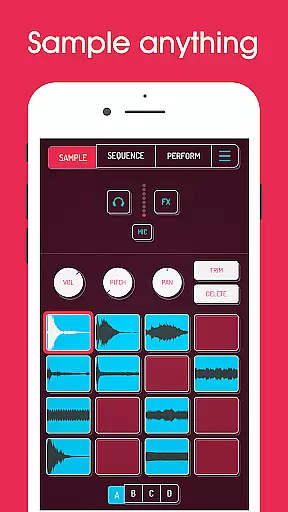
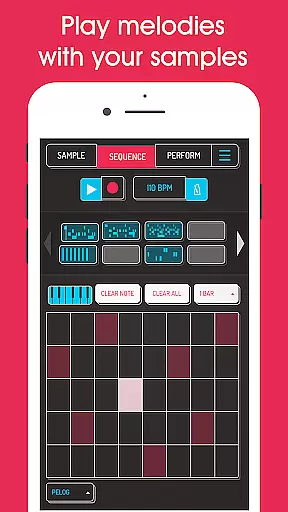
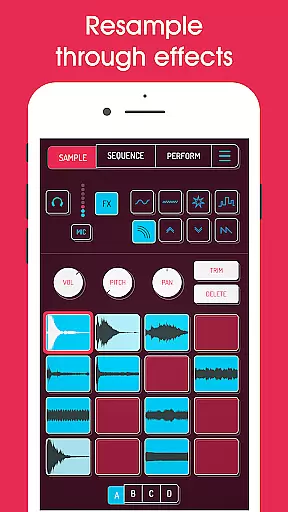
Koala Sampler is a pocket-sized music production tool that allows users to record sounds via their phone's microphone or import custom samples. Designed for both amateur beatmakers and professional musicians, this app provides an intuitive interface for creating beats, applying effects, and producing tracks with ease.
The app stands out with its seamless resampling capability, enabling users to route the output back into the input through various effects. This feature opens up endless sonic possibilities while maintaining a streamlined workflow. With support for AI-powered sample separation, MIDI control, and high-quality export options, Koala Sampler ensures a smooth yet powerful music-making experience.
Koala Sampler offers a robust set of features tailored for creative audio manipulation. Users can record up to 64 unique samples using the device’s mic and transform these recordings with 16 built-in effects such as reverb, fuzz, and synthesizer overlays. Additionally, advanced functionalities like AI-driven stem separation allow users to isolate drums, basslines, vocals, and more from imported tracks.
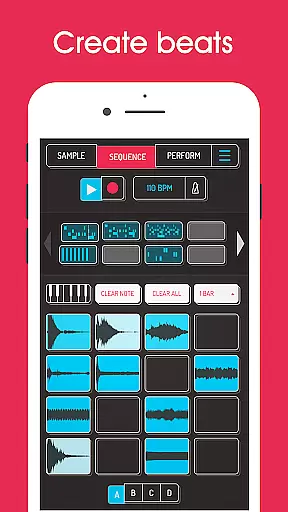
The app also includes a high-resolution sequencer, keyboard mode with scale selection, and adjustable playback settings (normal, one-shot, loop, reverse). For mixing, users can apply any combination of 16 DJ-style effects to the entire track. Pro-level tools unlocked via in-app purchases include time-stretch algorithms, piano roll editing, and auto-chop utilities, making Koala Sampler adaptable for intricate compositions.
When it comes to music creation apps like Koala Sampler, the size and variety of the music library play a crucial role in user experience. Koala Sampler offers an extensive collection of built-in effects and the ability to import your own samples, ensuring that users have access to a wide range of sounds.
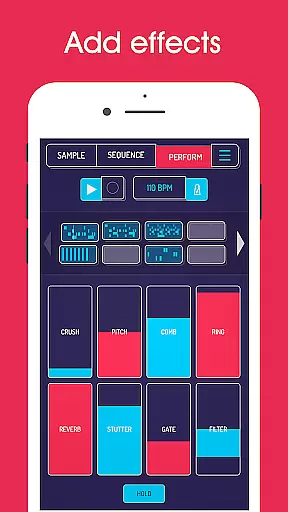
The app includes 16 superb built-in microphone effects and 16 DJ mix effects, providing users with creative flexibility. These effects range from basic sound adjustments like More Bass and More Treble to more complex modifications such as Pitch-shift and Ring modulator.
Regarding copyright authenticity, Koala Sampler allows users to record their samples using the phone's mic or import their own sounds. This feature ensures that all audio content used within the app is original and free from copyright infringement issues.
Additionally, the app's AI-powered feature to separate samples into individual instruments demonstrates its commitment to offering innovative tools while maintaining proper content usage standards.
Audio quality is paramount in music production applications, and Koala Sampler excels in this area by providing professional-grade features. The app supports exporting loops or entire tracks as high-quality WAV files, ensuring that users can produce industry-standard audio content.
Each sample in Koala Sampler can be finely adjusted with attack, release, and tone controls. These precise editing capabilities allow users to optimize their audio quality according to specific requirements, whether they're creating simple beats or complex musical compositions.
The inclusion of pro-quality Timestretch (available through in-app purchase) further enhances audio quality options. With four different modes - Modern, Retro, Beats, and Re-pitch - users can manipulate audio without compromising its integrity.
Furthermore, the app's 16 built-in DJ Mix FX, including professional effects like Tempo Delay and Resonant High/Low Pass Filters, ensure that users can achieve studio-quality sound processing directly on their mobile devices.
Intuitive user interface
Extensive effect library
AI-powered sample separation
High-quality WAV export
MIDI compatibility
Limited free features
In-app purchase required
Steep learning curve
No cloud sync
Occasional bugs

Fun & Easy Voice Changer – Record, Edit & Add Hilarious Effects!
 4.50
4.50
Simply convert wav to mp3. Clear. Reliable. Safe.
4.1
The Cubase remote control app
3.60
Full-featured, High-Quality Groovebox Workstation, perfect for Live Performance!
4.80
Powerful beat maker & DJ mixer to remix tracks, make music, & perform DJ mix
3.70
More downloads than any other metronome. Includes drum machine & tempo trainer.
4.80
Brian Eno and Peter Chilvers’ acclaimed music app Bloom, radically reinvented.
4.80
Turn your Android phone into a professional audio analyser with up to 120 bands.
4.00
Offline Tunes, Unlimited Vibes
3.90
Voice recorder - Audio recorder. Best recorder for recording
4.90
Listen to live FM radio stations, sports, music and news on global radios online
4.70
Visualize the guitar fretboard, master scales & play through changes like a pro!
4.50
Help you quickly get started with Shokz headphones
4.40
A sleek, no-frills player designed for true music lovers.
4.20
Next generation modular control surface
4.10
USB audio recording and playback finally possible on Android 3.1 or higher!
3.90
Background pads for your band
3.80
Simple mp3 and mp4 player with advanced features.
3.40
The Skullcandy App Experience
3.20


User Reviews