
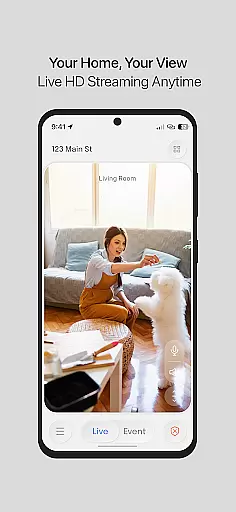
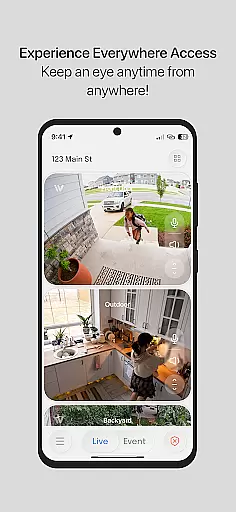
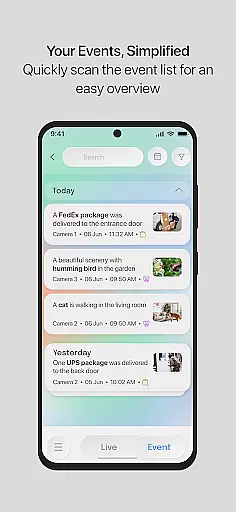
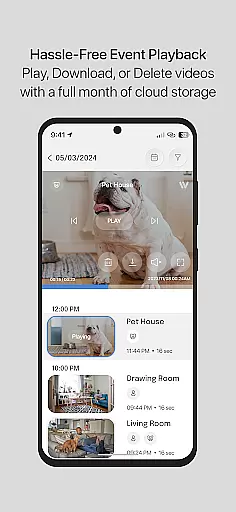
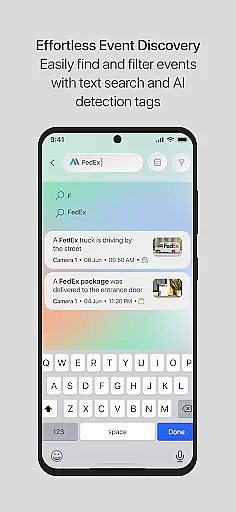
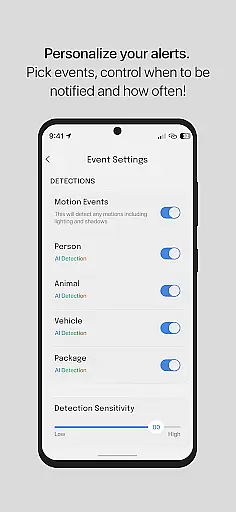
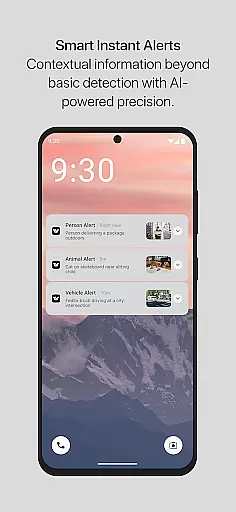
InstaVision is a comprehensive home security application that offers advanced monitoring tools to ensure the safety of your home. With features like live HD video streaming and two-way audio, users can keep a vigilant eye on their property in real-time. The app also provides event snapshots and motion tagging, giving homeowners crucial information about activities around their home.
For those seeking enhanced protection, the InstaVision Smart Security plan unlocks AI-powered capabilities such as event tagging for people, vehicles, or animals, along with secure cloud storage for event videos. Developed by American experts, this solution prioritizes user privacy and data security, making it an ideal choice for safeguarding modern households.
InstaVision stands out with its robust feature set tailored for home security. The live HD video streaming ensures crystal-clear surveillance footage, while two-way audio allows users to communicate through the app. Event snapshots provide visual records of important moments detected by the system.
The Smart Security plan takes these capabilities further with AI-driven event tagging, categorizing movements into specific types like humans or vehicles. Enhanced user sharing enables multiple family members to access the system with customized permissions. Additionally, 30-day cloud storage for event videos ensures users can review and download critical footage whenever needed.
When it comes to securing your home, the authenticity of the information provided is paramount. InstaVision ensures that every feature and capability listed is not only accurate but also verifiable through real-time interaction with the system.
The app provides live HD video streaming and two-way audio, allowing users to validate the conditions and security status of their property instantly. This real-time access ensures that homeowners are always informed with genuine and current data about their premises.
Moreover, for those subscribing to the InstaVision Smart Security plan, features such as event tagging and enhanced user sharing are delivered as described, offering an additional layer of verified security measures. These advanced tools are designed and managed by American experts, ensuring top-notch quality and reliability.
InstaVision offers a comprehensive suite of home management features that extend beyond basic monitoring. With functionalities like live video streaming and two-way audio communication, homeowners can actively engage with their home security system.
The Smart Security plan further enhances these capabilities by introducing AI-powered event tagging, which intelligently categorizes activities detected by the cameras. This feature allows users to efficiently manage notifications and respond to relevant events promptly.
In addition, the service includes secure cloud storage for event videos and customizable user permissions, making it easier for families to collaborate on home security tasks. These robust management tools ensure that users maintain full control over their property's safety.
Advanced AI features
Secure cloud storage
Customizable user permissions
Real-time HD video
Two-way audio communication
Premium features require subscription
Limited free storage
High system requirements
Occasional connectivity issues
Complex setup process

An awesome mobile app for Home Security Surveillance - uses ZoneMinder
 3.20
3.20
Design house plans in 2D & 3D, style furniture, and preview renovation layouts
3.70
Fully control your Philips TV with this all-in-one remote control app.
4.20
AI floor creator to design your dream house, plan rooms & style your home
4.00
Night Owl Protect helps you secure, protect, and connect your world!
4.60
Design your dream home with 3D planning app, Visualize your dream home in 3D.
4.20
Real estate app to find homes for sale or rent in the right neighborhood for you
4.70
Plan your remodel AI home renovation easily using planner 5D and home decor AI.
4.40
Universal Tv Remote Control for all Tv. Cast for chromecast & all Tv Controller
4.20
View houses and apartments for rent, updated daily.
4.80
Tailored Care Guides For Houseplants, Indoor Plants, Garden Plants & Flowers.
4.60
Wobble Fix Tool
4.40
3D House Design and AI Room Planner - from floor plans to full interior design.
4.40
Turn your phone into a wifi cam with smart features and umlimited reach.
4.20
Floor Plan Creator Home Design with 2D interior design and 3d view.
3.90
Find the perfect paint color with advanced tools to explore and visualize color.
3.80
Control Fire TV & mirror your phone screen instantly over Wi-Fi.
3.30
Unlock AI-based barcode scanning and support the development of Grocy Android
4.2
Calculate baluster spacing with ease and precision.
4.0


User Reviews