
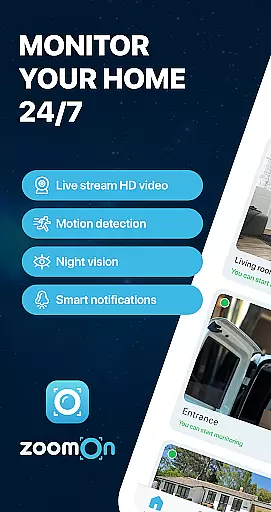
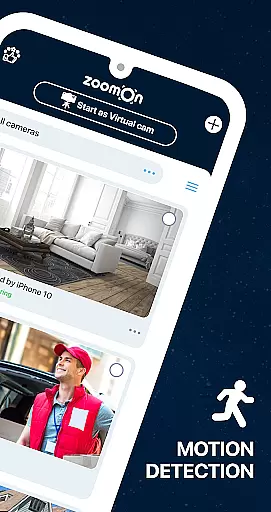
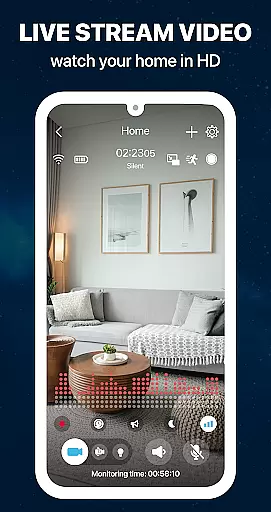
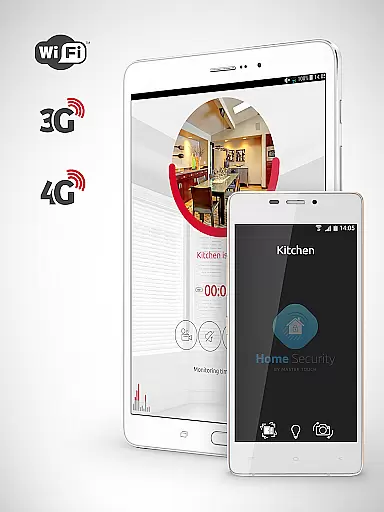
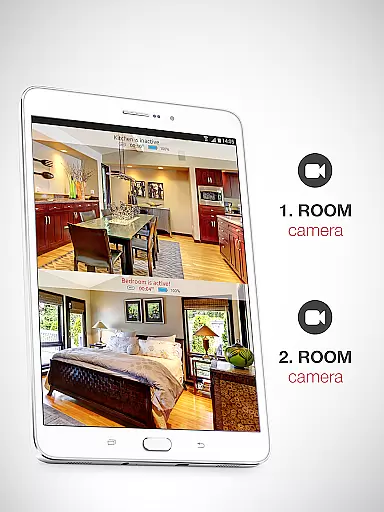
ZoomOn Home Security Camera is a smart home monitoring solution that transforms any two smartphones into a comprehensive security system. The app provides real-time HD video streaming, unlimited network reach across WiFi and cellular networks, and advanced features like night vision, motion detection, and two-way audio communication.
This innovative application allows users to repurpose old mobile devices as dedicated security cameras, offering multi-room monitoring capabilities and secure encrypted connections through a private cloud system. Whether you're at work or on vacation, ZoomOn ensures your home remains protected with smart notifications and continuous recording features.
The app's versatility extends beyond home security - it can function as a baby monitor, elderly care system, or pet camera. With support for ONVIF-compliant security cameras and cross-platform compatibility, ZoomOn delivers professional-grade security features in an accessible mobile package.
ZoomOn distinguishes itself through its extensive feature set designed for maximum security coverage. The app offers live HD video streaming with optional front or back camera selection, while its unlimited network reach ensures stable connections across various network types including 5G and LTE.
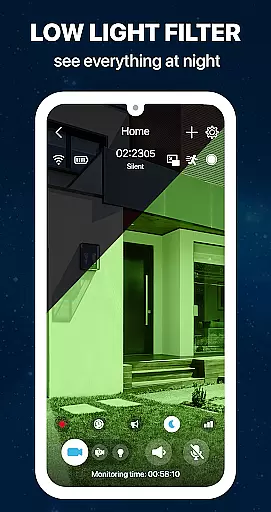
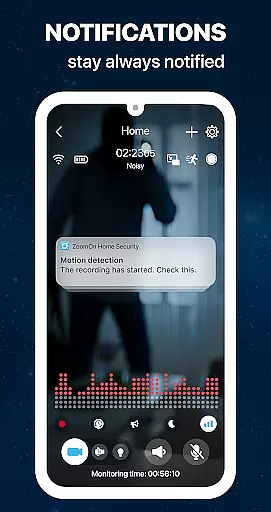
Advanced monitoring capabilities include motion and noise detection, night vision mode with green screen filter, and adjustable lighting options. The two-way audio system enables real-time communication, while smart notification features keep users informed about security events and device status.
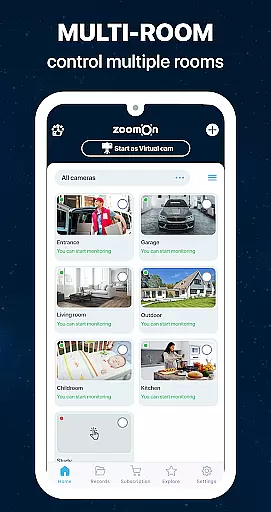
Unique innovations like multi-room monitoring, time-planned recordings, and compatibility with ONVIF-compliant cameras make this app particularly valuable for comprehensive home security. The ability to use existing devices and the option to choose from flexible subscription plans after a free trial period further enhance its practicality and accessibility.
In the context of home security, ensuring the authenticity and reliability of your monitoring system is crucial. ZoomOn Home Security Camera provides a dependable solution by transforming your existing smartphones into a robust home surveillance system. This eliminates the need to purchase new equipment, offering a cost-effective way to secure your property.
The app ensures authenticity through its multi-platform support and compatibility with ONVIF-compliant security cameras. By connecting devices via a private cloud solution, it guarantees that all video streams and data are genuine and tamper-proof. The ability to use old devices not only extends their lifecycle but also allows users to create a trustworthy network of cameras throughout their home.
Users benefit from real-time monitoring features such as live HD video streaming, motion detection, and smart notifications. These features provide accurate and timely information about their property's status. With industry-standard encryption protocols, ZoomOn ensures that all transmitted data remains secure and authentic, giving homeowners peace of mind.
The application's verification mechanisms, including low battery alerts and connection status notifications, further enhance the reliability of the security system. By maintaining constant communication between paired devices, ZoomOn delivers an authentic and dependable home monitoring experience that users can trust.
Effective home management in security applications involves more than just monitoring; it requires comprehensive features that simplify daily operations and enhance safety. ZoomOn Home Security Camera excels in this area by providing a complete suite of management tools designed to make home security intuitive and efficient.
The app offers advanced functionalities like time-planning features, which allow users to schedule monitoring sessions according to their routines. Multi-room monitoring capability enables simultaneous surveillance of different areas, while the audio activity chart helps track noise patterns over time. These features contribute to better organization and control of home security operations.
ZoomOn stands out with its smart home integration capabilities. The app supports various devices and operating systems, allowing seamless incorporation into existing smart home ecosystems. Features such as two-way audio communication and remote lighting control transform basic monitoring into an interactive home management system.
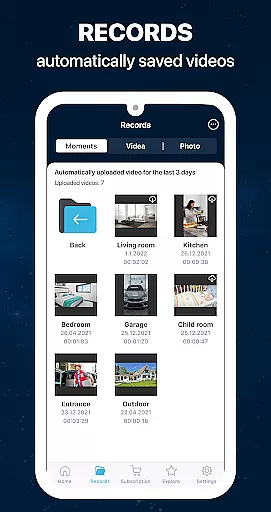
Additional benefits include maintenance tracking through low battery alerts and continuous recording options for playback. The ability to manage multiple devices with a single subscription streamlines administrative tasks, making home security management both convenient and cost-effective. These comprehensive features position ZoomOn as a valuable tool for modern home management.
User-friendly interface
Multi-device support
HD video quality
Flexible subscription
Secure encryption
Requires two devices
Internet dependent
Premium features
Battery consumption
Setup complexity

The official app for Home Assistant. Control your home anywhere in the world.
 4.30
4.30
Universal TV remote Control for Roku TV brands via WiFi remote
4.5
B-hyve Pro App for landscape irrigation professionals
4.70
Find paints using a Color Muse & ColorSnap® Match
3.60
Smart AI plant care schedules, Real plant experts, support & Thriving community!
4.20
The Merkury Smart app makes it easy to control your smart devices.
4.50
Search for Homes, Rentals, Agents & Schools
4.70
Looking for the perfect apartment finder app? Find beautiful rental homes here!
4.60
Make your phone a surveillance camera remote with a home camera app for Android!
4.40
Map-based search app for apartments and homes for rent.
4.60
Plants, Beauty, Collectibles
4.60
Rent on-the-go with TurboTenant’s app made just for renters
4.50
Make Renting Easy
4.40
Set up your devices, customize settings, and monitor your home—from anywhere
4.40
Universal Tv Remote Control for all Tv. Cast for chromecast & all Tv Controller
4.20
Schlage Lock Company LLC
4.00
Book your local plumber 24/7, track your service order & get exclusive coupons
4.00
IP camera view and playback, for your WiFi cam or home security cctv system.
3.70
Unlock AI-based barcode scanning and support the development of Grocy Android
4.4


User Reviews