
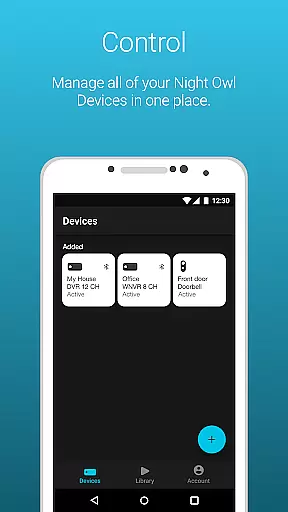
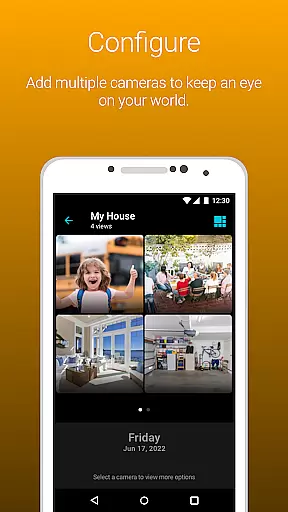
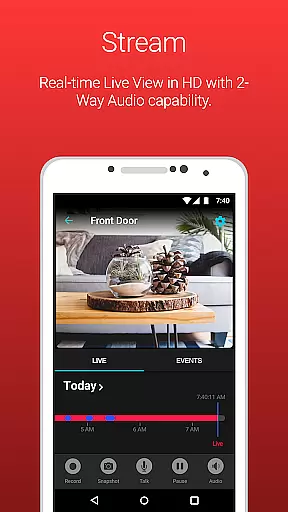
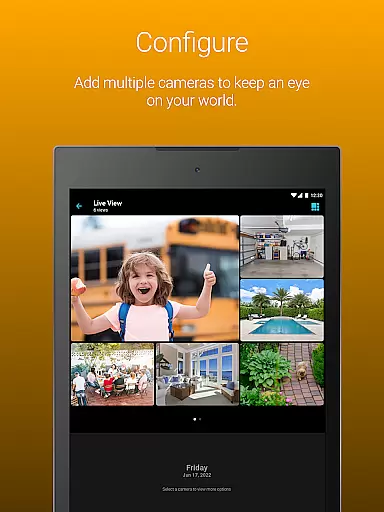
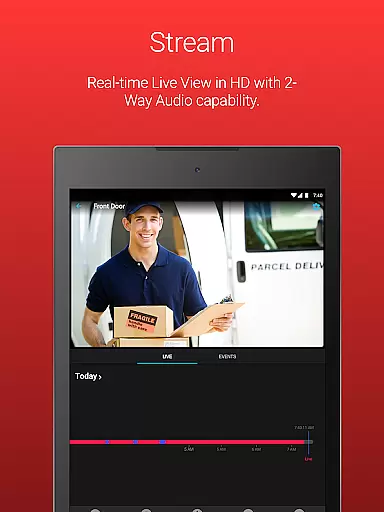
Night Owl Protect is a comprehensive home and business security application that allows users to monitor their properties in real-time through connected cameras. The app supports live video streaming, motion detection alerts, and cloud recording access, making it an all-in-one solution for remote surveillance.
One of the standout features of Night Owl Protect is its user-friendly interface that consolidates multiple devices into a single dashboard. Users can easily share images and recordings via social media, email, or text. With support for advanced functionalities like two-way audio, siren activation, and preset voice messages, this app ensures users stay connected and in control of their security systems.
Whether you're a homeowner looking to protect your family or a business owner monitoring daily operations, Night Owl Protect offers practical solutions tailored to various security needs. Its compatibility with numerous Night Owl devices and innovative privacy safeguards make it a reliable choice for modern security management.
Night Owl Protect stands out with its robust feature set designed to enhance security monitoring. The app provides real-time mobile alerts for human, face, or vehicle detection, ensuring users are promptly notified of potential threats. These customizable alert settings allow users to tailor notifications according to their preferences, offering a personalized security experience.
The app also includes powerful playback and search capabilities, enabling users to review past footage efficiently using specific filters. Additionally, features such as 2-step verification and single sign-on ensure that user data remains secure while simplifying the login process. With options to create favorites and groups, Night Owl Protect makes it easy to manage multiple cameras and share access with family or colleagues.
For users subscribed to the Night Owl Protect Cloud service, the app provides seamless access to cloud-stored recordings. This feature is particularly beneficial for those who require off-site storage solutions. Overall, Night Owl Protect combines cutting-edge technology with user-centric design to deliver a top-tier security application.
In the realm of home security, the authenticity of your property's surveillance system is paramount. Night Owl Protect ensures that every connected device is verified and securely integrated into your personal network. This app provides a reliable platform where all camera feeds and recordings are genuine and tamper-proof.
The application employs advanced authentication protocols during setup, ensuring that each device linked to your account is legitimate and intended for secure monitoring. With features like 2-step verification and single sign-on, users can trust that their listed properties and devices are protected against unauthorized access.
For homeowners and businesses alike, this level of authenticity assurance means peace of mind. Knowing that your property listings within the app are true representations of your security setup empowers you to monitor with confidence.
By providing real-time alerts and cloud storage options for subscribers, Night Owl Protect guarantees that all data presented through its interface is both current and accurate, reinforcing the reliability of your home or business security profile.
Night Owl Protect goes beyond simple surveillance by integrating comprehensive home management features. The app allows users to organize their cameras into favorites and groups, making it easier to manage multiple devices across their property. This structured approach to device management ensures efficient monitoring and quick access to critical areas.
With functionalities such as two-way audio, siren activation, and preset voice messages available on compatible models, homeowners can actively engage with their environment remotely. These interactive capabilities enhance the sense of control over one's property, allowing for immediate responses when necessary.
Sharing access with friends and family adds another layer of convenience in managing your household security. By granting temporary or permanent access rights through the app, trusted individuals can keep an eye on your property, contributing to a collaborative safety effort.
Moreover, the ability to save and share snapshots and recordings directly from the mobile device streamlines evidence collection and dissemination. Whether for personal records or sharing with authorities, these features ensure that managing your home's security is both intuitive and effective.
User-friendly interface
Real-time alerts
Cloud storage access
Secure authentication
Wide device compatibility
Subscription required for cloud
Limited free features
High data usage
Complex setup for beginners
Device-specific limitations

Make Renting Easy
 4.40
4.40
Universal TV remote Control for Roku TV brands via WiFi remote
4.3
AI floor creator to design your dream house, plan rooms & style your home
4.00
Resident Center, powered by Buildium, is designed with simplicity in mind.
4.50
Control your Vivint Smart Home with the next generation Vivint App.
4.30
Find your next home, house, apartment, condo, casa, flat, rental, studio, or bed
4.70
Universal Tv Remote Control for all Tv. Cast for chromecast & all Tv Controller
4.20
An easier way to make payments and maintenance requests from anywhere.
3.50
Looking for the perfect apartment finder app? Find beautiful rental homes here!
4.60
Connect with reliable pros for maintenance services, plumbing, and home design!
4.80
Turn old phones into security cameras, baby monitors, pet cams, and more.
4.70
Your guide to apartments & rental homes. Find your next place to rent with AG.
4.60
AI Home Designer & Room Planner: Decorate your interior space with AI
4.40
Smart AI plant care schedules, Real plant experts, support & Thriving community!
4.20
Schlage Lock Company LLC
4.00
USHUD.com helps you find the best homes for sale in your area
4.00
Floor Plan Creator Home Design with 2D interior design and 3d view.
3.90
Unlock AI-based barcode scanning and support the development of Grocy Android
4.4
Calculate baluster spacing with ease and precision.
4.4


User Reviews