
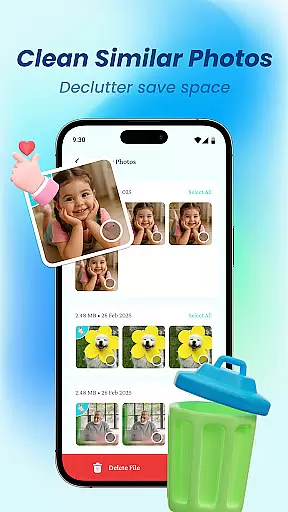
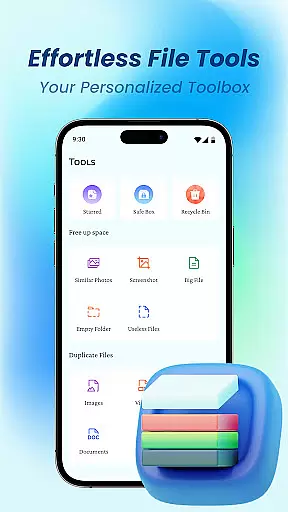
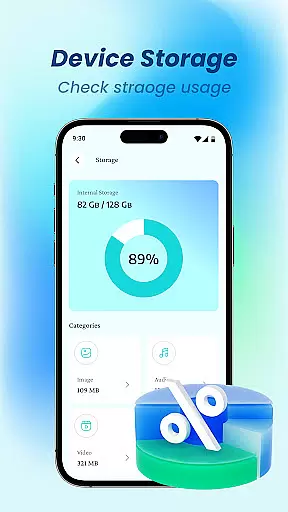
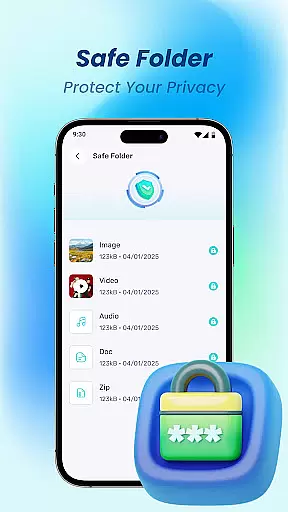
Device File Storage is a comprehensive file management tool designed to help users take complete control of their phone's storage. With its powerful file browser, users can easily locate and manage all types of files on their devices. The app provides total visibility into your device's storage, ensuring no file remains hidden or lost.
Beyond basic file management, Device File Storage offers advanced features for organizing your digital life. Users can create folders, move items, perform batch selections, and rename files with ease. Its built-in secure file locker allows you to protect sensitive photos and documents, making it an ideal solution for privacy-conscious individuals.
This app is particularly useful for those who need to manage large collections of photos, music, and work-related documents. By keeping everything organized and secure, Device File Storage helps users maintain an efficient and private digital environment.
Device File Storage stands out with its robust feature set tailored for efficient file management. The app's powerful file browser provides a clear view of all files stored on your device, eliminating the frustration of lost or hidden files. This makes it easy to locate specific documents, photos, or media files whenever needed.
Organization is made effortless through intuitive tools that allow users to create new folders, move multiple items at once, and rename files in seconds. These capabilities ensure that your files remain neatly categorized, whether you're managing personal photos, music libraries, or important work documents.
A key highlight is the secure file locker feature, which adds an extra layer of privacy protection. Users can hide sensitive content behind a secure interface, ensuring only authorized access. This combination of powerful browsing, seamless organization, and enhanced security makes Device File Storage a top choice for managing your digital assets.
Device File Storage offers a robust set of tools designed to provide users with precise control over their device's storage. The app ensures that every file operation, from searching to managing, is executed with maximum accuracy.
The powerful browser functionality allows users to locate and manage all types of files efficiently. With features like batch selection, folder creation, and easy navigation, the app streamlines file management tasks without compromising on precision.
Moreover, the secure file locker adds an extra layer of privacy, ensuring sensitive data remains protected. This feature not only enhances security but also gives users peace of mind knowing their private files are safeguarded effectively.
By focusing on accuracy and effectiveness, Device File Storage empowers users to take full control of their digital life, making file management both effortless and reliable.
A user-friendly interface is at the heart of Device File Storage, ensuring that even those new to file management can navigate with ease. The design emphasizes simplicity, allowing users to perform complex tasks without hassle.
Every feature, from creating new folders to renaming files, is intuitively placed and easily accessible. This logical layout reduces the learning curve, enabling users to become proficient quickly.
In addition to its intuitive controls, the app provides clear visual feedback for every action taken. Whether moving files or securing private documents, users receive immediate confirmation of their actions, enhancing overall confidence in using the app.
With an emphasis on straightforward navigation and clear instructions, Device File Storage makes organizing and managing your digital content an intuitive and stress-free experience.
User-friendly interface
Powerful file browser
Secure file locker
Efficient organization tools
Comprehensive file management
Limited cloud integration
No automatic backup
Basic UI design
Few customization options
Occasional performance lag

A convenient photo, video, and file recovery tool.
 4.00
4.00
Learn the vast amount of system information about device and monitor it's state
4.70
Safely recover deleted photos, videos, and files with a single easy tap.
3.70
Enjoy smooth gameplay with Game Booster
4.90
Optimize your WiFi network, turn your phone into Wifi Analyzer
4.70
card-reader app
2.20
An easy-to-use calculator designed to save time calculating and bending conduit
4.30
View detailed information about your Nissan Leaf the dealer never shows you.
4.10
Introducing Smart Printer, your ultimate destination for printing solutions!
4.00
Support Fossify apps with a warm thank you!
5.00
Bedrock Together: Join any bedrock server on Xbox/PS
4.80
FV File Manager Pro, Fast and powerful file manager for Android
4.60
Play your X-Box games remotely in 1080p with any controller and zero latency
4.60
Complete kernel toolbox with features to manage and tweak your rooted device
4.30
Making emulation easy for everyone!
4.30
Create your own live wallpaper or check out thousands already made presets
3.90
This app unlocks the Pro features of the Central for DayZ app
3.60
Transfer Files, APK from Phone to Watch & Install.
4.2
Download any file easily and quickly with Downloader
4.4


User Reviews