
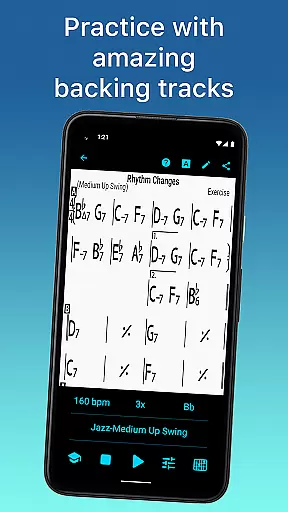
iReal Pro is an essential tool for musicians of all skill levels, designed to enhance practice sessions by providing realistic band accompaniments. The app simulates a full band experience with piano, guitar, bass, and drums, allowing users to practice in a professional setting. It also features chord chart creation tools, making it easy to reference or create charts for your favorite songs.
One of Time Magazine's 50 Best Inventions of 2010, iReal Pro is widely used by music students, teachers, and top institutions like Berklee College of Music. Whether you're practicing scales, transposing keys, or recording performances, the app offers versatile features that adapt to various musical styles and instruments.
The app's value extends beyond practice, as it supports exporting charts and audio files, making it indispensable for both learning and performance preparation. With its comprehensive feature set, iReal Pro ensures musicians have a reliable backup band at their fingertips.
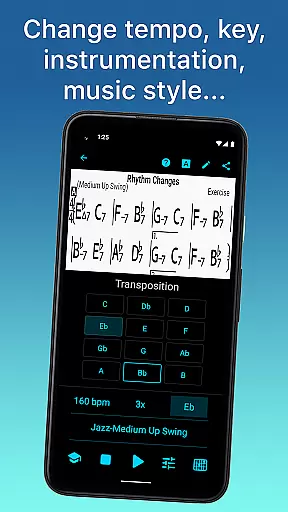
iReal Pro stands out with its diverse range of features tailored for musicians. The app includes 51 different accompaniment styles, from Swing to Latin, each customizable with various instrument sounds such as piano, Fender Rhodes, and electric bass. This flexibility allows musicians to personalize their practice environment according to their specific needs.
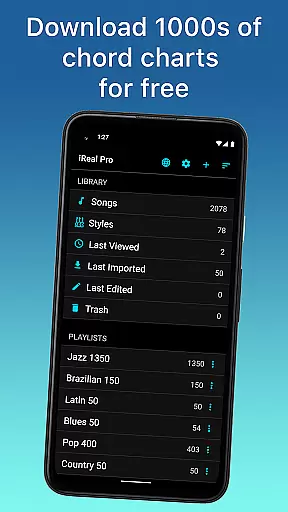
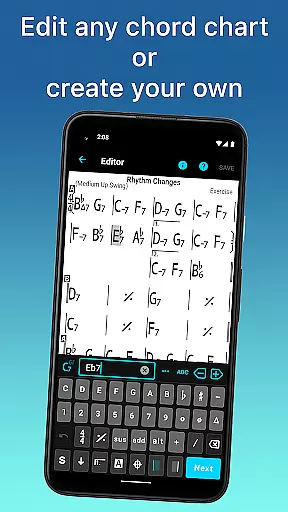
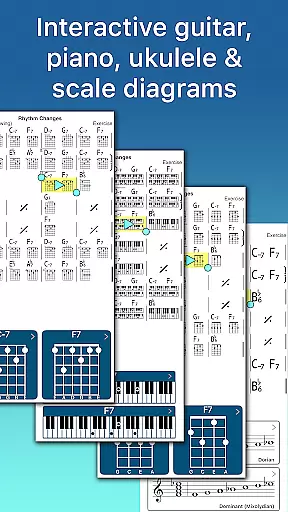
Another key feature is the ability to create, edit, and download thousands of songs directly within the app. Users can access forums to download charts, use the built-in editor to modify existing songs, or compose new ones. The app also provides valuable learning aids, including chord diagrams and scale recommendations, which are crucial for improvisation and mastering complex progressions.
Advanced practice settings offer even more control, enabling users to loop sections, transpose keys, and gradually increase tempo. Sharing and exporting capabilities ensure that users can take their music anywhere, whether through PDFs, MusicXML files, or audio exports in multiple formats. These robust features make iReal Pro an indispensable tool for serious musicians.
Having a comprehensive music library is essential for any musician looking to practice and improve their skills. iReal Pro boasts an extensive collection of songs that can be easily downloaded from the forums, providing users with thousands of options to choose from. This vast library ensures that musicians of all genres and preferences can find relevant material to work with.
In addition to its size, the app places a strong emphasis on copyright authenticity. All the content available through iReal Pro is properly licensed, giving users peace of mind when accessing and utilizing the resources within the app. This commitment to legal compliance not only protects users but also supports the artists and creators behind the music.
Moreover, iReal Pro allows musicians to create and edit their own chord charts, which can be saved and added to personal playlists. This feature empowers users to expand their music library with custom content tailored to their specific needs and interests. The ability to share these creations with other iReal Pro users further enriches the community-driven aspect of the music library.
Audio quality is paramount when it comes to musical accompaniment, and iReal Pro delivers a realistic and high-quality audio experience. The app offers a variety of sounds, including piano, Fender Rhodes, acoustic and electric guitars, basses, drums, vibraphone, and organ. These sound options allow musicians to personalize each accompaniment style, ensuring that the audio output aligns with their artistic vision and performance standards.
Furthermore, iReal Pro enables users to record themselves playing or singing along with the accompaniment. This feature provides an opportunity for self-assessment and improvement, as musicians can listen back to their performances with the high-quality audio backdrop provided by the app. The ability to critically evaluate one's playing in this context is invaluable for skill development.
The app also supports exporting audio in multiple formats such as WAV, AAC, and MIDI. This flexibility in audio quality options means that users can produce professional-grade recordings suitable for various purposes, whether it's for personal review, sharing with peers, or even publishing their work. With iReal Pro, musicians have control over both the creation and distribution of their music, all while maintaining excellent audio fidelity.
User-friendly interface
High-quality sound library
Extensive song database
Versatile practice options
Comprehensive export capabilities
Some styles require in-app purchases
Occasional bugs in playback
Learning curve for beginners
Limited free content
Exporting features need premium access

Pay Once, no monthly payment
 4.60
4.60
Enhance the sound quality of your devices, listen to what you want
4.50
A High-Precision Audio Spectrum Analysis App
4.20
Brian Eno and Peter Chilvers’ acclaimed music app Bloom, radically reinvented.
4.80
The ultimate media player for Android devices
3.90
Bass Booster Pro takes auto-equalizing to the next level!
4.30
AI Music Maker: Generate And Compose AI Tunes & AI Songs & AI Music & AI Melody!
4.60
Let your Android device with the sound effects you want
4.50
Reverse your voice & songs instantly! Fun singing challenge with cool effects.
4.60
Tune in to the greatest hits on UK Radio | The home of Capital, Smooth & Heart.
4.90
Full-featured, High-Quality Groovebox Workstation, perfect for Live Performance!
4.80
Your song collections with lyrics and chords on Android smartphones and tablets.
4.80
Offline Music Player & MP3 Player.Powerful equalizer, Lyrics, Themes, Tag Editor
4.80
Fun & Easy Voice Changer – Record, Edit & Add Hilarious Effects!
4.50
DJ Music Mixer - DJ Remix: remix songs, make beat music & record mix of DJ.
4.40
Manage your Sonos system directly from your home-screen!
4.40
The only true audiophile music player with Hi-Fi audio rendering and DSP engine
3.90
Make music anywhere. Turn your device into an instrument.
4.0
Remove ads permanently from Music Visualizer
4.0


User Reviews