
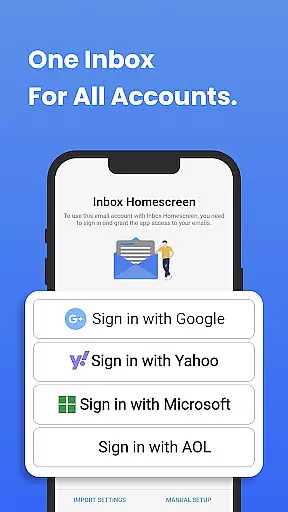
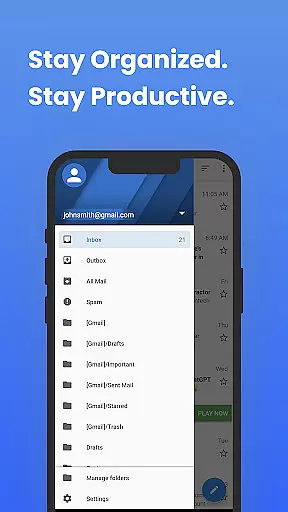
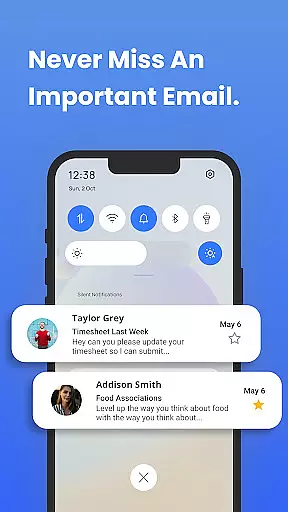
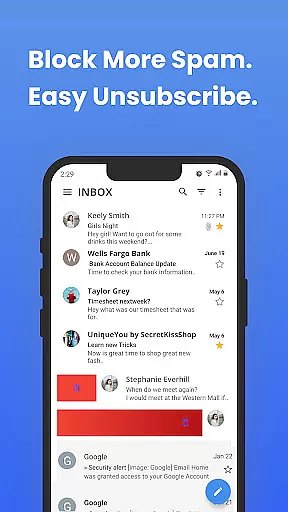
Inbox Homescreen is a communication app designed to streamline email management across multiple platforms. This innovative tool allows users to access all their email accounts in one centralized location, supporting services like Gmail, Outlook, and Yahoo. The app's key strength lies in its ability to simplify complex workflows while maintaining essential email functionalities.
One standout feature is the advanced filtering system that automatically categorizes incoming messages, helping users prioritize important communications. Additionally, the scheduling function enables precise timing of email delivery, making it an ideal solution for professionals who need to coordinate across different time zones. The customizable interface further enhances user experience by allowing personalized themes and layouts.
This app proves particularly useful for busy professionals and individuals managing multiple email accounts. By consolidating all communications into a single platform with intuitive navigation, Inbox Homescreen significantly improves productivity and ensures no important message gets overlooked.
Inbox Homescreen distinguishes itself through several notable features that enhance email management capabilities. The app's multi-account integration stands out as a core functionality, enabling seamless connection with various email services without requiring constant re-authentication. This unified approach saves considerable time when switching between different accounts.
The application also incorporates intelligent filtering mechanisms that go beyond basic sorting. Users can create custom rules to automatically direct emails to specific folders based on sender information, subject lines, or content keywords. Another valuable feature is the email scheduling capability, which allows precise control over message delivery times. Furthermore, the app offers multiple theme options and layout configurations, giving users control over their visual experience while maintaining optimal usability.
These features collectively contribute to a more organized and efficient email management process. The combination of automation tools and customization options makes Inbox Homescreen particularly appealing to power users who require both functionality and personalization in their communication tools.
In the realm of digital communication, the swiftness and dependability of message delivery form the backbone of effective interaction. Inbox Homescreen excels in this domain by ensuring that your emails are sent and received with utmost promptness and consistency.
The application achieves this through seamless integration with major email services such as Gmail, Outlook, and Yahoo. This compatibility allows for an uninterrupted flow of messages, making certain that communications are not delayed or lost.
For users, this means peace of mind knowing that their important correspondences will reach the intended recipients without unnecessary delays. The app's robust infrastructure prioritizes timely delivery, thus enhancing both personal and professional exchanges.
Ultimately, the real-time messaging capabilities of Inbox Homescreen contribute significantly to maintaining a well-organized inbox. Users can focus on their tasks without worrying about the technicalities of email management, trusting the app to handle their messaging needs efficiently.
In today's interconnected world, the ability to share media effortlessly within communications is essential. Inbox Homescreen addresses this need by offering comprehensive media sharing support across its integrated email platforms.
This functionality enables users to attach and send various types of files, from images and documents to videos, directly through the app. Regardless of the email service being used, the process remains streamlined and user-friendly.
With customizable themes and layouts, users can personalize their media-sharing experience to match their preferences. This flexibility ensures that whether it's for work or personal use, sharing content is always intuitive and efficient.
By incorporating advanced features like scheduled sending and priority sorting, Inbox Homescreen further enhances media sharing. Users benefit from a sophisticated yet accessible tool that simplifies how they connect and share with others, elevating overall productivity and engagement.
User-friendly interface
Multi-account support
Advanced filtering options
Email scheduling capability
Customizable themes
Limited third-party integrations
Occasional syncing issues
Premium feature costs
Steep learning curve
Resource-intensive

Tether to Windows, OS X, Linux PCs or Android tablets. No root. No tether fees.
 3.90
3.90
Our Black Friday sale is here. Unlock special discounts on Proton Mail now.
4.30
Message and video call your family and friends in HD!
3.80
Messages is Private SMS Messenger 2023 with text message, instant messaging.
4.00
An app dedicated solely to marriage, not dating, and supported by a rigorous verification mechanism to ensure seriousness.
4.0
Call & Text Anywhere With A Canadian Number.
3.60
Stay in touch with the people who matter most.
4.60
BE PRIVATE
Anonymous. No Trace. Fast.
4.20
Useful. Social. Expressive.
4.70
Browse fast on Opera Mini, with Data Saving, News, Football Scores, and Download
4.60
Smart and simple anti-wiring application - IMSI-catchers catcher
4.40
Enjoy secure messaging & calling. Safe Messenger: group chats, calls, messages.
4.20
A customizable phone number in the cloud
4.20
SMS & MMS Messaging App to easily send messages or schedule SMS on Chat
4.10
Share the moment!
4.10
A softphone with crystal clear SIP Calling & Reliable VoIP dialer
4.00 3.90
3.90
Weargram is an unofficial Telegram Client for Wear OS.
3.50
Chat on the Jabber network (XMPP protocol); support for SMS and other gateways
2.10


User Reviews