
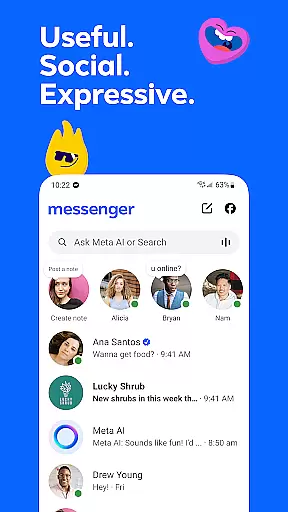
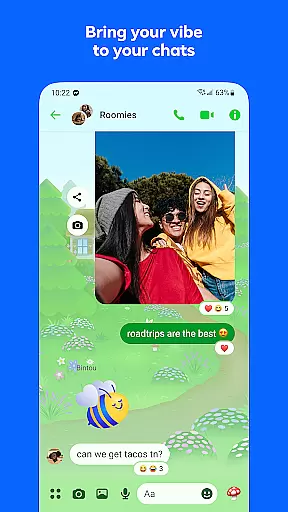






Messenger is a versatile communication app that allows users to connect with friends and family effortlessly. The core functionality revolves around instant messaging and voice/video calling, enabling seamless interactions across distances.
Beyond basic communication, Messenger offers innovative features like Meta AI assistant for instant support, high-definition photo sharing, and disappearing messages for private conversations. These features make it an ideal tool for both personal and professional use.
Users can create shared albums, send large files up to 100MB, and customize chat themes, making it perfect for group collaborations and community building. The app's ability to integrate various communication methods into one platform provides significant value to its users.
Messenger stands out with its comprehensive feature set tailored for modern communication needs. The app's integration with Facebook allows users to connect without needing phone numbers, while the Meta AI assistant provides intelligent support and guidance.
Advanced media sharing capabilities enable users to send high-quality photos and videos, plus create shared albums for group memories. The app supports large file transfers up to 100MB, making it suitable for professional environments.
Innovative features like message editing, disappearing messages, and customizable chat themes give users control over their communication experience. The addition of broadcast channels and creative tools through Meta AI enhances both personal and professional interactions.
Real-time messaging speed and reliability are crucial for maintaining seamless communication in today's fast-paced digital world. Messenger excels in this area by providing instant message delivery across devices, ensuring that your conversations flow smoothly without unnecessary delays.
The app employs advanced synchronization technologies and optimized data transmission protocols to deliver messages almost instantly. Whether you're chatting with friends, family, or colleagues, you can expect your texts, images, and files to appear in the chat within seconds, creating a responsive and engaging communication experience.
Moreover, Messenger ensures reliable message delivery even under fluctuating network conditions. By implementing robust error correction mechanisms and adaptive network protocols, the app maintains stable connections, reducing the chances of missed or delayed messages. This reliability is essential for users who depend on timely communication for personal or professional purposes.
With these features, Messenger not only enhances the immediacy of interactions but also builds trust among users, knowing their messages will be delivered promptly and consistently. This reliability fosters stronger connections and supports dynamic, real-time conversations.
Media sharing support is an integral feature of modern communication apps, allowing users to exchange various types of content seamlessly. Messenger offers comprehensive media sharing capabilities, enabling users to send photos, videos, documents, and other file types effortlessly within their chats.
The app supports high-definition image sharing, ensuring that your cherished moments are shared in the best possible quality. Whether it's a vacation photo or an important document, Messenger handles large files up to 100MB, accommodating diverse user needs from casual sharing to professional collaboration.
Beyond static images and documents, Messenger facilitates rich media experiences through features like Stories and broadcast channels. Users can capture everyday moments using Stories, which disappear after 24 hours, adding a spontaneous and ephemeral dimension to media sharing. Additionally, joining creators' broadcast channels allows users to engage with exclusive, authentic content tailored to their interests.
By integrating versatile media sharing options, Messenger enriches conversations, making them more expressive and engaging. The ability to share various media formats enhances user interaction, fostering deeper connections and more vibrant community engagement.
User-friendly interface
High-quality media sharing
Integrated AI assistant
Customizable chat options
Robust file sharing capability
Privacy concerns with Meta
Occasional performance issues
AI features region-restricted
Can be resource-intensive
Complex permission requirements

Adblock & VPN Browser: Blocks banners, pop-ups and video ads, fast downloader!
 4.60
4.60
Manage BoostMobile Account
4.60
Messenger app for faster and simpler SMS text messaging, and personalized themes
4.10
Connect and browse the internet with a fast VPN proxy server and IP blocker.
4.50
WazzapMigrator: transfer your WhatsApp history from iPhone to Android
4.00
Fun, free app that lets kids video call and message family and close friends.
3.80
SMS Messenger is a lightning-fast messaging app.
4.20
BE PRIVATE
Anonymous. No Trace. Fast.
4.20
Say “hello” to privacy.
4.60
We’re taking the yada yada out of wireless—now we’ve taken it out of your app.
4.70
Save 10% automatically on your first international mobile top up.
4.60
Welcome to the future of phone service.
4.60
Experience real private browsing without tracking, surveillance, or censorship.
4.50
The ultimate productivity solution for all your email communication needs.
4.40
Send SMS and chat messages easily with a fast text messaging app for Android.
4.10
Measure BHP, Torque & 0-60 Clear car OBD faults View engine data in Google Earth
4.00
Manage and Fund Calling Accounts and Schedule and Join Video Sessions
3.60
Official NDI app: turn your phone into a professional live-streaming IP camera.
3.20
Enables Plus features of Quick Search.
4.5


User Reviews