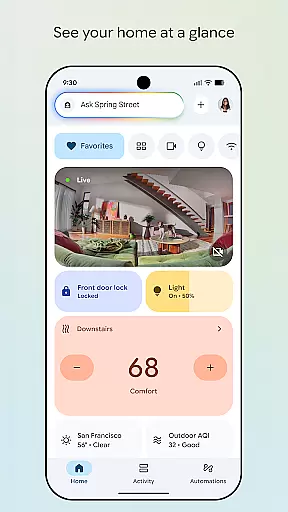
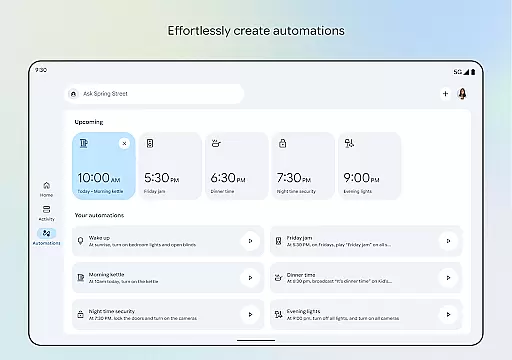
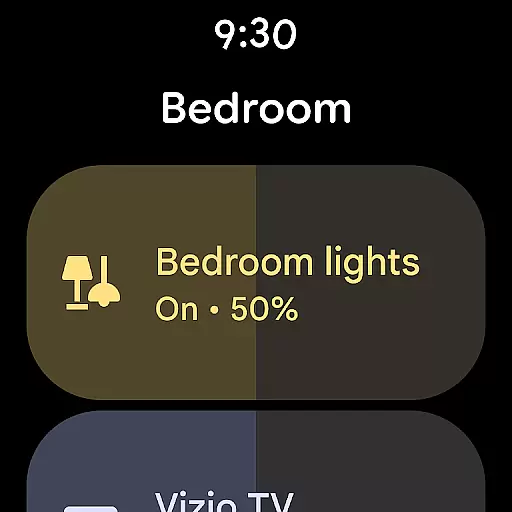

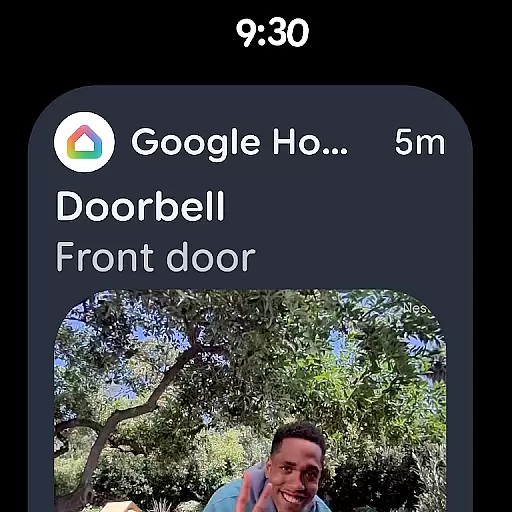
Google Home is a comprehensive smart home management application designed specifically for Android Wear devices. This app allows users to seamlessly control and monitor their smart home devices directly from their wearable technology. With its intuitive interface, users can view the real-time status of their home, organize devices into dashboards, and navigate settings with ease.
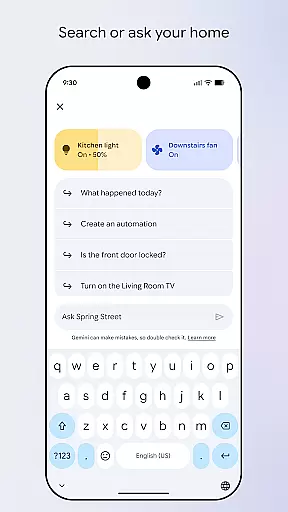
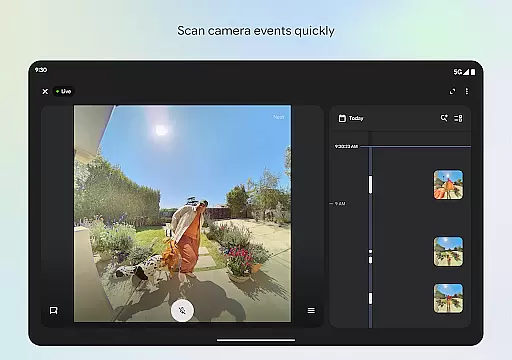
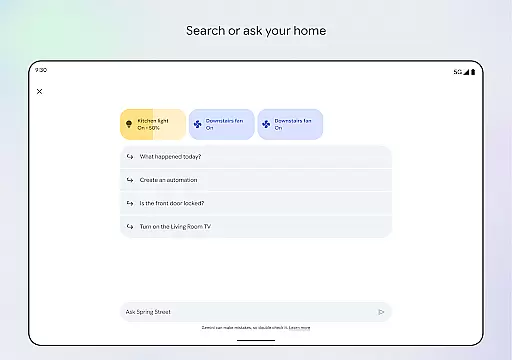
A key feature of Google Home is its ability to provide quick access to camera events, enabling users to review live feeds or past recordings effortlessly. Additionally, the integration with Gemini for Home empowers users to control their devices using simple voice commands, making home management more accessible than ever before.
This app is particularly useful for individuals who are frequently on the go but still want to maintain a close watch over their home environment. By leveraging the capabilities of Android Wear, Google Home ensures that important updates and controls are always within reach, enhancing both convenience and security.
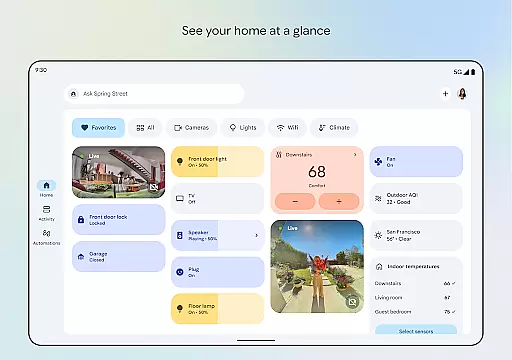
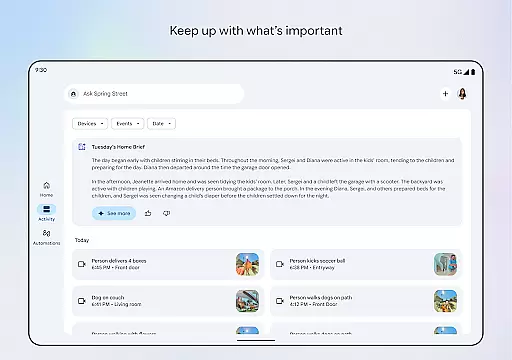
Google Home stands out with its robust set of features tailored for smart home enthusiasts. One of the primary functionalities is the at-a-glance home status overview, which provides users with instant updates on their home's current state. This feature is complemented by an updated design that emphasizes streamlined organization, allowing users to group devices into customizable dashboards for efficient management.
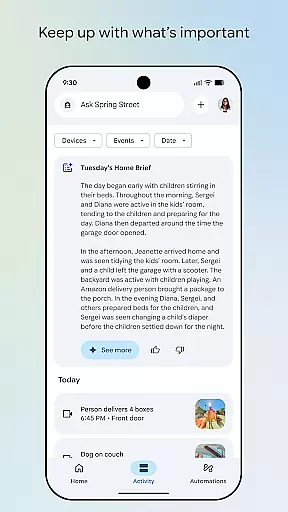
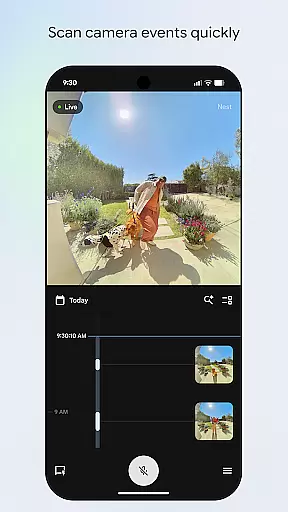
Another significant feature is the enhanced camera event interface. Users can swiftly scan through live views and historical footage, ensuring they never miss an important moment. The app also supports advanced voice control capabilities via Gemini for Home, letting users execute commands naturally and effortlessly.
Furthermore, Google Home is optimized for Android Wear, delivering a seamless experience across different devices. This cross-device compatibility ensures that whether you're using a smartphone or a wearable, the app maintains consistent performance and accessibility, making it an indispensable tool for modern smart home ecosystems.
Companion app integration is essential for wearable devices to function seamlessly with their primary mobile applications. Google Home ensures that your wearable device and main app work in perfect harmony.
This application provides real-time synchronization between your Android Wear device and home automation systems. Any changes made through the wearable are instantly reflected across all connected devices, ensuring consistency and reliability.
Users benefit from unified control over their smart home devices directly from their wrist. Whether it's adjusting the thermostat or checking security cameras, the integration allows for effortless management without needing to reach for a phone.
The seamless companion app integration enhances user convenience by offering quick access to frequently used features, making smart home management more efficient and accessible than ever before.
Ensuring compatibility with Wear OS and various devices is crucial for a smooth user experience. Google Home excels in providing extensive support for a wide range of smart home devices and Wear OS versions.
This app supports numerous smart home products, allowing users to control lights, thermostats, cameras, and more, directly from their Wear OS devices. The broad compatibility ensures that regardless of the brand or model, users can manage their homes efficiently.
Google Home maintains up-to-date compatibility lists, ensuring that newly released devices and software updates do not disrupt existing functionalities. This commitment to ongoing support guarantees a future-proof solution for smart home enthusiasts.
By prioritizing Wear OS and device compatibility, Google Home delivers a versatile and reliable platform, empowering users to create a truly interconnected smart home ecosystem.
User-friendly interface
Voice command support
Real-time updates
Customizable dashboards
Cross-device sync
Limited device compatibility
Region restrictions apply
Occasional connectivity issues
Premium feature costs
Dependent on internet connection

Walking app for weight loss: walk & step tracker, pedometer, indoor treadmill
 4.60
4.60
Christmas is near, let's count together the days left until Santa comes
4.1
A full-featured Amazon Alexa voice assistant that can show you things.
3.70
Digital, flexibly customizable watch face. For Wear OS 5.0, API 34+ and later.
5.00
3 Complications. All shadow on/off. 30 Themes color palette...
4.4
Locate your family members by GPS phone location tracker everywhere and anytime
4.30
Gym & home workout plans with strength training, exercise tracking, HIIT & more.
4.60
The #1 source of faces for your smartwatch!
4.00
Hyper-Realistic Airplane Dashboard Watch Face With 10 Skins and Custom AOD
4.00
The most customizable minimal watch face. For Wear OS 5.0, API 34+ and later
4.70
Nutrition, Macro tracker: Food, fitness & healthy diet tracking for weight loss
4.60
Real-time results, stats, schedules and player profiles for all leagues
4.60
Retro digital watch face with customizable colors and a unique lighting effect
4.60
Ideal for surviving in the wasteland left after nuclear fallout
4.50
Christmas watch face. For Wear OS devices.
4.30
Connect, create, and collaborate with Gmail, part of Google Workspace.
4.10
Wear Os Watch Face - Animated Snow Effect & Christmas Lights
4.1
A Wintery Snow Globe on Your Wrist; now celebrating Christmas!
4.3
A heartwarming Christmas scene featuring a cute image of Santa and Rudolf
4.0


User Reviews