
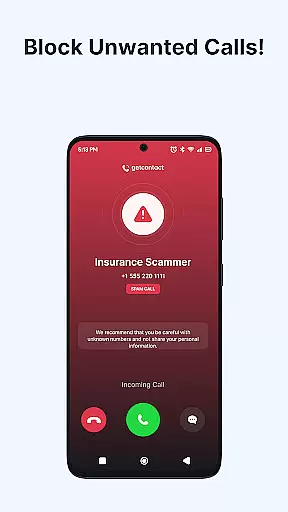
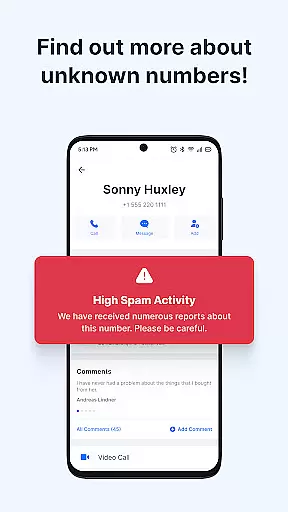
Getcontact is a comprehensive communication protection app designed to safeguard users from unwanted calls and messages. With advanced AI-driven spam detection, the app identifies unknown callers in real-time and blocks fraudulent attempts before they reach you. Available on mobile platforms, it serves as an essential tool for maintaining privacy and security in daily communications.
Beyond call blocking, Getcontact offers additional features like secure chats, end-to-end encrypted calls, and even a second phone number option for enhanced privacy. These capabilities make it especially valuable for individuals seeking smarter communication tools while protecting their personal information. The app's community-driven feedback system ensures continuous improvement, providing reliable protection for millions of users worldwide.
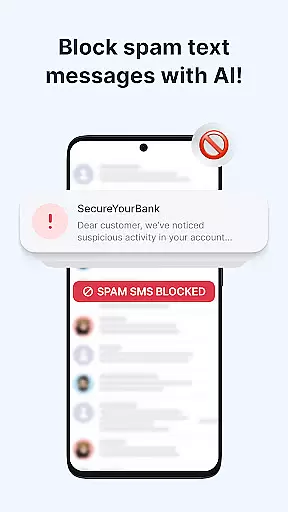
Getcontact stands out with its robust feature set tailored for modern communication needs. The app's AI-powered caller ID instantly detects and blocks spam calls, telemarketers, and fraud attempts, offering real-time protection against scams and robocalls. By setting Getcontact as your default SMS app, you can also filter out phishing texts and promotional messages, ensuring a cleaner and more secure inbox.
Additional standout features include Call Assistant, which screens unknown numbers and provides insights into incoming calls, and Secure Chats & Calls with end-to-end encryption for private messaging and group calls. For users needing extra privacy, the Second Number feature allows you to manage work or online transactions without exposing your personal number. These innovations collectively enhance user privacy and streamline communication management.
Getcontact ensures real-time messaging speed and reliability by leveraging advanced AI-driven spam detection. This technology allows the app to instantly identify unknown callers and block unwanted communications before they reach the user.
The app's robust infrastructure is designed to handle billions of calls and messages annually, providing users with uninterrupted service. With features like Call Assistant, Getcontact screens unknown numbers and provides timely insights into incoming communications, ensuring that users never miss an important call.
By setting Getcontact as the default SMS app, users benefit from a cleaner, more secure messaging experience. The app automatically filters out spam, phishing attempts, and promotional texts, allowing for reliable and safe communication. This comprehensive protection empowers millions of users worldwide to stay connected without compromising on speed or security.
Getcontact goes beyond protecting users from spam calls by offering extensive media sharing support. As a default SMS app, it ensures that all forms of mediau2014be it images, videos, or documentsu2014are shared securely and efficiently.
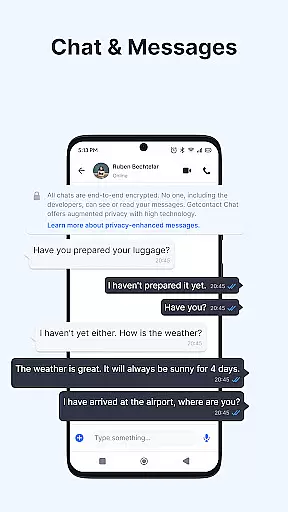
The app supports end-to-end encrypted chats and calls, which means that media shared through Getcontact remains private and secure. Users can enjoy one-on-one or group messaging with voice and video call options, enhancing both the safety and richness of their communication experience.
Additionally, Getcontact provides a second number feature for added privacy, particularly useful when sharing media for work or online transactions. This feature allows users to keep their personal number private while still engaging in comprehensive and secure media exchanges. Overall, Getcontact combines speed, security, and versatility to offer unmatched media sharing support.
Advanced spam detection
Real-time call blocking
End-to-end encryption
AI-powered call assistant
Community-driven feedback
Limited regional features
Paid subscription required
Dependent on user feedback
Resource-intensive
Privacy concerns

We’re taking the yada yada out of wireless—now we’ve taken it out of your app.
 4.70
4.70
Secure Messaging App to Enhance Messenger Texting Experience and Organize SMS.
3.50
Use this Dialer app alone or as a TREK: Total Interface companion.
4.70
Phone Dialer with Caller ID, Address Book & Contacts Manager.
4.30
Comprehensive and powerful scan tool app with enhanced functions
3.00
Auto Reply SMS, Text Messaging, Away SMS Response, Busy SMS messages, Block Text
3.10
Use this SMS app standalone or as a TREK: Total Interface companion.
4.30
Call & Text Anywhere With A Canadian Number.
3.60
Manage your mobile phone plan, check unlimited 5g data usage and track rewards
4.50
Identify unknown numbers, block spam calls, customize calls with cool themes.
4.60
Adblock & VPN Browser: Blocks banners, pop-ups and video ads, fast downloader!
4.60
Block spam calls & scam - no more annoying calls with the call blocker function
4.30
HD Video Meeting app is a fast & unlimited video conferencing app across world.
4.30
RemoteHams.com Android RCForb Client Pre-Release
4.30
Fast and simple walkie talkie app
4.20
Message and video call your family and friends in HD!
3.80
Fun, free app that lets kids video call and message family and close friends.
3.80
Enables Plus features of Quick Search.
4.1
Radio communication simulator for gaming communities
4.4


User Reviews