
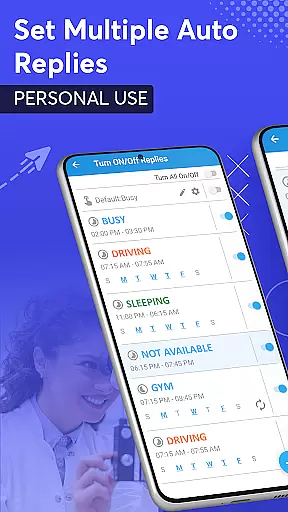
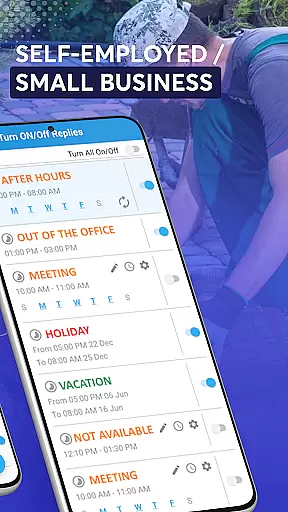
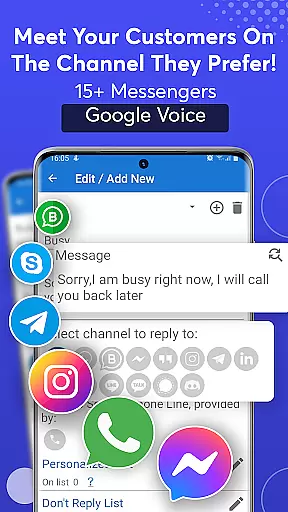
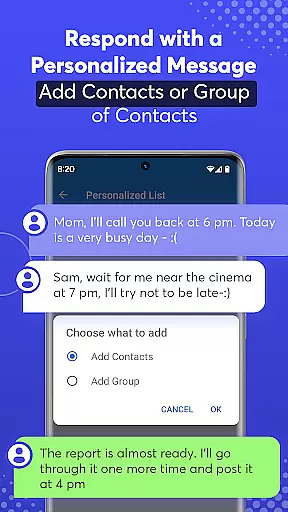
SMS Auto Reply is a powerful communication tool designed to automate your messaging experience. This app allows users to set up automatic text responses for various scenarios, such as driving, meetings, or sleeping. It supports multiple messaging platforms including SMS, WhatsApp, Facebook, and more, ensuring you never miss an important message.
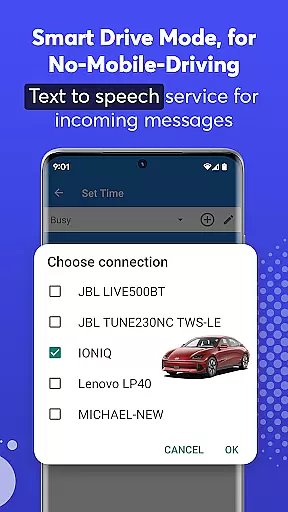
The application offers advanced customization options, enabling users to create personalized auto-reply messages based on specific criteria like time, date, or contact lists. With features like Text-to-Speech (TTS), it enhances safety by reading incoming messages aloud, allowing users to stay focused on tasks like driving. The Smart Drive Mode further elevates user convenience by activating auto-reply when connected to a car's Bluetooth.
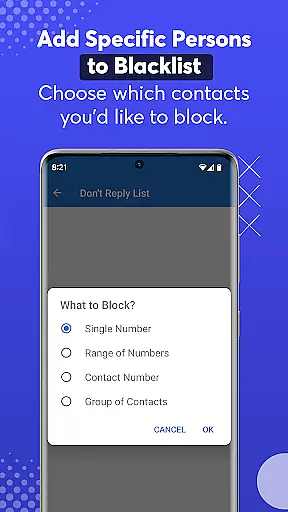
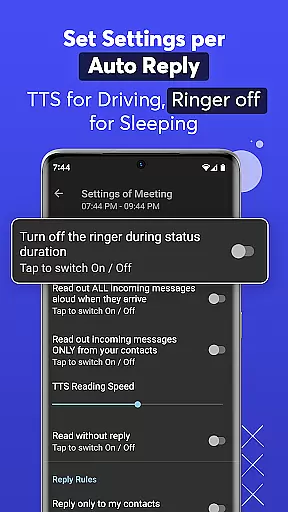
One of the standout features of SMS Auto Reply is its ability to handle multiple auto-response scenarios. Users can configure different automated replies for various situations, such as being in a meeting or sleeping. The app also supports customized lists, allowing users to specify contacts for personalized responses or to blacklist certain numbers.
In addition to supporting major messaging apps like WhatsApp, Facebook, and Telegram, SMS Auto Reply includes unique functionalities like Text-to-Speech (TTS). This feature reads incoming messages aloud, providing a hands-free experience that is particularly useful while driving. The app also offers scheduling capabilities, enabling recurring auto-replies at specific times and days, thus ensuring timely communication without manual intervention.
Real-time messaging speed and reliability are crucial for any communication app. SMS Auto Reply ensures that your messages are sent instantly when specific conditions are met, such as driving or being in a meeting. This immediacy is vital for maintaining effective communication without manual intervention.
The app achieves this reliability through smart detection of your current status and environment. For instance, it can activate auto-reply when you connect to your car's Bluetooth, ensuring that the response goes out without delay. This feature not only enhances user convenience but also significantly improves safety by reducing the need to interact with your phone while driving.
Moreover, the app supports various messaging platforms like WhatsApp, Facebook, and Telegram, providing consistent performance across different services. This cross-platform support ensures that users can rely on SMS Auto Reply regardless of their preferred communication method. The result is a seamless experience that keeps you connected without requiring constant attention.
Media sharing support is an essential feature for modern communication apps, allowing users to exchange more than just text messages. SMS Auto Reply extends its functionality beyond simple text responses by integrating with platforms that support rich media content, such as images, videos, and audio files. This capability ensures that automated replies can still convey comprehensive information even when you're unavailable.
The app leverages its compatibility with over 15 social messengers, including WhatsApp, Facebook, and Instagram, to facilitate media sharing. When an incoming message contains media, the app intelligently processes and responds with relevant content, maintaining the conversation flow without manual input. This approach not only saves time but also enriches the communication experience by preserving the context of the original message.
Additionally, SMS Auto Reply provides options to customize these media responses, aligning them with your personal or professional needs. Whether you're managing a business page or keeping in touch with friends, the ability to share media automatically enhances engagement and satisfaction. By supporting diverse content types, the app ensures that no message goes unanswered, regardless of its format or complexity.
Highly customizable
Multi-platform support
Text-to-Speech functionality
Smart Drive Mode
User-friendly interface
Premium version required
Limited free features
Occasional bugs
Bluetooth connectivity issues
Complex setup for beginners

We’re taking the yada yada out of wireless—now we’ve taken it out of your app.
 4.70
4.70
SMS & MMS Messaging App to easily send messages or schedule SMS on Chat
4.10
Message and video call your family and friends in HD!
3.80
Create a secure hotspot on-the-go with Portable WiFi - Mobile hotspot.
4.40
2nd Phone Number Line for Anonymous Texting, Calling, and Picture Messages
4.30
Chill zone on your phone: relax with fun reels & hype shorts!
4.20
A softphone with crystal clear SIP Calling & Reliable VoIP dialer
4.00
Read OBD2 data and DTCs Create custom dashboards Enhanced diagnostics available
4.70
A browser that does more than load page, like keeping your privacy safe.
4.70
Use this Dialer app alone or as a TREK: Total Interface companion.
4.70
Messenger, an MMS & SMS messages app with Blockers, Driving mode & Private box
4.60
Smart and simple anti-wiring application - IMSI-catchers catcher
4.40
Group Chat That’s Fun & Games
4.30
Enjoy secure messaging & calling. Safe Messenger: group chats, calls, messages.
4.20
Manage and Fund Calling Accounts and Schedule and Join Video Sessions
3.60
Call & Text Anywhere With A Canadian Number.
3.60
Weargram is an unofficial Telegram Client for Wear OS.
3.50
An app dedicated solely to marriage, not dating, and supported by a rigorous verification mechanism to ensure seriousness.
4.4
Bringing the functionality of Winlink to your Android device
4.2


User Reviews