
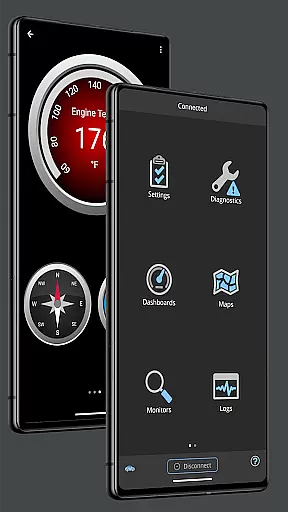
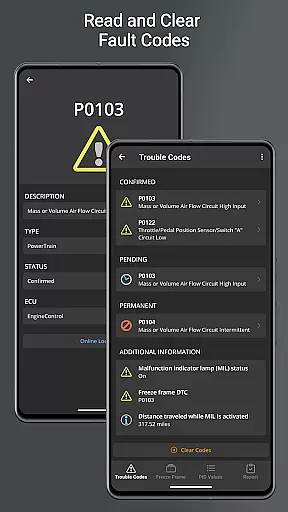
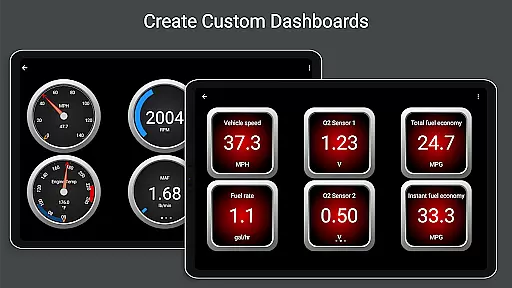
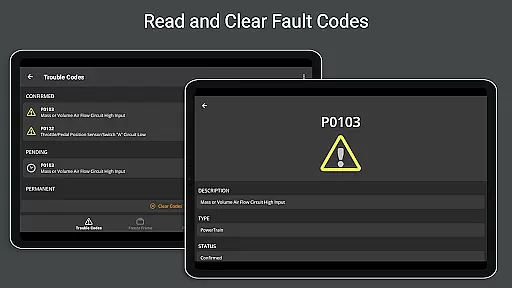
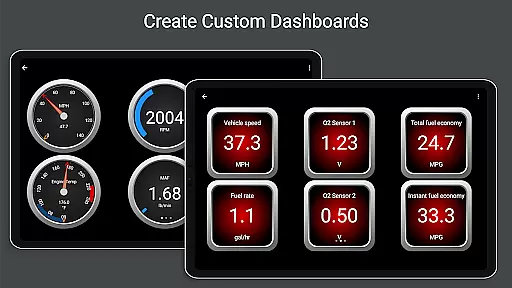
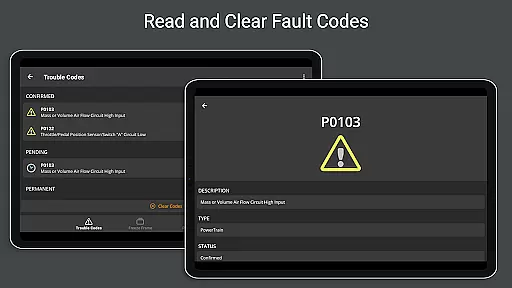
OBD Fusion is a comprehensive vehicle diagnostics application designed for Android users, enabling direct access to OBD2 vehicle data through compatible scan tools. The app's core functionality revolves around reading diagnostic trouble codes, clearing check engine lights, and providing detailed insights into fuel economy metrics. Its professional-grade features cater to both automotive enthusiasts and everyday drivers seeking to monitor their vehicle's performance in real-time.
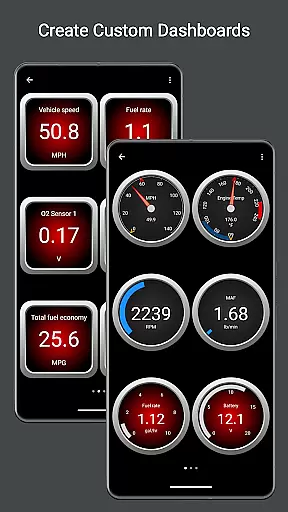
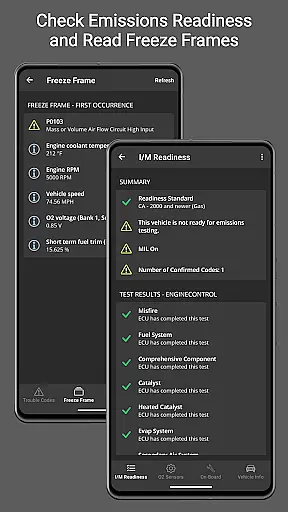
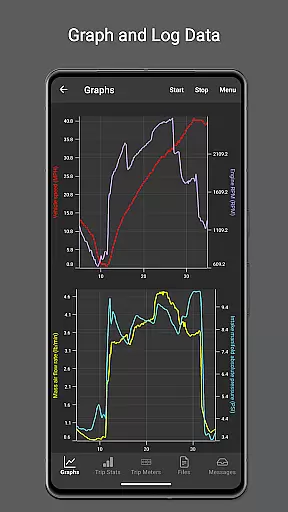
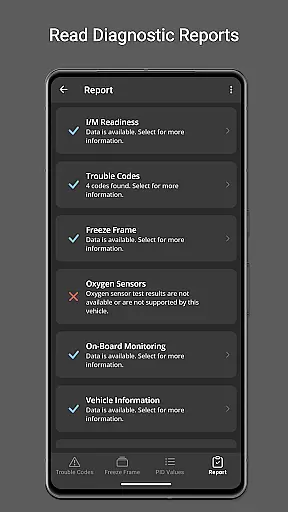
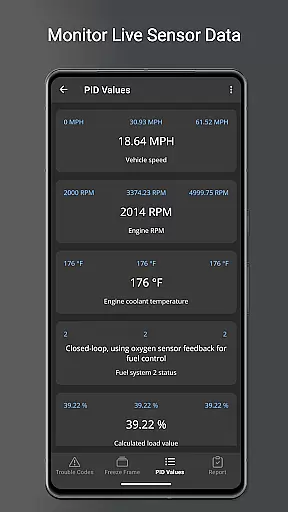
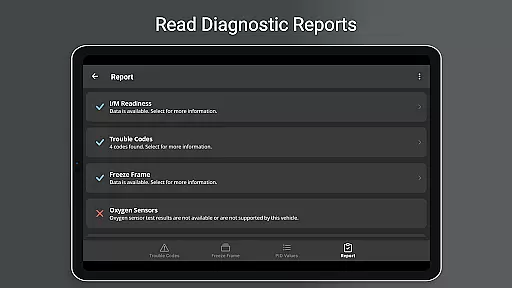
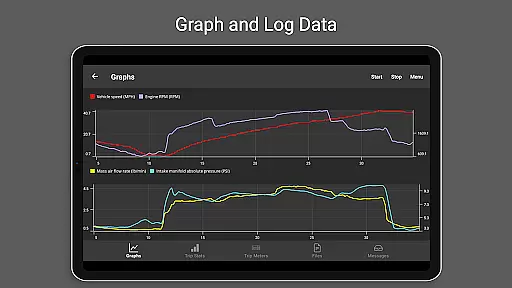
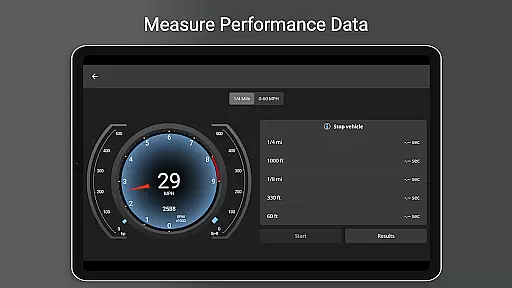
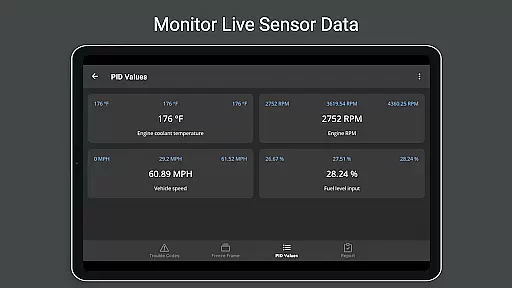
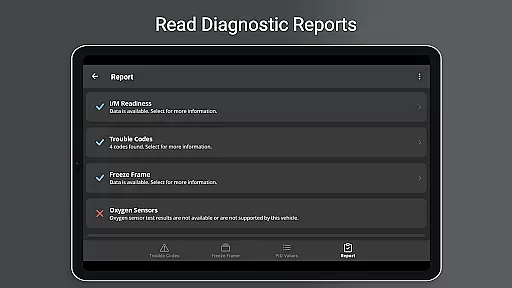
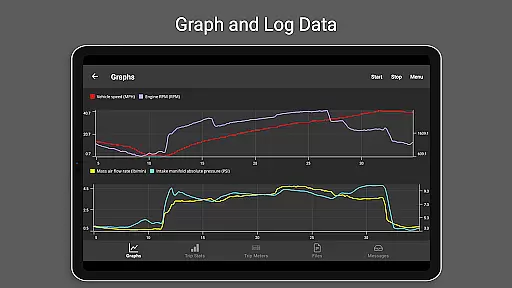
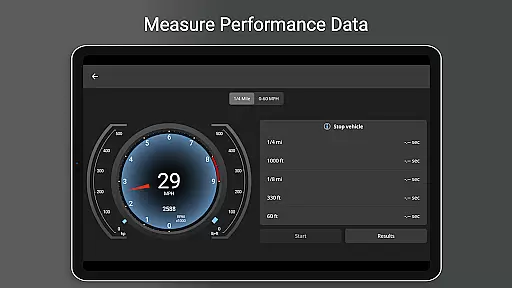
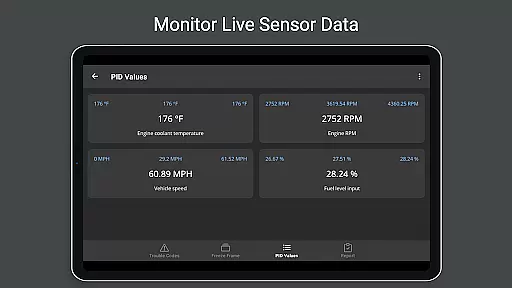
What sets OBD Fusion apart is its extensive feature set that includes customizable dashboards, real-time graphing of vehicle sensors, and advanced diagnostic reporting. These capabilities make it particularly useful during routine driving or when performing detailed vehicle analysis. By offering functionalities such as oxygen sensor testing, emission readiness checks, and Boost readout, the app delivers significant value to users who need reliable and precise vehicle data monitoring.
OBD Fusion stands out with its diverse range of specialized features tailored for vehicle diagnostics. One of its key strengths is the ability to connect with multiple types of scan tools via Bluetooth, Bluetooth LE, USB, and Wi-Fi, ensuring compatibility across various devices and connection methods. This versatility allows users to choose the most convenient way to access their vehicle's data.
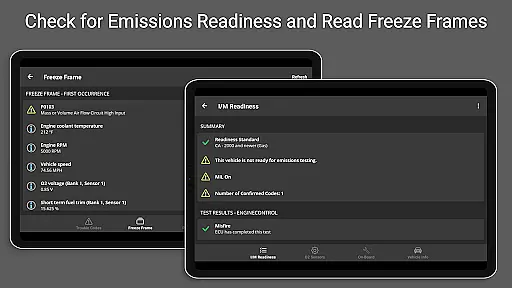
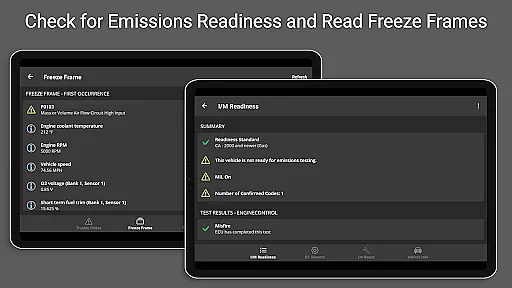
The app also offers advanced functionalities like real-time dashboard displays, customizable trip meters, and enhanced PID support for specific vehicle brands such as Ford and GM. Users can log data in CSV format for further analysis, view freeze frame data, and generate full diagnostic reports that can be stored or emailed. These features not only enhance usability but also provide professional-grade tools that deliver tangible value to users who require detailed vehicle insights.
Real-time messaging speed and reliability are crucial for effective vehicle diagnostics. OBD Fusion excels in this area by providing instantaneous communication between your Android device and the vehicle's onboard diagnostic system.
The app ensures that diagnostic trouble codes, fuel economy readings, and other critical data points are transmitted without delay. This real-time interaction allows users to quickly address issues such as a lit check engine light or monitor their car's performance during a drive.
With reliable messaging, users can trust that the information displayed on customizable dashboards and real-time graphs accurately reflects the current state of the vehicle. This immediacy is vital for both professional mechanics and DIY enthusiasts who rely on up-to-the-second data for maintenance and repairs.
Furthermore, the app's ability to log data and export it in CSV format means that historical performance can be reviewed with confidence in the accuracy of past messaging. This feature supports detailed analysis over time, enhancing the diagnostic process.
Media sharing support in OBD Fusion refers to the app's capability to export and share diagnostic data and reports. This functionality is essential for users who need to send detailed diagnostic information to mechanics or keep records for future reference.
OBD Fusion allows users to log extensive data from vehicle sensors and export it in a CSV format. This makes it easy to share comprehensive reports via email or other media-sharing platforms, facilitating collaboration between car owners and service providers.
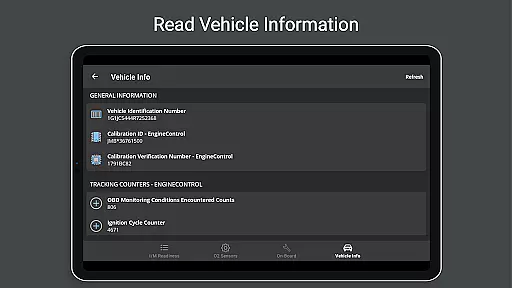
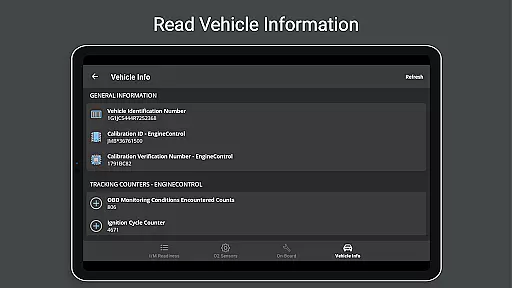
The full diagnostic report feature compiles all relevant vehicle information, including VIN number, calibration ID, and emissions readiness statuses. Sharing these detailed reports can be invaluable when seeking professional advice or documenting vehicle health over time.
In addition to exporting data, OBD Fusion supports multiple languages, making media sharing more accessible across different regions. Whether you're sending logs to a local mechanic or an international expert, the shared media will be clear and informative, ensuring accurate interpretation regardless of language barriers.
User-friendly interface
Comprehensive diagnostic tools
Real-time data monitoring
Customizable dashboard options
Multi-platform connectivity
Requires compatible scan tool
Premium features may cost extra
Some functions need high-end hardware
Limited free version capabilities
Occasional connectivity issues

Fast and simple walkie talkie app
 4.20
4.20
Call Forwarding is easy and simple application to use.
3.80
Adblock & VPN Browser: Blocks banners, pop-ups and video ads, fast downloader!
4.60
Phone Dialer with Caller ID, Address Book & Contacts Manager.
4.30
A Browser with powerful ad blocker to help focus on what really matters.
3.00
Welcome to the future of phone service.
4.60
Use this SMS app standalone or as a TREK: Total Interface companion.
4.30
A softphone app with seamless SIP calling and an intuitive VoIP dialer
3.50
Fast internet with AI, Adblock & VPN. Browse on a safe, incognito web browser.
4.70
We’re taking the yada yada out of wireless—now we’ve taken it out of your app.
4.70
Talk & text free with a second phone number plus unlimited 5G data, no fees.
4.50
Call Blocker app: Identify unknown callers, block spam calls, fraud & robocalls
4.30
2nd Phone Number Line for Anonymous Texting, Calling, and Picture Messages
4.30
SMS & MMS Messaging App to easily send messages or schedule SMS on Chat
4.10
Messenger app for faster and simpler SMS text messaging, and personalized themes
4.10
Share the moment!
4.10
Messages is Private SMS Messenger 2023 with text message, instant messaging.
4.00
Message and video call your family and friends in HD!
3.80
Chat on the Jabber network (XMPP protocol); support for SMS and other gateways
2.10


User Reviews