
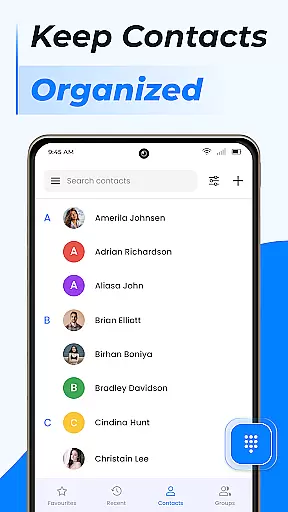
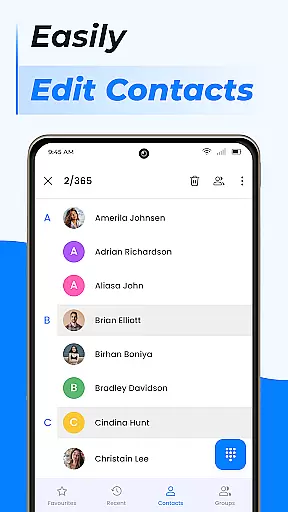
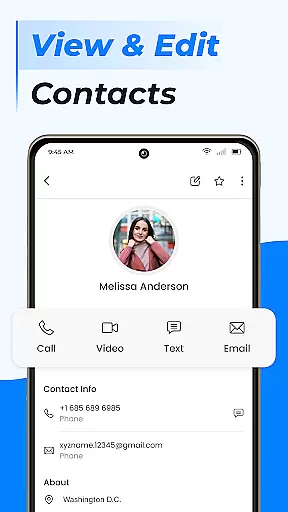
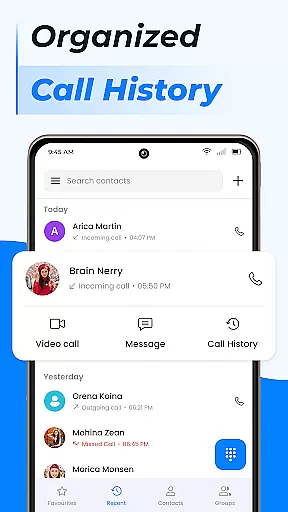
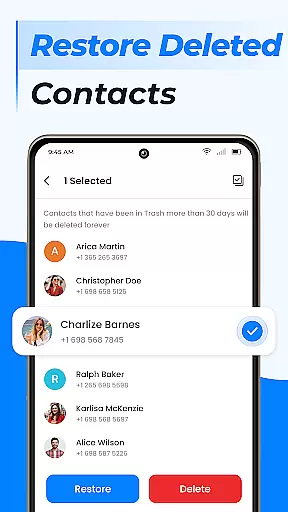
Contacts is a comprehensive communication management tool designed to simplify and enhance the way you handle your Android phone's contact list. This app allows users to efficiently manage recent contacts, share contact information with ease, and block unwanted calls or messages. The application also provides essential features like contact backup and synchronization, ensuring that your important connections are always safe and accessible.
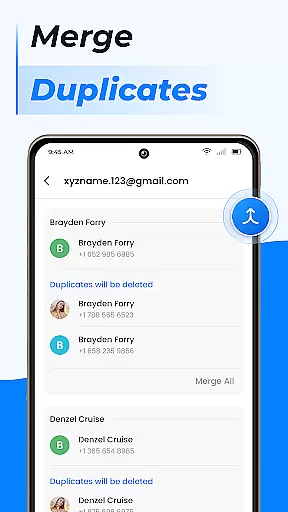
In addition to basic contact management, Contacts offers advanced functionalities such as creating custom groups for better organization, merging duplicate entries, and moving contact data to a SIM card for external storage. Whether you're handling personal or professional relationships, this app ensures that all your contact information is organized, up-to-date, and easily accessible whenever needed.
The true value of Contacts lies in its ability to centralize and streamline communication management. By integrating powerful tools like call blocking, caller ID, and smart search, it elevates the traditional phone calling experience. Users can quickly access frequently contacted numbers, create detailed profiles, and even sync data across multiple devices using cloud services. This makes Contacts an indispensable tool for anyone looking to maintain a well-organized and efficient communication system on their Android device.
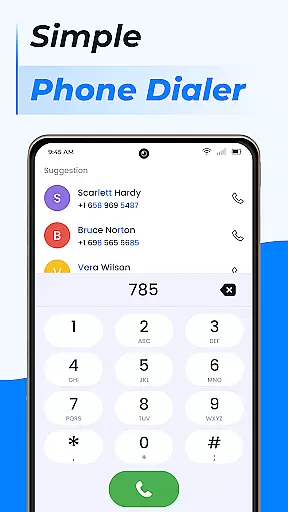
Contacts stands out due to its rich array of features designed to optimize contact management on Android devices. One of the key highlights is the fast dialer functionality, which allows users to call their favorite or frequently used contacts with just a single tap. This feature not only saves time but also enhances the overall user experience by making communication faster and more convenient.
Another significant aspect of Contacts is its advanced organizational capabilities. Users can create custom groups for different types of relationships, such as work colleagues or personal friends, ensuring that communication remains contextually appropriate. Additionally, the app provides tools for managing duplicate contacts by merging them into a single entry, thus reducing clutter and confusion. These features collectively enable users to maintain a clean and efficient contact list.
Furthermore, Contacts offers robust security and backup options. Users can block unwanted calls and messages, protecting their privacy and peace of mind. The app also supports contact backup and synchronization with cloud services, safeguarding data against loss and ensuring seamless access across multiple devices. With these comprehensive features, Contacts provides a powerful solution for anyone seeking to improve their contact management process.
Real-time messaging speed and reliability are crucial for any communication app, ensuring that messages are delivered instantly and without fail. The Contacts app excels in this area by providing a seamless experience where users can reach out to their contacts with just a tap. This immediacy is vital for both personal and professional interactions, allowing users to maintain timely and effective communication.
The app's architecture supports rapid message delivery through optimized data handling and efficient network usage. By prioritizing message transmission, the app ensures that even during periods of high traffic or poor connectivity, messages are still delivered promptly. This reliability builds trust among users, knowing they can depend on the app for critical communications at any time.
Moreover, the Contacts app incorporates advanced features such as call blocking and caller ID, enhancing the overall messaging experience. These tools not only improve security but also streamline communication by filtering out unwanted interruptions. As a result, users enjoy a more focused and productive messaging environment, free from distractions and spam.
Media sharing support is an essential feature in todayu2019s communication apps, enabling users to exchange photos, videos, and documents effortlessly. The Contacts app offers robust media sharing capabilities, allowing users to send various file types directly from their contact list. This functionality enriches conversations, making them more engaging and informative, whether it's for sharing memories with friends or collaborating on work projects.
The app ensures compatibility with multiple file formats, thus broadening the scope of media that can be shared. Whether it's JPEGs, PNGs, MP4s, or PDFs, users can attach and send files with ease, knowing that recipients will receive them in the intended format. This versatility enhances user convenience and satisfaction, as there's no need to convert files before sending.
Additionally, the Contacts app integrates cloud services for syncing data across devices, further facilitating media sharing. Users can access their shared media from any device, ensuring continuity and accessibility. This integration not only simplifies the sharing process but also provides a backup solution, safeguarding important files against loss. Overall, the app's comprehensive media sharing support significantly boosts its value as a communication tool.
User-friendly interface
Advanced contact organization
Effective call blocking
Cloud backup support
Quick dialing options
Limited iOS compatibility
Occasional sync issues
Ads in free version
Storage permissions required
Complex settings for beginners

Enables Plus features of Quick Search.
 4.0
4.0
Use this Dialer app alone or as a TREK: Total Interface companion.
4.70
Browse fast on Opera Mini, with Data Saving, News, Football Scores, and Download
4.60
Block spam calls & scam - no more annoying calls with the call blocker function
4.30
Call Blocker app: Identify unknown callers, block spam calls, fraud & robocalls
4.30
Fast, Simple And Secure Application That Provides SMBv3 Server On Your Device
3.30
RemoteHams.com Android RCForb Client Pre-Release
4.30
SMS Messenger is a lightning-fast messaging app.
4.20
Simple tool for businesses to talk to their customers.
4.40
Read OBD2 data and DTCs Create custom dashboards Enhanced diagnostics available
4.70
Messenger for SMS - texting message app, faster, simpler & safer, for you.
4.70
A browser that does more than load page, like keeping your privacy safe.
4.70
Manage BoostMobile Account
4.60
Get through your inbox faster with the mail app designed to simplify your life.
4.40
Threema is the messenger with the most consistent focus on security and privacy.
4.00 3.90
3.90
SMS Messenger ensures that communication become effortless and accessible.
3.80
Message and video call your family and friends in HD!
3.80
Manage and Fund Calling Accounts and Schedule and Join Video Sessions
3.60


User Reviews