
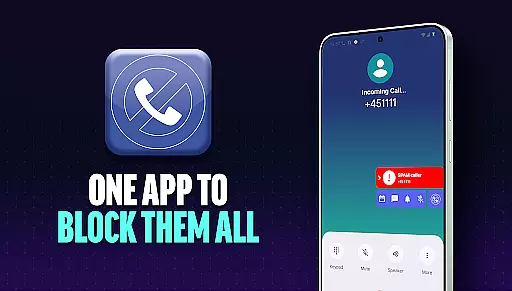
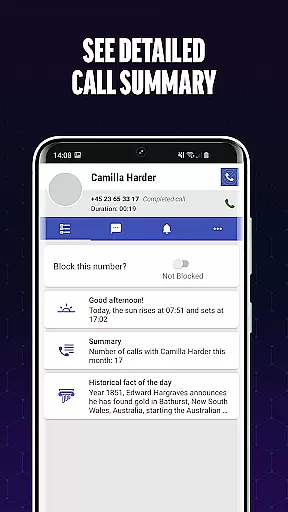
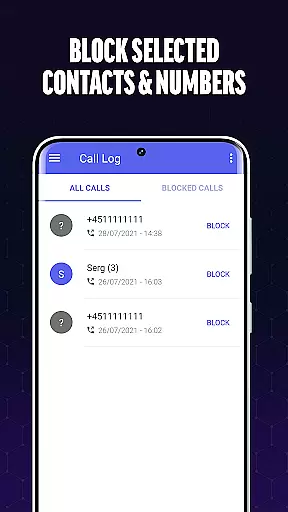
Call Blocker is a powerful communication app designed to protect users from unwanted spam calls and intrusive telemarketers. The app's core functionality revolves around its advanced call filtering technology, which identifies potential spam numbers and allows users to block them with a single click. This ensures that users are never disturbed by fraudulent schemes or irritating sales calls.
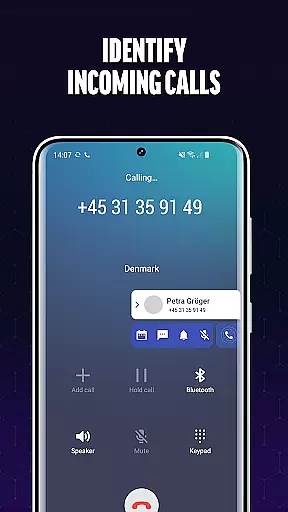
In addition to blocking specific numbers, the app offers a comprehensive blacklist feature where users can add unwanted numbers or even number prefixes. The real-time caller identification system provides an extra layer of security, allowing users to make informed decisions about incoming calls. Whether you're receiving unknown calls or want to prevent future disruptions, Call Blocker serves as your personal gatekeeper in maintaining a spam-free phone experience.
This application is particularly useful for professionals who need uninterrupted focus during work hours or individuals seeking peace of mind at home. By eliminating annoying interruptions, Call Blocker helps users regain control over their communication channels, making it an essential tool for anyone looking to streamline their calling experience.
Call Blocker stands out through its robust set of features tailored specifically for effective call management. The app's primary feature is its Spam Call Blocker, which uses sophisticated algorithms to detect and filter out spam calls before they reach the user. This proactive approach ensures that users are protected from various types of unwanted calls, including scams, fraudulent schemes, and telemarketing pitches.
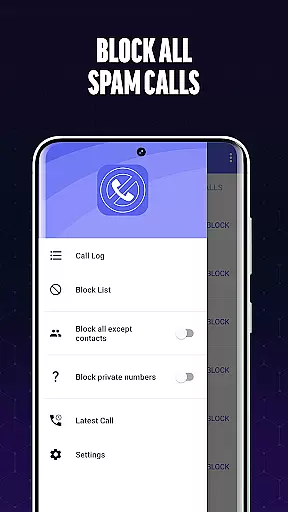
Another notable feature is the customizable Blacklist functionality. Users can manually add specific numbers or number patterns to their personal block list, providing granular control over which calls are allowed through. The real-time caller identification system further enhances this capability by displaying information about unknown callers, empowering users to make informed decisions on whether to accept or reject the call.
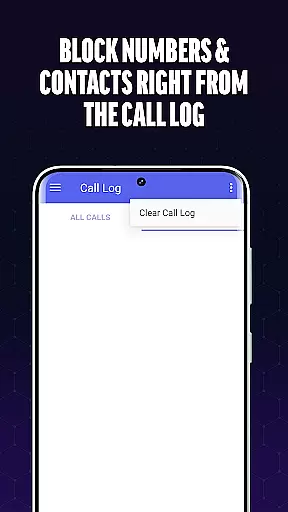
The app also boasts an intuitive user interface that makes managing blocked numbers and preferences simple and efficient. With seamless navigation between call history, blacklists, and settings, users can easily maintain full control over their call-blocking preferences. This combination of advanced technology and user-friendly design ensures that Call Blocker remains an indispensable tool for anyone seeking to eliminate spam calls from their daily life.
In today's fast-paced digital environment, the speed and reliability of real-time messaging are crucial for effective communication. Call Blocker excels in this area by providing instantaneous call scanning and filtering. The app's advanced algorithms work tirelessly to identify potential spam calls the moment they come in.
The technology behind Call Blocker ensures that each incoming call is processed swiftly without causing delays in connection. This means users can enjoy uninterrupted legitimate communications while being shielded from unwanted interruptions. Such efficiency is vital, especially when dealing with important or time-sensitive calls where every second counts.
Moreover, the reliability aspect cannot be overstated. Users need assurance that their chosen solution will consistently perform as expected. With its robust infrastructure and continuous updates, Call Blocker maintains high service availability, ensuring that you're protected against spam calls at all times.
Ultimately, the combination of rapid response times and steadfast dependability makes Call Blocker an indispensable tool for anyone looking to streamline their calling experience. By delivering on both fronts, it guarantees a seamless and secure communication channel free from bothersome intrusions.
While Call Blocker primarily focuses on filtering unwanted calls, it also recognizes the importance of comprehensive communication tools, including media sharing support. Although not directly involved in blocking spam, having a versatile platform that accommodates various forms of interaction enhances overall user experience.
Call Blocker does not limit itself to voice interactions but understands that modern communication often involves exchanging multimedia content. Whether it's images, videos, or documents related to call details or blocked number reports, the app facilitates these exchanges effortlessly within its interface.
This feature becomes particularly useful when users want to report spam activity or share evidence of fraudulent attempts with authorities or contacts. By supporting different file formats and sizes, Call Blocker ensures that such tasks are handled smoothly without compromising on quality or speed.
In summary, while maintaining its core focus on eliminating nuisance calls, Call Blocker enriches the user experience by incorporating practical media sharing capabilities. This holistic approach underscores the appu2019s commitment to providing a well-rounded communication solution tailored to contemporary needs.
Effective spam blocking
User-friendly interface
Real-time caller ID
Customizable blacklist
One-click blocking
Limited iOS support
Occasional false positives
No automatic blocking
Basic design aesthetics
Premium feature costs

Secure Messaging App to Enhance Messenger Texting Experience and Organize SMS.
 3.50
3.50
The ultimate productivity solution for all your email communication needs.
4.40
Create a secure hotspot on-the-go with Portable WiFi - Mobile hotspot.
4.40
Caller ID App! Add names & photos to unknown calls & Call Recording
4.40
Chill zone on your phone: relax with fun reels & hype shorts!
4.20
Federated instant messaging for your mobile device (Jabber, XMPP, Snikket)
4.10
A softphone with crystal clear SIP Calling & Reliable VoIP dialer
4.00
A softphone app with seamless SIP calling and an intuitive VoIP dialer
3.50
Stay in touch with the people who matter most.
4.60
Enhance browsing with AI-powered features and Copilot.
4.70
Build your web browser around you with private search, and more.
4.60
Welcome to the future of phone service.
4.60
Simplify texting with Messages SMS, offline messaging, themes & smart tools!
4.30
2nd Phone Number Line for Anonymous Texting, Calling, and Picture Messages
4.30
Fast and simple walkie talkie app
4.20
Fast Dialer & Contact Manager with Caller ID and Spam Protection
4.00
Measure BHP, Torque & 0-60 Clear car OBD faults View engine data in Google Earth
4.00
Weargram is an unofficial Telegram Client for Wear OS.
3.50
Official NDI app: turn your phone into a professional live-streaming IP camera.
3.20


User Reviews