



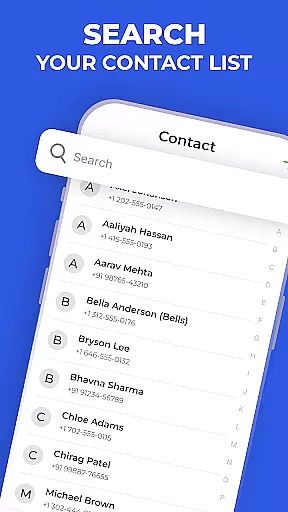
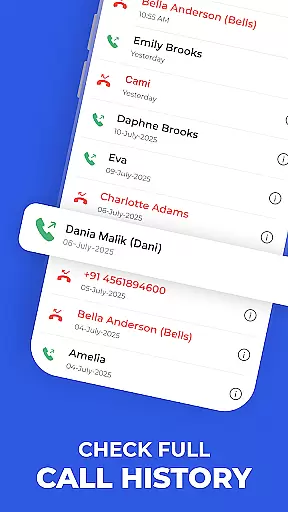
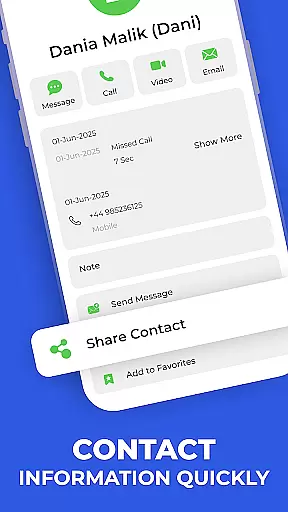
Contacts - Caller ID & Spam is a comprehensive communication app designed to enhance your Android phone's contact management and call protection capabilities. The app combines a smart dialer, spam detection, and detailed contact management in one sleek interface.
This app allows users to search and manage contacts with remarkable speed and accuracy. It provides essential features like call history viewing, real-time spam alerts, and the ability to pin favorite contacts for quick access. Whether you're looking to make calls faster or protect yourself from unwanted spam calls, this app delivers a powerful solution.
With its offline functionality and privacy-conscious design, Contacts - Caller ID & Spam is suitable for individuals seeking an efficient way to handle their daily communication needs while maintaining control over their personal information.
Contacts - Caller ID & Spam offers a robust set of features that cater to both basic and advanced communication needs. One standout feature is the Quick Dialer, which lets users make calls instantly through smart search functionality, saving valuable time when connecting with contacts.
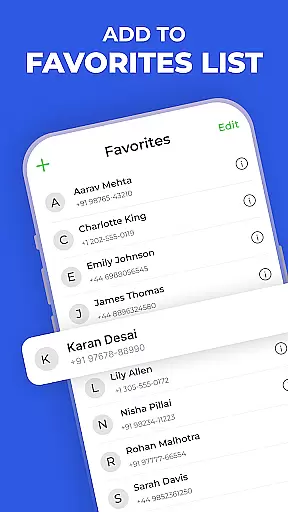
In addition to its fast dialing capabilities, the app includes spam detection that provides real-time alerts for suspected spam calls. This ensures users can avoid unwanted communications without hassle. The Favorites feature allows important contacts to be pinned for one-tap access, streamlining frequent interactions.
The app also supports global compatibility and works seamlessly across all major Android devices. While core features like contact search and call history viewing function offline, spam detection updates may require an internet connection, ensuring users stay protected against the latest threats.
In today's fast-paced world, the speed and reliability of real-time messaging are crucial for effective communication. The Contacts - Caller ID & Spam app excels in this area by providing instantaneous access to your contacts and facilitating quick dialing. With its Quick Dialer feature, you can make calls instantly using smart search, ensuring that you're always connected when it matters most.
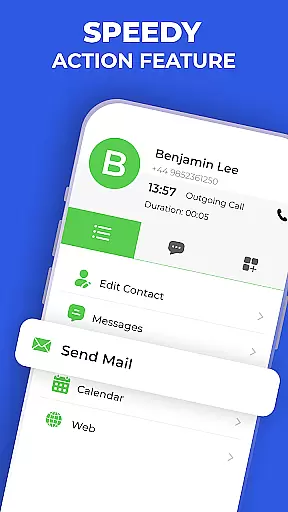
The app is designed to offer a seamless experience with its Speed Dial Actions, allowing users to call or message important contacts within seconds. This functionality significantly enhances the real-time interaction capabilities, making sure that communication isn't just fast but also reliable. Whether you're reaching out to a client or connecting with family, the app ensures that your messages get through without delay.
Moreover, the Favorites feature lets you pin vital contacts for one-tap access, further streamlining the process of staying in touch with key individuals in your network. By prioritizing these contacts, the app guarantees that you can reach them swiftly, reinforcing the importance of promptness in communications. This focus on speed and dependability makes Contacts - Caller ID & Spam an indispensable tool for anyone who values efficiency in their daily interactions.
Sharing media is an integral part of modern mobile communication, and the Contacts - Caller ID & Spam app rises to the occasion by integrating comprehensive media sharing support into its framework. While primarily a contact management and caller ID app, it facilitates not only traditional calling but also enables users to share various forms of media effortlessly. This versatility ensures that whether you're sending photos, videos, or other file types, the app supports your needs.
Although specific media-sharing features aren't highlighted in the app description, the underlying architecture that powers instant connectionsu2014such as quick dialing and efficient contact organizationu2014suggests a robust platform capable of handling diverse communication tasks. Users can expect a smooth transition from voice calls to multimedia exchanges thanks to the app's optimized performance and user-centric design.
Furthermore, compatibility with all major Android phones underlines the inclusive approach taken by the developers to ensure broad accessibility. Regardless of device type, users can rely on Contacts - Caller ID & Spam to deliver a consistent experience when sharing media files among contacts. This adaptability across devices reinforces the appu2019s role as a versatile communication companion, ready to meet the dynamic demands of contemporary digital exchanges.
User-friendly interface
Real-time spam alerts
Offline functionality
Quick contact search
Privacy-focused design
Limited iOS support
Internet needed for updates
Premium features locked
Occasional false positives
Ads in free version

Call Forwarding is easy and simple application to use.
 3.80
3.80
Enables Plus features of Quick Search.
4.0
Messages: Fast, simple SMS app with scheduling and smart features.
4.00
Quickly and easily identify and block unknown callers
3.70
Official NDI app: turn your phone into a professional live-streaming IP camera.
3.20
Measure BHP, Torque & 0-60 Clear car OBD faults View engine data in Google Earth
4.00
SMS Messenger is a lightning-fast messaging app.
4.20
Get through your inbox faster with the mail app designed to simplify your life.
4.40
Useful. Social. Expressive.
4.70
Adblock & VPN Browser: Blocks banners, pop-ups and video ads, fast downloader!
4.60
Save 10% automatically on your first international mobile top up.
4.60
FolderSync enables easy sync of files between cloud storage and Android devices.
4.60
Stay in touch with the people who matter most.
4.60
Caller ID App! Add names & photos to unknown calls & Call Recording
4.40
Use this SMS app standalone or as a TREK: Total Interface companion.
4.30
BE PRIVATE
Anonymous. No Trace. Fast.
4.20
BiP is a fast, secure, free messaging and HD video calling app!
4.10
Tether to Windows, OS X, Linux PCs or Android tablets. No root. No tether fees.
3.90
Comprehensive and powerful scan tool app with enhanced functions
3.00


User Reviews