

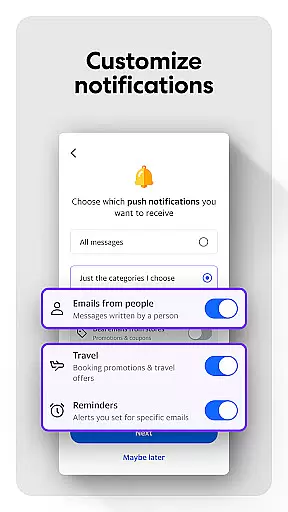
Yahoo Mail is a communication app designed to simplify email management while enhancing productivity. The app offers a secure and fast platform for users to organize their inboxes efficiently, making it easier to focus on what matters most. With features like gamified inbox cleanup, one-tap unsubscribe options, and advanced security warnings, Yahoo Mail ensures a seamless and protected emailing experience.
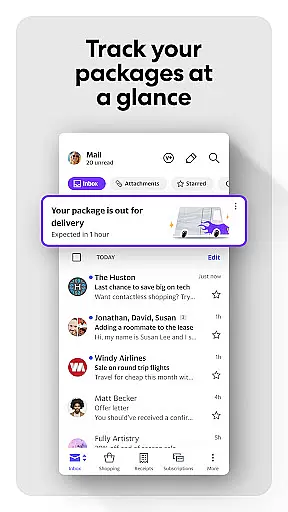
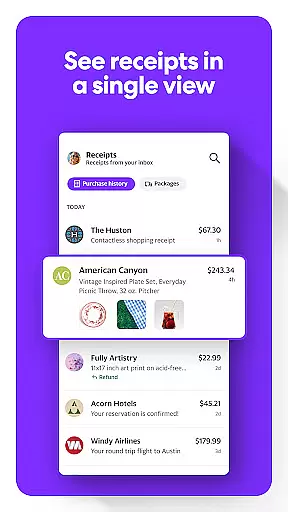
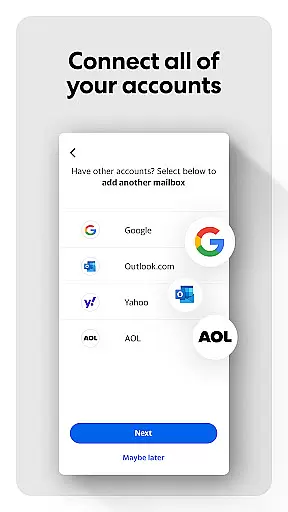
Beyond basic email functions, Yahoo Mail provides smart tools such as package tracking, receipt organization, and multi-account integration. These capabilities allow users to manage Gmail, Outlook, AOL, or Hotmail accounts from a single interface. Additionally, accessibility features like high contrast themes and VoiceOver compatibility make the app inclusive for all users. Whether for personal or professional use, Yahoo Mail delivers convenience and reliability.
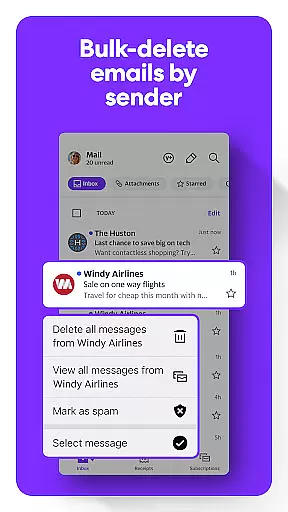
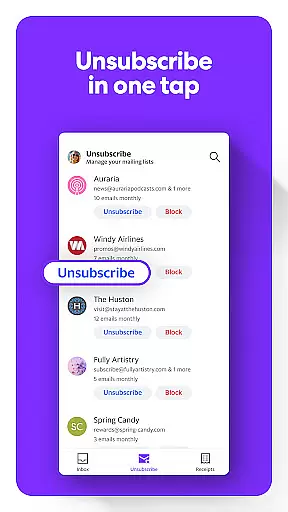
Yahoo Mail stands out with its innovative features tailored to streamline communication. One of its key highlights is the ability to quickly sort through unread emails using a gamified view, enabling users to clean their inbox with minimal effort. The app also eliminates clutter by offering delete-by-sender functionality and instant unsubscribe shortcuts, ensuring your inbox stays organized.
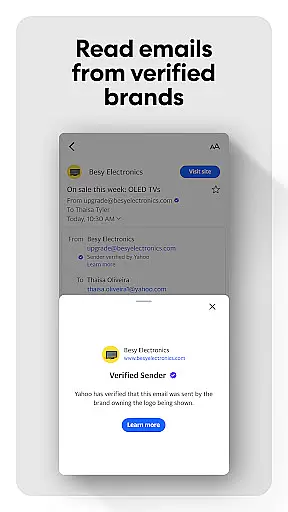
For those who value efficiency, Yahoo Mail includes tools to track packages and locate receipts directly from the inbox interface. Advanced security measures warn users about suspicious emails, providing peace of mind. Furthermore, the app supports multi-account connectivity, allowing seamless management of various email services. With optional Yahoo Mail+ subscriptions, users can enjoy ad-free experiences, enhanced privacy controls, and priority tech support, making this app a comprehensive solution for modern communication needs.
Real-time messaging speed and reliability are crucial for effective communication in any email application. Yahoo Mail ensures that your messages are delivered instantly, providing a seamless experience as you navigate through your inbox.
The app is designed to handle high volumes of emails without delay, ensuring that users can send and receive messages promptly. This reliability fosters trust, knowing that important communications won't be delayed or lost.
Moreover, Yahoo Mail incorporates advanced syncing technologies that keep all your devices updated in real time. Whether you're at home, in the office, or on the go, your conversations remain current across smartphones, tablets, and computers.
Ultimately, this dedication to speed and reliability enhances productivity, allowing users to focus on their tasks rather than worrying about message delivery. With Yahoo Mail, staying connected has never been more efficient or dependable.
Media sharing support is an essential feature for modern email applications, enabling users to easily exchange photos, videos, and documents. Yahoo Mail offers robust capabilities that allow you to attach large files directly to your emails without hassle.
In addition to traditional attachments, Yahoo Mail integrates with cloud services, providing a seamless way to share media links. This integration not only saves storage space but also ensures that recipients can access the latest version of shared files anytime.
The app's intuitive interface simplifies the process of selecting and attaching media, making it accessible even for less tech-savvy individuals. You can quickly find and share what you need, thanks to well-organized file categories and search functionalities.
By prioritizing comprehensive media sharing options, Yahoo Mail empowers users to communicate more effectively, whether for personal or professional purposes. Sharing memories or collaborating on projects has never been easier or more reliable.
User-friendly interface
Advanced security features
Multi-account support
Smart inbox organization
Accessibility options
Premium subscription cost
Limited offline functionality
Occasional sync issues
Ad-heavy free version
Complex settings navigation

Manage your data, talk & text - affordable phone plans & data usage made simple
 4.30
4.30
A web browser that respects your privacy.
4.30
Our Black Friday sale is here. Unlock special discounts on Proton Mail now.
4.30
Messenger app for faster and simpler SMS text messaging, and personalized themes
4.10
Messenger, an MMS & SMS messages app with Blockers, Driving mode & Private box
4.60
Messages is Private SMS Messenger 2023 with text message, instant messaging.
4.00
Chill zone on your phone: relax with fun reels & hype shorts!
4.20
Threema is the messenger with the most consistent focus on security and privacy.
4.00
Telegram is a messaging app with a focus on speed and security.
4.00
We’re taking the yada yada out of wireless—now we’ve taken it out of your app.
4.70
Messenger for SMS - texting message app, faster, simpler & safer, for you.
4.70
Fast internet with AI, Adblock & VPN. Browse on a safe, incognito web browser.
4.70
Adblock & VPN Browser: Blocks banners, pop-ups and video ads, fast downloader!
4.60
Simplify texting with Messages SMS, offline messaging, themes & smart tools!
4.30
A customizable phone number in the cloud
4.20
SMS & MMS Messaging App to easily send messages or schedule SMS on Chat
4.10
Caller ID, Spam Call & SMS Blocker
3.80
Secure Messaging App to Enhance Messenger Texting Experience and Organize SMS.
3.50
Chat on the Jabber network (XMPP protocol); support for SMS and other gateways
2.10


User Reviews