
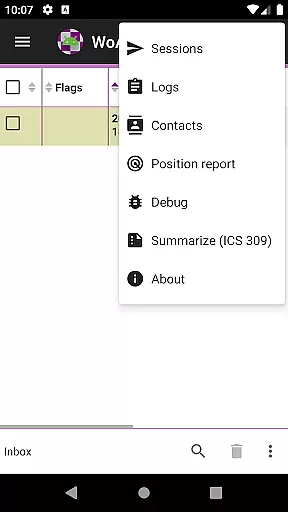
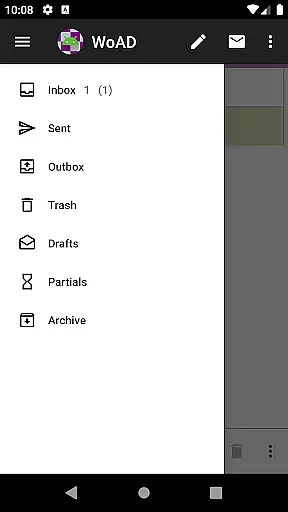
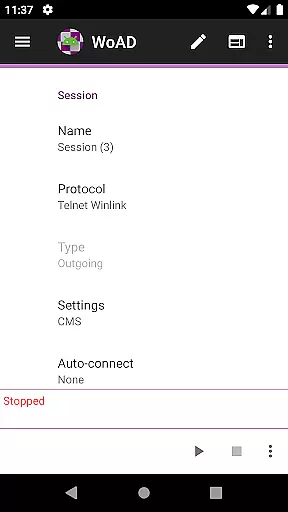
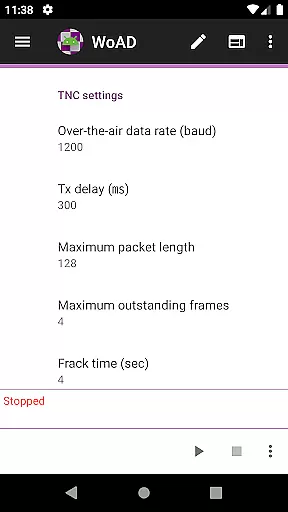
WoAD is a specialized communication application designed for licensed amateur radio operators. The app serves as a client for the Winlink Global Radio Email system, enabling users to send and receive emails via radio frequencies. It also supports peer-to-peer (P2P) connections through internet or VHF/UHF AX.25 packet connections, making it versatile for various communication needs.
This app is particularly useful in emergency situations where traditional communication infrastructure may be compromised. With its technical nature, WoAD caters to experienced ham radio enthusiasts who require reliable off-grid communication solutions.
WoAD offers several notable features that cater to the amateur radio community. As a Winlink client, it allows users to access global radio email services, which is crucial for long-distance communication without relying on conventional networks. The app's support for P2P connections provides flexibility in establishing direct communication links with other operators.
Additionally, WoAD includes comprehensive documentation resources available on their website, helping users navigate its complex functionalities. The app also maintains an active support group and bug reporting system, ensuring continuous improvement and user assistance. These features make WoAD an essential tool for technically proficient radio operators seeking robust communication capabilities.
Real-time messaging speed and reliability are crucial for effective communication, especially in scenarios where immediate information exchange is necessary. WoAD excels in this area by providing a robust platform that supports both the Winlink Global Radio Email system and peer-to-peer connections via the internet or VHF/UHF AX.25 packet connection.
The application ensures that messages are transmitted swiftly and reliably, which is essential for users with amateur radio licenses who rely on timely communications. This reliability is achieved through optimized data transmission protocols that maintain connection stability even in challenging environments.
For users, this means they can trust WoAD to deliver their messages without delays or failures, ensuring that critical information reaches its destination as intended. Whether it's for emergency communications or routine exchanges, the assurance of message delivery speed and reliability significantly enhances the overall user experience.
Media sharing support is an important feature for modern communication applications, allowing users to exchange not just text but also images, documents, and other file types. WoAD facilitates media sharing by integrating capabilities that enable the transmission of various file formats through its platform, whether connected via the internet or radio frequencies.
This functionality is particularly beneficial for amateur radio operators who may need to share maps, weather data, or technical documents during operations. By supporting diverse file types, WoAD ensures that users can effectively communicate complex information that goes beyond simple text messages.
Moreover, the ability to share media files enhances collaboration among users, making it easier to coordinate activities, plan operations, or provide detailed reports. This comprehensive media sharing support underscores WoAD's commitment to delivering a versatile and reliable communication tool for licensed amateur radio enthusiasts.
User-friendly interface
Reliable off-grid communication
Comprehensive documentation
Active support community
Versatile connection options
Steep learning curve
Limited to licensed users
Technical expertise required
No voice communication
Interface may feel outdated

Save 10% automatically on your first international mobile top up.
 4.60
4.60
Fast and mini browser with Ad Blocker,Video Downloader and Video Player
4.40
Chat on the Jabber network (XMPP protocol); support for SMS and other gateways
2.10
Fast, Simple And Secure Application That Provides SMBv3 Server On Your Device
3.30
Comprehensive and powerful scan tool app with enhanced functions
3.00
FolderSync enables easy sync of files between cloud storage and Android devices.
4.60
SMS Messenger is a lightning-fast messaging app.
4.20
Build your web browser around you with private search, and more.
4.60
Enhance browsing with AI-powered features and Copilot.
4.70
Useful. Social. Expressive.
4.70
Stay in touch with the people who matter most.
4.60
Say “hello” to privacy.
4.60
Experience real private browsing without tracking, surveillance, or censorship.
4.50
Simplify texting with Messages SMS, offline messaging, themes & smart tools!
4.30
Enjoy secure messaging & calling. Safe Messenger: group chats, calls, messages.
4.20
SMS & MMS Messaging App to easily send messages or schedule SMS on Chat
4.10
Send SMS and chat messages easily with a fast text messaging app for Android.
4.10
Share the moment!
4.10 3.90
3.90


User Reviews