
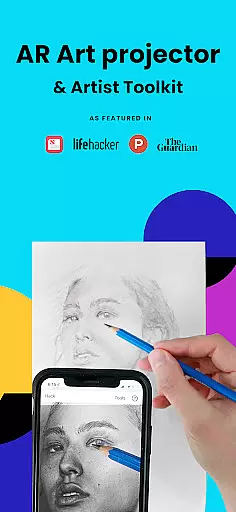
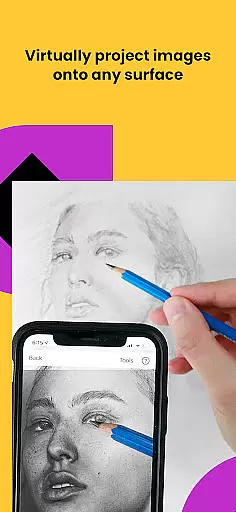
Da Vinci Eye's AR Art Projector is a revolutionary tool designed to enhance drawing and sketching skills using augmented reality technology. This app allows users to project images onto any surface, enabling precise tracing and detailed artwork creation. With features like the unique strobe function for hyper-realistic drawings and color layer separation, it caters to artists of all levels.
The app goes beyond basic tracing by offering video tutorials, step-by-step drawing lessons, and a supportive community platform. Whether you're a professional illustrator or hobbyist baker, this tool provides essential resources for improving artistic techniques while offering modern functionalities that traditional methods cannot match.
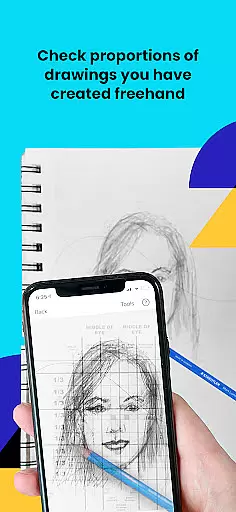
Perfect for various creative professionals, Da Vinci Eye helps users master proportions, shading, and fine detailing. The app's innovative approach to art education ensures faster learning and better results compared to traditional methods, making it an indispensable digital companion for both beginners and experienced artists.
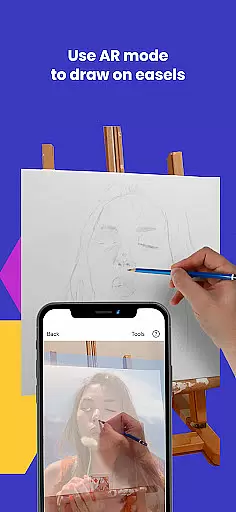
Da Vinci Eye stands out with its comprehensive feature set tailored for artists. The app's core functionality lies in its AR tracing mode, which uses advanced image anchoring to maintain alignment even when moving the canvas or device. This feature, combined with classic projector mode, offers unparalleled flexibility for different artistic setups and preferences.
Beyond basic projection, the app includes specialized tools like time-lapse recording, micro-detail zoom, and color value layer separation. These features enable artists to capture their creative process while ensuring precise execution of complex elements. The inclusion of customizable drawing lessons and patent-pending learning methods further enhances the educational aspect of the application.
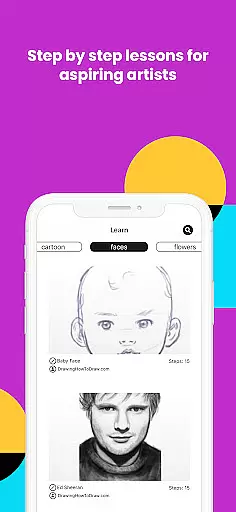
Additional notable features include fast customer support, community sharing capabilities, and various filters that simplify the drawing process. The app's ability to break down any image into step-by-step instructions makes it particularly valuable for those learning fundamental artistic techniques, while still offering advanced tools for seasoned professionals.
For any digital art application, the comprehensiveness of creative tools is crucial. AR Art Projector offers an extensive suite of features that cater to artists of all levels. The app provides advanced drawing and sketching tools, including a unique AR tracing feature that allows users to project images onto their canvas, ensuring accurate proportions and placements.
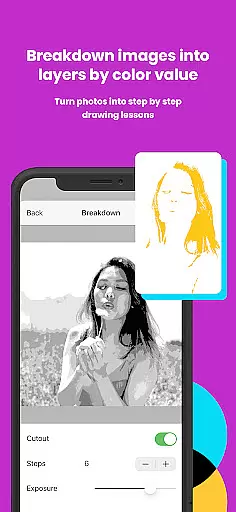
In addition to basic drawing functionalities, the app includes specialized tools such as color layer separation, which helps artists understand light and shadow placement. This feature enables users to break down complex images into manageable parts, making it easier to focus on specific areas of their artwork. The inclusion of step-by-step instructions for any image further enhances the learning experience.
The app also supports time-lapse video recording, allowing artists to capture their creative process and share it with a community of like-minded individuals. Video tutorials are available to teach essential techniques, while various filters make the drawing process more accessible and enjoyable. These comprehensive tools collectively ensure that users can achieve professional-level results.
By offering such a wide array of features, AR Art Projector empowers artists to refine their skills and expand their creative horizons. Whether you're a beginner or a seasoned professional, these tools provide everything needed to create stunning artwork efficiently and effectively.
Flexibility in canvas and format options is vital for artists who need to adapt their work to different mediums and sizes. AR Art Projector excels in this area by providing versatile solutions that accommodate various artistic needs. Users can draw on any surface, thanks to the app's innovative use of AR technology, which projects images onto the canvas with precision.
The app supports both AR and Classic drawing modes, giving artists the freedom to choose the method that best suits their workflow. In AR mode, images are anchored to real-world objects, allowing for dynamic movement of the canvas or device without losing alignment. This feature is particularly useful when working on easels or in environments where mobility is necessary.
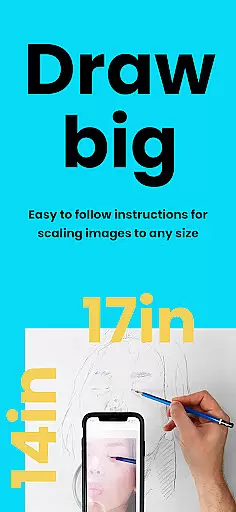
Furthermore, AR Art Projector offers zoom functionality, enabling artists to capture intricate details in their work. This level of detail ensures that even the smallest elements of a drawing can be perfected, regardless of the canvas size. The ability to switch between different modes and adjust settings according to specific requirements makes the app highly adaptable.
Overall, the flexibility provided by AR Art Projector enhances the creative process, allowing artists to experiment with different formats and techniques. This adaptability not only improves workflow efficiency but also encourages artistic exploration and innovation.
User-friendly interface
Innovative AR technology
Comprehensive learning tools
Active artist community
Multi-platform compatibility
Device requirement limitations
Subscription fees apply
Learning curve for beginners
Occasional rendering issues
Limited free content

Draw anime & manga drawing, art with templates to create stunning picture!
 4.50
4.50
Text to Image, Image to Video & AI Chat
4.20
Remove Background, Magic Eraser, Photo Enhancer, Story Templates, Collage Maker
4.30
Logo Generator powered by AI: Create stunning logos effortlessly!
4.70
Art of Combination Wear OS Watch faces
4.0
A luxurious gold watch face for an elegant and refined look.
4.1
Art of Combination Wear OS Watch faces (for Wear OS 5+ devices)
3.90
Beauty Camera - Selfie Camera is the ultimate beauty camera and selfie app
4.30
Kling AI is an image and video generation and editing studio powered by AI.
4.50
Your AI soulmate — meaningful chats, and unique emotional moments
4.70
Castle is social media for creating and playing games!
4.60
Create color palette from Image, RGB & RYB Color wheel harmonies, Color Scheme
4.50
The perfect place to start sketching! Use Sketchbook to draw and paint sketches.
4.50
Photo blender app to create overlay photos & double exposure.
4.40
Just trace a projected picture on paper and color! Draw & Paint with AR drawing
4.40
Experience next-gen icons with a modern liquid glass look.
3.60
Create trending AI photos & videos with powerful effects and 3D styles.
3.20
Art of Combination Wear OS Watch faces (for Wear OS 5+ devices)
3.00
Your Essential Color Theory Guide: Red, Yellow, Blue (RYB)
4.3


User Reviews