
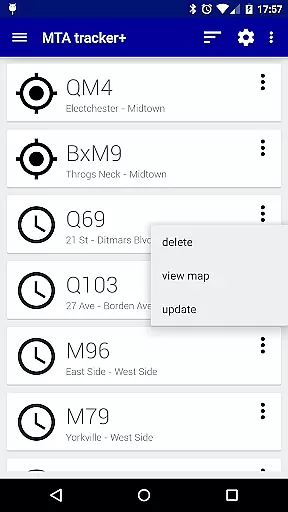
Transit Tracker+ is a comprehensive navigation app designed specifically for New York City's Metropolitan Transportation Authority (MTA) users. This ad-free version offers advanced features beyond the basic Transit Tracker, including real-time vehicle tracking, route schedules, and proximity alerts. The app utilizes MTA's public APIs to provide accurate data on bus and train movements, ensuring reliable commute planning for NYC residents and visitors.
Key functionalities include the ability to track specific routes, locate nearby stops, and receive timely notifications when vehicles approach designated stations. Users can also view detailed schedules presented as origin/destination tables or interactive maps. With additional customization options like light/dark themes and traffic data overlays, Transit Tracker+ delivers both practicality and user comfort in navigating NYC's complex transit system.
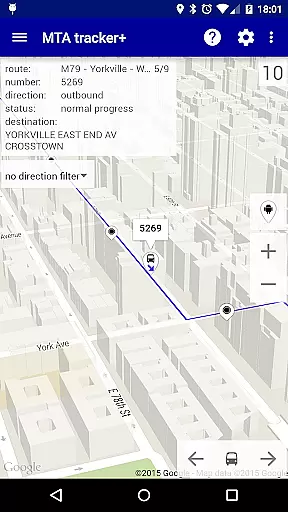
Transit Tracker+ stands out with its robust feature set tailored for efficient urban navigation. The app provides real-time tracking of MTA buses and trains across supported routes, displaying vehicle locations on an interactive map. Users can input route numbers, stop IDs, or individual vehicle numbers to access precise arrival predictions, making daily commutes more predictable and less stressful.
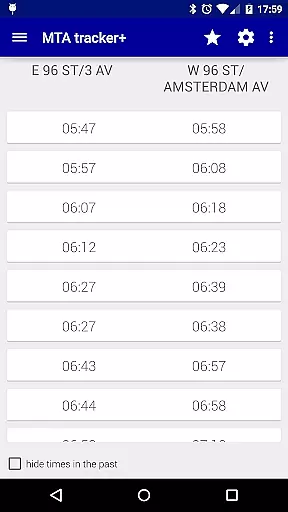
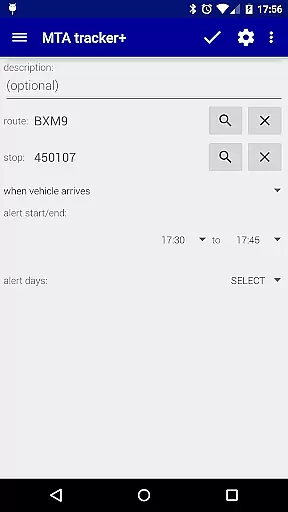
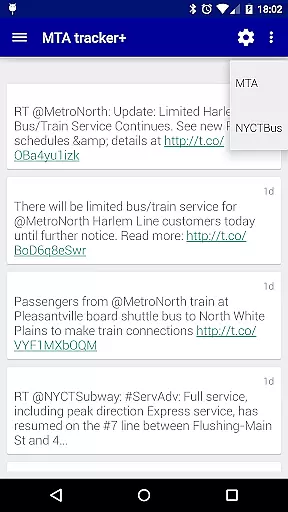
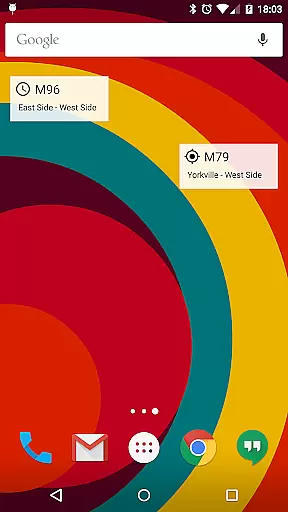
Beyond real-time tracking, the app offers comprehensive scheduling tools. Commuters can download complete route schedules, view them as tables, or explore them on a map interface showing upcoming arrivals at each stop. The alert system is particularly innovative, allowing users to set customized notifications based on distance from their desired stop. Additional features include Twitter integration for MTA updates, customizable map settings with traffic data, and home screen widgets for quick access to frequently used routes.
Map accuracy is a critical feature for any navigation app, and Transit Tracker+ - NYC excels in this area. The application uses real-time data feeds provided by the MTA to ensure that users have access to the most up-to-date transit information available. This includes live tracking of buses and trains, ensuring that the map reflects current vehicle locations.
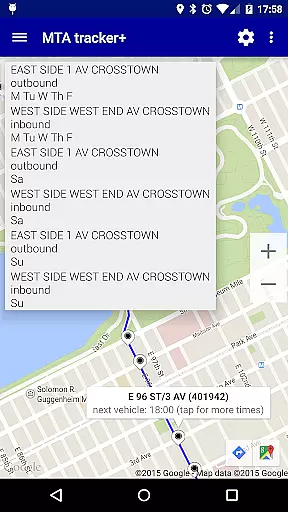
The app allows users to input specific route numbers, stop numbers, or vehicle numbers to see precise positions on the map. By tapping on a stop, users can view scheduled arrival times, which are displayed accurately based on the latest data from the MTA. This level of detail ensures that commuters can plan their journeys with confidence, knowing exactly when to expect their next ride.
Additionally, Transit Tracker+ offers features like satellite imagery and color-coded traffic data overlays on the map. These enhancements provide contextual information about road conditions and potential delays, further improving the accuracy of travel predictions. Users can make informed decisions about their routes, avoiding congested areas if necessary.
Overall, the commitment to using official MTA data sources and providing detailed mapping options makes Transit Tracker+ - NYC an invaluable tool for navigating New York City's public transportation system with precision and reliability.
Route planning is a fundamental aspect of Transit Tracker+ - NYC, designed to streamline the commuting experience for users. The app provides comprehensive tools for planning journeys across the Metropolitan Transportation Authority's network. By entering a route number, users can view all vehicles operating on that line, allowing them to determine the best course of action for their travels.
One standout feature is the ability to download route schedules directly within the app. This functionality enables users to access timetables offline, ensuring they have essential information even without internet connectivity. Schedules are presented both as origin/destination tables and visually on a map, offering multiple perspectives for understanding service patterns.
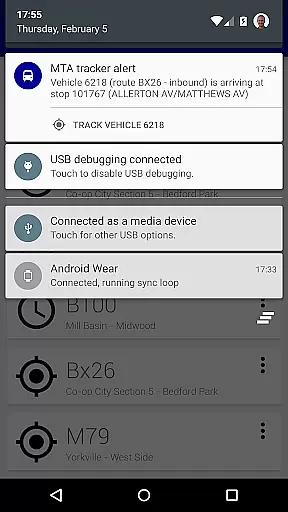
Transit Tracker+ also supports setting proximity alerts for specific stops along chosen routes. These alerts notify users when a vehicle is approaching or arriving at a designated location, enhancing convenience and reducing wait times. Such personalized notifications empower passengers to manage their time effectively while waiting for public transport.
Furthermore, the inclusion of close stops search functionality helps identify nearby stations quickly. By specifying a maximum number of stops or applying route filters, users can tailor results to suit their immediate needs. This combination of robust scheduling capabilities and intelligent alert systems solidifies Transit Tracker+ - NYC as a premier choice for efficient route planning in the city.
User-friendly interface
Real-time tracking
Customizable alerts
Comprehensive schedules
Ad-free experience
Limited route coverage
No official MTA support
Occasional inaccuracies
Requires internet connection
Premium price tag

Explore the world with Live Satellite View, 3D Maps, GPS Navigation & Earth Map.
 2.90
2.90
Find AI powered cameras, ALPRs, and other surveillance infrastructure near you
4.70
Offline maps & GPS for hiking, travel, fieldwork & outdoor adventures
4.70
This app is military GPS coordinate systems helper. (MGRS, UTM & DMS Maps)
4.80
Discover over 800 points of interest along the canal.
3.70
Find trails, organize your locations and navigate with offline maps.
4.60
Find EV & Tesla charging stations with PlugShare
4.70
Gas Station & Fuel Rewards Points
3.70
Explore Earth with live GPS, satellite view & street navigation
3.60
GPS Speedometer & Odometer: Track car, bike, truck speed & distance in real-time
4.70
Navigate with your watch and keep the phone in your pocket!
4.60
Track accurate speed & distance with GPS Speedometer. Check speed limit & time.
4.50
Rideshare, taxi cabs, and more for your airport travels and everyday trips.
4.50
Navigate seamlessly with Real-Time Traffic, Offline Maps, and Voice Navigation.
4.10
GPS Navigation: Get map directions and find the shortest routes to avoid delays!
4.00
Live Satellite view app for find GPS navigation Direction and live location map
3.70
Explore offline maps with radar, satellite view, and real-time alerts.
3.60
Your guide to the recreational opportunities of the Bureau of Land Management!
3.40
Find 93 Octane Gas: Locate Gasoline Stations Selling Premium 93 Octane or Higher
4.0


User Reviews