
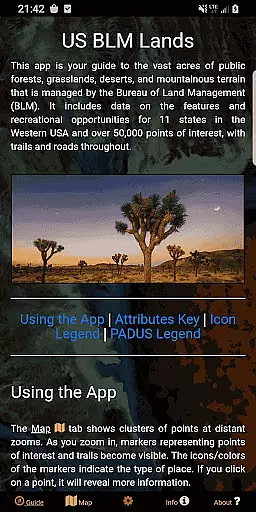
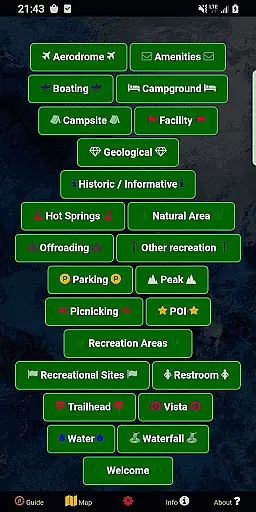
BLM Public Lands Map Guide USA is a comprehensive navigation tool designed specifically for exploring public Bureau of Land Management (BLM) properties across the Western United States. This app provides access to over 52,000 recreational points and features, categorized into various types such as campgrounds, hiking trails, boating access, and more. Each point is represented by intuitive color-coded icons that make it easy to identify different amenities and areas of interest.
One of the standout features of this app is its ability to function as both a discovery tool and a practical resource for outdoor enthusiasts. Whether you're planning a cross-country road trip or looking for nearby recreational opportunities, the app's detailed maps and spatial links allow users to quickly locate BLM properties and explore their surroundings with ease. Additionally, the inclusion of property boundaries, roads, and even offline imagery ensures that adventurers can navigate confidently regardless of cell service availability.
The app also offers customization options through its My Points tool, enabling users to create personalized markers with unique colors and icons. These custom points can be exported for future use, making trip planning more efficient. With its user-friendly interface and wealth of up-to-date information, BLM Public Lands Map Guide USA serves as an invaluable companion for anyone eager to uncover the natural beauty and cultural heritage of America’s public lands.
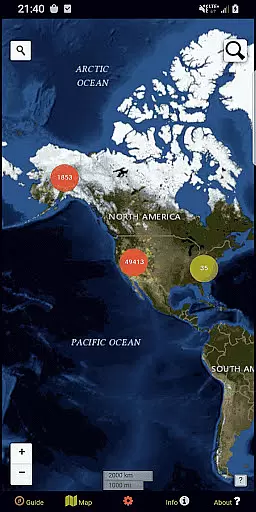
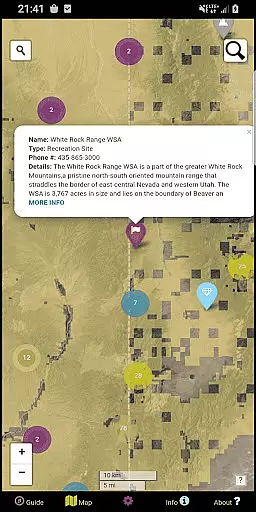
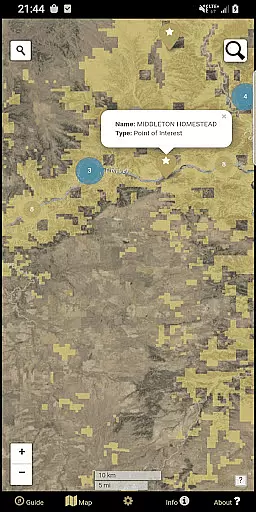
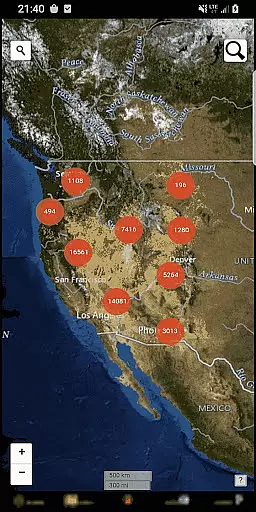
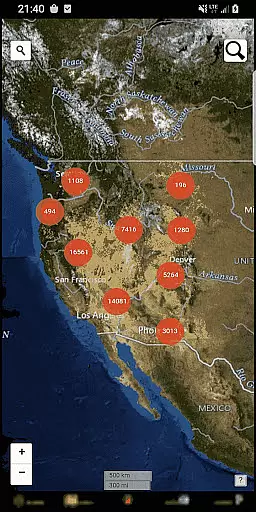
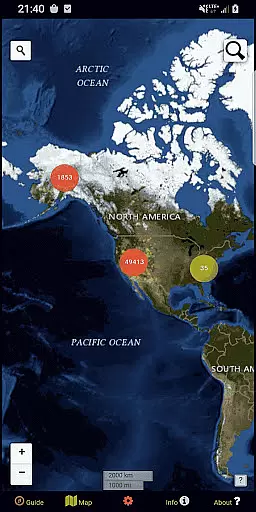
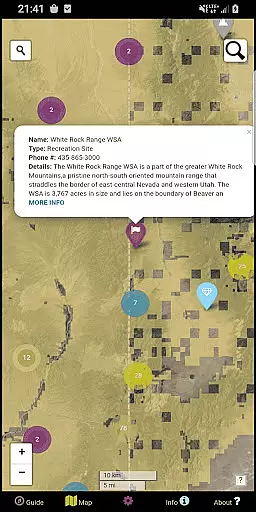
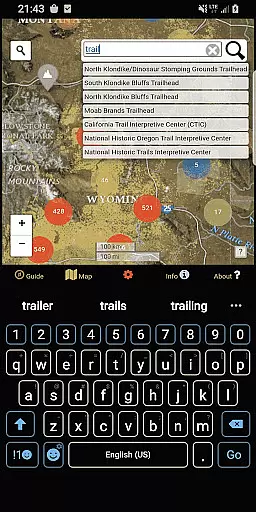
Among the many features offered by BLM Public Lands Map Guide USA, one of the most notable is its robust map functionality. The app includes five distinct screens, each serving a specific purpose to enhance the user experience. For instance, the Map screen displays clusters of points at varying zoom levels, which break down into individual icons representing recreational sites, trails, and boundaries as users zoom in. Clicking on these icons reveals detailed information about each location, including names, coordinates, and additional metadata.
Another key feature is the app's flexibility in terms of personalization and offline capabilities. Through the Map Settings screen, users can switch between four different basemaps, download offline imagery for remote exploration, and toggle specific point categories to declutter the map view. Furthermore, the newly added My Points tool allows users to mark their own locations, assign custom colors and symbols, and export these points for external use. This level of customization empowers users to tailor the app to their unique needs and preferences.
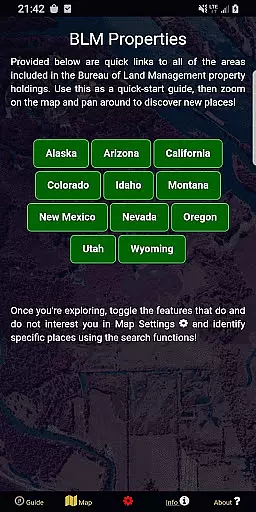
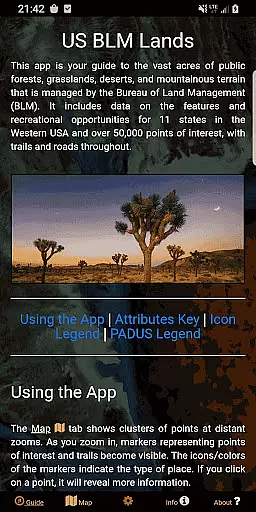
Finally, the app excels in providing educational resources and contextual support. The Guide screen offers legends and tips to help users optimize their navigation, while the Info screen contains spatial links to various BLM properties, facilitating quick access to desired locations. Meanwhile, the About screen highlights open-source contributions and developer insights, fostering transparency and trust. Together, these features ensure that BLM Public Lands Map Guide USA not only meets but exceeds the expectations of modern explorers seeking reliable and versatile mapping solutions.
Map accuracy is essential for any navigation app, and BLM Public Lands Map Guide USA excels in this area. The app provides up-to-date data as of Summer 2024, featuring over 52,000 recreational points on Bureau of Land Management property.
These points are meticulously categorized with color-coded icons, representing various features such as Access Points, Campgrounds, and Vistas. This categorization extends to include property boundaries, hiking trails, and roads, ensuring users can navigate public lands with confidence.
Users benefit from the precision of the map's point clusters that reveal detailed information upon zooming in. Individual points display names, locations, and other useful details, enhancing the overall navigational experience across the United States.
Effective route planning is a cornerstone of the BLM Public Lands Map Guide USA, empowering adventurers to explore with ease. The app offers multiple basemaps and the ability to download offline imagery, which is crucial for planning routes in areas with limited connectivity.
With features like geolocation and specific point category toggles, users can customize their route planning process according to their preferences. The Info screen provides spatial links to different BLM properties, facilitating quick location and discovery of new exploration sites.
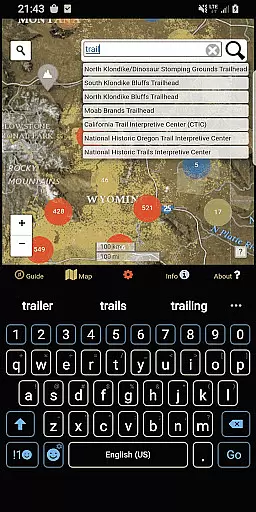
The inclusion of two search tools on the Map screen further refines route planning. Users can look up addresses and towns or query feature names within the database, ensuring they have comprehensive resources at their disposal for crafting the perfect journey through America's public lands.
User-friendly interface
Extensive point database
Offline map support
Customizable points
Regular updates
Limited to BLM lands
No live tracking
Occasional bugs
Heavy storage use
Not government-endorsed

Find AI powered cameras, ALPRs, and other surveillance infrastructure near you
 4.70
4.70
Offline maps & GPS for hiking, travel, fieldwork & outdoor adventures
4.70
The fastest and most convenient way to pay for parking on our lots.
4.40
OpenCPN is a full featured ChartPlotter and Navigator for Android.
3.60
Drive safe with real-time speed camera radar, police, and traffic alerts
3.80
Bolt is a ride-hailing app for requesting fast, safe, and affordable transport
4.80
Truck Safe GPS Navigation & Maps: Parking, Fuel, Diesel, Weight Station
4.80
Live Satellite view app for find GPS navigation Direction and live location map
3.70
Navigation, weather, offline maps & tools for smarter, safer travel planning.
4.00
Park in Chicago, NYC, Boston, SF, Houston & more!
4.70
Navigate MTA, NJ Transit, MBTA, SEPTA, BART, MARTA, CTA & 900+ cities
4.60
America’s largest public fast charging network, with over 500 charging stations.
4.50
Turn your Android device into a real off-road GPS using off-line topo maps!
4.40
Lets explore the world's famous places by using Live Cams, GPS & Satellite View.
4.20
Number locator, real connection map
4.10
NJ TRANSIT information and ticketing at your fingertips
3.70
Play in the outdoors with Android as your Handheld GPS and offline topo maps!
3.50
Your real-time window to the world. Explore anywhere, anytime.
3.30
All of NHSA's trail information at your fingertips for the 2025-2026 season
4.5


User Reviews