
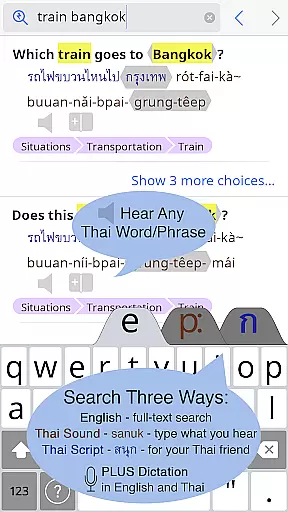
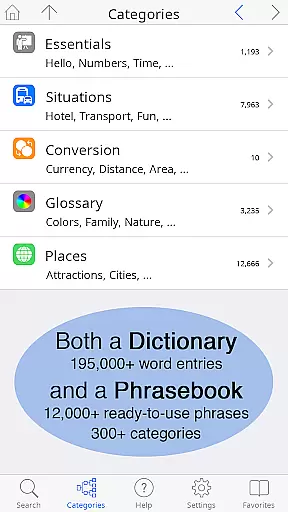
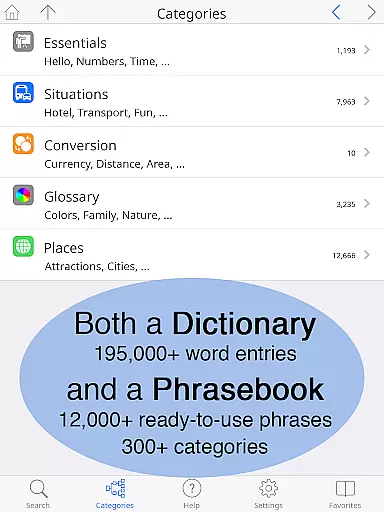
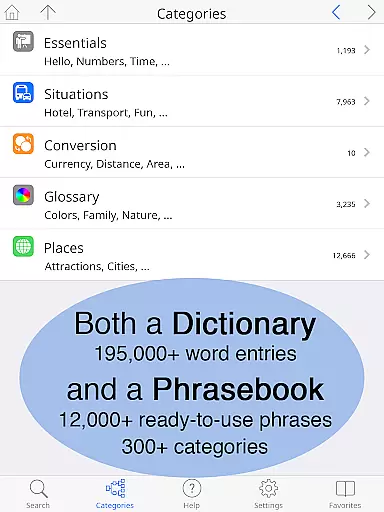
Thai <> English Dictionary is a comprehensive language tool designed for travelers, professionals, and students alike. With over 195,000 entries and 250,000 translations, it offers extensive coverage for both casual and in-depth Thai language needs. The app also features a built-in phrasebook with 300+ categories and 12,000+ ready-to-use phrases, making it perfect for real-world communication.
One of the standout features is its offline functionality, allowing users to access all entries and high-quality native speaker sound recordings without an internet connection. This makes it especially useful in areas with limited connectivity like street markets or taxis. Additionally, the app provides multiple customization options including adjustable text size, different keyboard layouts, and 12 pronunciation guide systems, catering to various learning preferences.
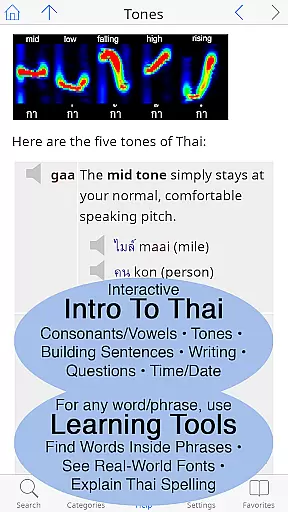
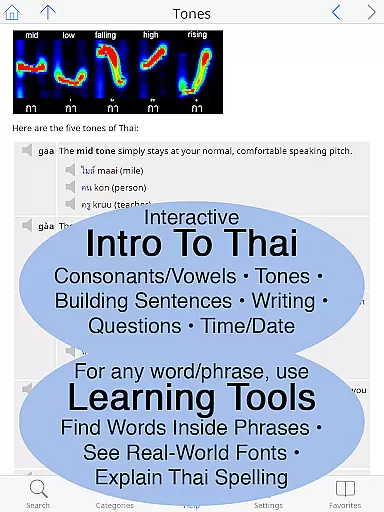
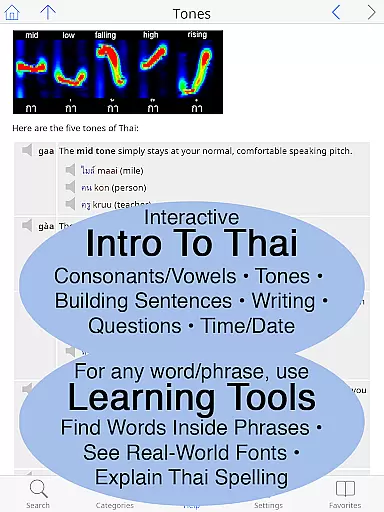
The dictionary is meticulously crafted for English speakers learning Thai, offering detailed explanations of word meanings, formality levels, and even syllable stress notations. Its unique learning tools allow users to break down complex words into components, explore multiple fonts used in real-world signs, and get interactive pronunciation breakdowns. These features make it an invaluable resource for anyone serious about mastering the Thai language.
This dictionary app stands out through its innovative features tailored specifically for English speakers learning Thai. It includes over 195,000 carefully curated entries with more than 250,000 translations, ensuring comprehensive vocabulary coverage. Each entry provides both Thai script and pronunciation guides using 12 different systems, making it accessible even to those unfamiliar with the Thai alphabet.
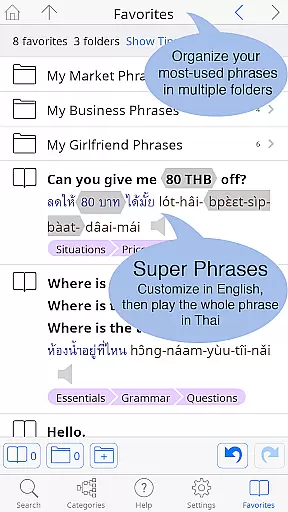
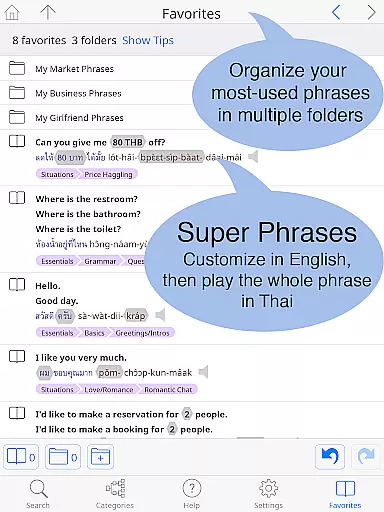
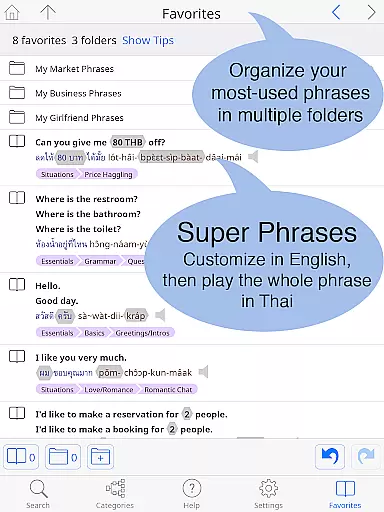
A key highlight is the built-in phrasebook containing 300+ categories and 12,000+ customizable phrases. These are organized into practical sections like travel, health, shopping, and more, facilitating effective communication in various scenarios. Users can save frequently used phrases to their Favorites screen, organizing them into multiple folders for easy access.
The app's offline capabilities ensure uninterrupted usage anywhere. All entries come with studio-quality sound recordings that work without an internet connection. Additional learning tools include visual breakdowns of Thai spelling, clickable sounds for comparing similar phonetics, and examples of words written in multiple real-world fonts. These features collectively create an unparalleled language-learning experience.
When evaluating a digital dictionary, the comprehensiveness of its library and the authenticity of its content are paramount. The Thai <> English Dictionary boasts an impressive collection of 195,000+ entries, with over 250,000 translations, ensuring that users have access to an extensive range of vocabulary. This vast repository is not just about quantity; it's also about quality. Each entry is meticulously crafted by Paiboon Publishing, tailored for those learning Thai, unlike typical dictionaries aimed at native speakers.
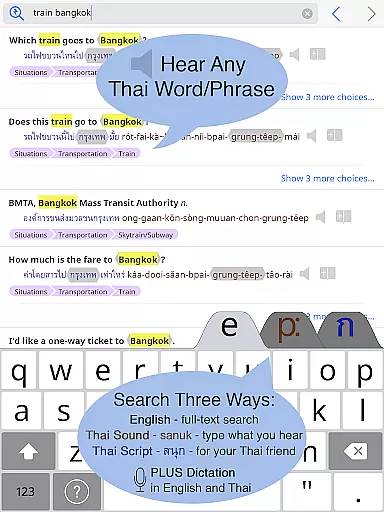
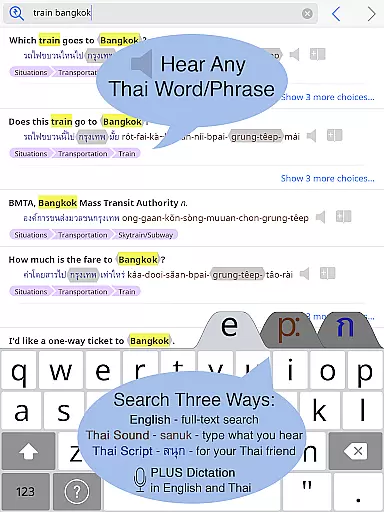
The app guarantees copyright authenticity by providing unique features such as pronunciation guides in 12 different systems and Thai Script. Every Thai word is accompanied by clear native sound recordings, even accessible offline, reinforcing the legitimacy of its content. With full-text search capabilities and customizable phrases, this application ensures that language learners and professionals can trust the source of their information, making it an indispensable tool for anyone serious about mastering the Thai language.
For a dictionary app, format compatibility plays a crucial role in user experience. The Thai <> English Dictionary excels in this area by offering multiple ways to engage with its content. Users can choose between standard or big-key Thai keyboards and adjust the text size for both Thai and English to suit their preference, eliminating the need for reading glasses and enhancing readability.
Moreover, the app supports various pronunciation guide systems, catering to different learning styles and preferences. This flexibility extends to its layout options, allowing users to customize their interface for optimal comfort and efficiency. Whether you're a beginner or an advanced learner, these adaptable features ensure that the app remains accessible and useful across different devices and user needs, solidifying its position as a top-tier educational resource in the Books & Reference category.
Extensive vocabulary
Offline functionality
High-quality audio
Customizable interface
Unique learning tools
Premium price point
Large file size
Complex interface
Limited social features
No gamification elements

Guide for dōTERRA® Products
 3.60
3.60
Contains the 365 daily readings and everything other thing needed for catholics
4.70
Crowd-sourced listing of businesses with anti-gun signs, and pro-2a alternatives
4.60
Words spoken by native English speakers and full definitions.
4.60
Track your Star Wars book collection across Canon & Legends
4.80
The dynamic dictionary/reference app for piano chords and scales!
4.80
America's best dictionary and thesaurus - with premium content and no ads
3.40
Fast loot guide for ARC Raiders. Simple tips, stats, maps, and item details.
4.0
Learn to tie more than 200 knots in 3D!
4.90
A KJV Bible with Apocrypha and precept-based study concordance
5.00
"When tweetle beetles fight, it's called a tweetle beetle battle."
4.90
Plan of Life that Saint Josemaría recommended
4.80
Bible Study App with Audio Book, Verse of the Day, and Devotionals.
4.80
"Five Dr. Seuss titles in one omBook!"
4.60
Build family tree & discover DNA, family history heritage, origins and ancestors
4.60
Bilingual dictionary with English translations of Modern Standard Arabic words.
4.30
Mirror Bible - eye-opening paraphrase translation of the NT by Francois du Toit
4.30
Holy Bible with verses and audio for studying and prayer
4.30
"BIG A, little a. What begins with A?"
4.10


User Reviews