
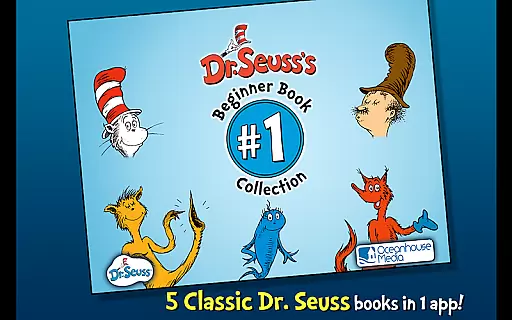
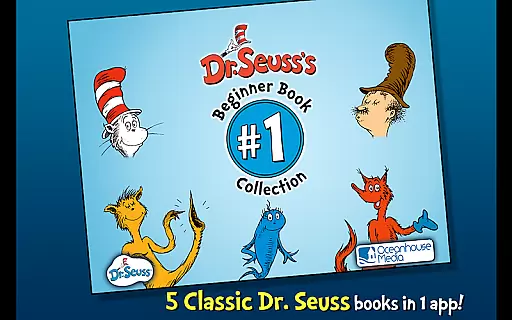
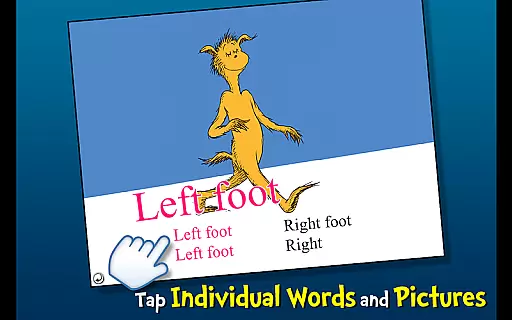
Dr. Seuss Book Collection #1 is an engaging interactive book app designed for young readers, featuring five classic Dr. Seuss books in one convenient location. This collection includes timeless favorites such as The Cat in the Hat, One Fish Two Fish Red Fish Blue Fish, The FOOT Book, Mr. Brown Can MOO! Can You?, and Fox in Socks. Each book offers a unique reading experience with three fun ways to read, making it perfect for children ages 2-6.
The app encourages literacy skills through highlighted narration and introduces new vocabulary with tappable words that are read aloud when touched. It also features interactive elements where objects can be tapped to hear their names, enhancing the learning experience. Whether it's exploring the chaos brought by the Cat in the Hat or mimicking sounds with Mr. Brown, this app provides endless entertainment while fostering essential reading skills.
Designed for both education and enjoyment, Dr. Seuss Book Collection #1 brings the magic of Dr. Seuss stories to life. Its interactive features make it an ideal tool for parents and educators looking to inspire a love for reading in young children. With its vibrant illustrations and captivating narratives, this app ensures that every reading session is both educational and fun.
Dr. Seuss Book Collection #1 stands out with its rich interactive features tailored for young learners. The app includes five beloved Dr. Seuss books, each offering three different reading modes: Read to Me, Read It Myself, and Auto Play. These modes cater to various learning styles and help children develop their reading skills at their own pace.
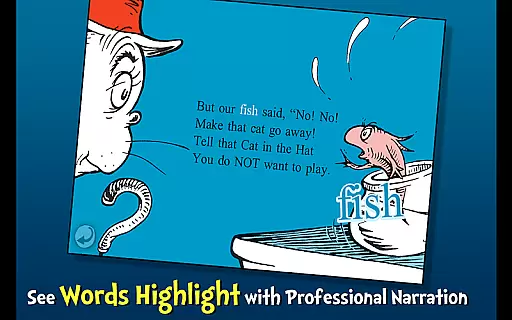
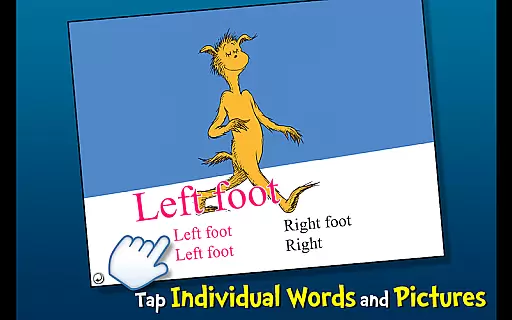
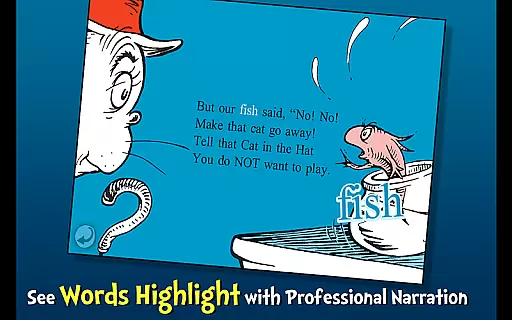
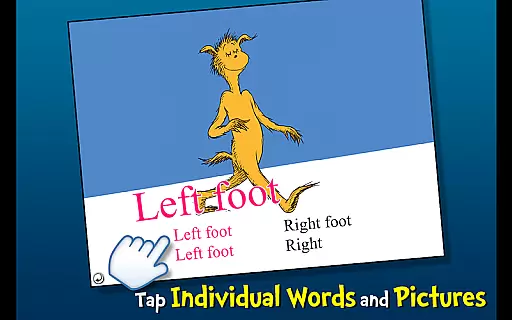
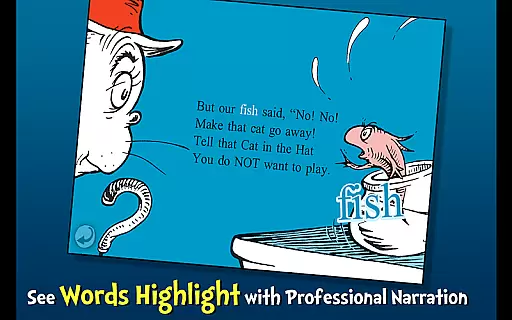
One of the key features is the highlighted narration, which visually tracks the text as it's read aloud, reinforcing word recognition and pronunciation. Additionally, the app allows children to tap on individual words to hear them pronounced, aiding in vocabulary acquisition. Interactive illustrations enable users to tap on objects within the scenes to learn their names, creating an immersive and educational environment.
Each book in the collection presents unique themes and lessons. For instance, The Cat in the Hat introduces imaginative play, while One Fish Two Fish Red Fish Blue Fish explores creativity and diversity. The FOOT Book teaches opposites, Mr. Brown Can MOO! Can You? focuses on phonetics, and Fox in Socks challenges language skills with rhyming tongue-twisters. Together, these features create a comprehensive and enjoyable learning experience that captivates young minds.
When it comes to digital libraries, the size and authenticity of the content are crucial factors for readers. Dr. Seuss Book Collection #1 offers a curated selection of five interactive book apps, providing young readers with access to classic titles such as The Cat in the Hat and One Fish Two Fish Red Fish Blue Fish. This ensures that children have a variety of engaging stories at their fingertips.
The collection is an official Dr. Seuss licensed app, meaning all the books are authentic and legally authorized. With Dr. Seuss Properties u2122 & u00a9 2011 Dr. Seuss Enterprises, L.P., parents can be confident that they are accessing legitimate content. This commitment to copyright compliance not only supports the original creators but also guarantees a high-quality reading experience.
Each book in the collection is designed to encourage literacy skills through features like highlighted narration and vocabulary learning. The interactive elements, including tappable words and objects, further enrich the reading experience by making it more engaging for young minds. These features collectively contribute to a comprehensive and enjoyable learning journey.
Format compatibility is essential for ensuring that e-books can be accessed across various devices without technical issues. Dr. Seuss Book Collection #1 excels in this area by offering a seamless reading experience on Android devices. The app's design allows children aged 2-6 to easily navigate through the books, regardless of the device they are using.
In addition to its broad device support, the app includes three different reading modes, catering to diverse preferences and learning styles. Whether following along with highlighted narration, exploring new vocabulary with tappable words, or simply enjoying the stories, young readers can engage with the content in ways that suit them best.
Furthermore, the app's interactive features, such as hearing object names read aloud when tapped, enhance the overall user experience. By prioritizing format compatibility and interactive engagement, Dr. Seuss Book Collection #1 ensures that every child can enjoy these timeless stories in a way that is both convenient and educational.
Interactive storytelling
Vibrant illustrations
Educational content
Multiple reading modes
Engaging sound effects
Limited book selection
No offline access
In-app purchases
Occasional bugs
Ads present

Bible, Catechism, Study, Saints, Mass Readings, Rosary, Prayer, Bible in a Year
 4.80
4.80
Crowd-sourced listing of businesses with anti-gun signs, and pro-2a alternatives
4.60
The favorite Christmas story comes to life!
4.80
Find, discuss, and organize your world of books and shows.
4.60
Scan. Price. Grade.
4.60
Read popular romance books and web novels on the fantastic ebook reader
3.50
Daily rosary and gospel reflections for catholic
4.90
A Comprehensive Restoration of Sacred Scripture
4.50
Follow complex state CCW permit laws and lawfully carry firearms in each state.
4.80
Track your Star Wars book collection across Canon & Legends
4.80
Read and study the Bible and other content in over 1,000 languages.
4.80
Contains the 365 daily readings and everything other thing needed for catholics
4.70
This is the pro version King James bible Offline that we have
4.70
8 Dr. Seuss short stories in 1 app!
4.70
Daily Bible app: King James Version with verses and audio for studying&prayer
4.40
Prime novels await! Fantasy & Romance on JoyRead. Immersive reads!
4.20
Zerobooks Light Novel Reader by GOLDENAGATO
4.20
KJV Bible works offline with Audio, Hebrew & Greek lexicon (concordance) & more!
4.20
A story reading app: Read stories, novels and books, or write your own.
3.90


User Reviews