
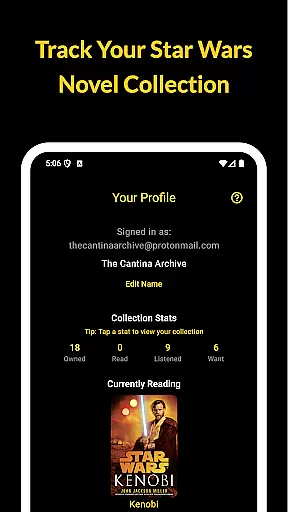
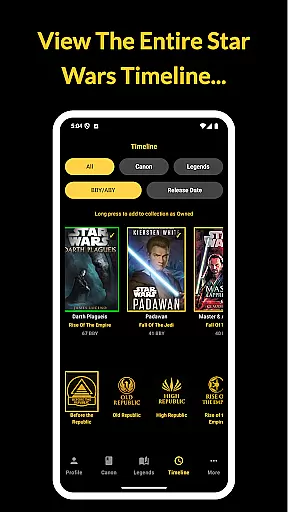
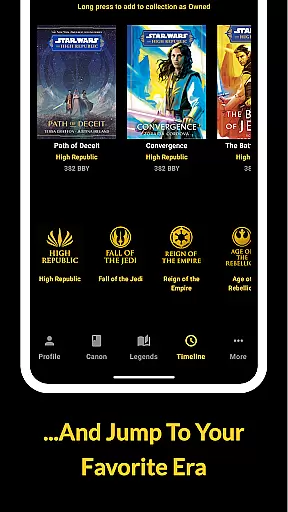
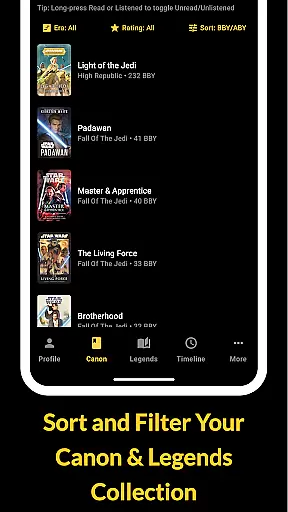
The Cantina Archive is a comprehensive companion app for Star Wars book enthusiasts who want to organize and explore their collections. This fan-built application allows users to track books across the Canon timeline, Legends Expanded Universe, and more, making it easy to manage your reading journey.
With features like Timeline View, collection tracking, and new release notifications, the app ensures you stay updated on both existing and upcoming Star Wars literature. Whether you're a long-time collector or new to the galaxy's stories, The Cantina Archive provides an intuitive way to catalog your books and discover what to read next.
The Cantina Archive offers a robust set of features tailored for Star Wars book collectors. Its Timeline View lets users explore books in chronological order (BBY/ABY) or by release date, providing a clear picture of the Star Wars literary universe.
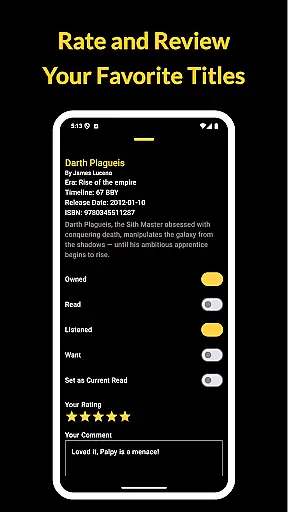
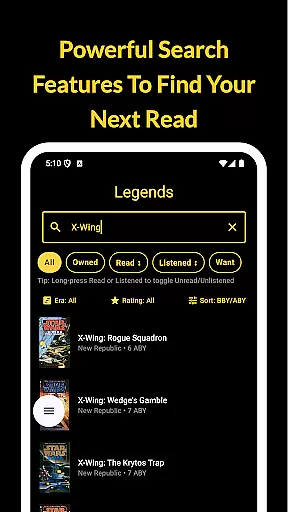
Users can browse and search titles by various criteria such as author, title, or ISBN, ensuring quick access to any book details. The collection tracking system allows toggling between Owned, Read, Listened, and Want to Read statuses, while the Currently Reading feature highlights one title at a time and tracks reading progress.
Additionally, the app syncs data securely with Firebase, enabling cross-device access without ads or personal tracking, offering a seamless experience for managing your Star Wars library.
The Cantina Archive offers an extensive collection of Star Wars books, allowing fans to track their reading journey through the Canon timeline, Legends Expanded Universe, and more. With its vast e-book library, users can explore a wide array of titles, ensuring that every fan's favorite stories are included.
Each book in the app is meticulously verified for copyright authenticity, providing peace of mind for readers who want to ensure they are engaging with official content. This verification process guarantees that the collection you manage within The Cantina Archive is both legitimate and comprehensive.
By offering such a rich selection of authentic titles, The Cantina Archive not only helps readers organize their collections but also encourages them to discover new books. Whether revisiting beloved classics or exploring recent releases, users can trust that their library is built on credible sources.
The Cantina Archive excels in format compatibility, supporting various ways to browse and manage your Star Wars book collection. Users can search by title, author, or ISBN, making it easy to find specific books regardless of their original publication format.
In addition to traditional formats, the app provides options to toggle titles as Owned, Read, Listened, or Want to Read, accommodating different media types like audiobooks and e-books. This flexibility ensures that all forms of Star Wars literature are recognized and tracked accurately.
Furthermore, The Cantina Archive syncs with Firebase, enabling secure cross-device access without losing any data related to format-specific details. By prioritizing format compatibility, the app delivers a seamless experience for managing diverse collections across multiple platforms.
User-friendly interface
Comprehensive book database
Syncs across devices
No ads or tracking
Regular updates
Limited to Star Wars
Requires manual entry
No audiobook support
Few social features
Occasional bugs

Guide for dōTERRA® Products
 3.60
3.60
Novels, audiobooks, ebooks & fanfiction. Read anytime, anywhere!
3.40
Plan of Life that Saint Josemaría recommended
4.80
Improve your vocabulary and grammar with the 15 biggest Oxford Dictionaries.
4.30
WebNovel - Read Solo Leveling novel and comic
4.10
Daily Devotional Widgets & Hourly Verses. Listen to Bible & Watch Holy Stories
4.70
A story reading app: Read stories, novels and books, or write your own.
3.90
A lightweight reader for comics and mangas files (.cbr, .cbz, .cbt, .pdf, ...)
4.80
Follow complex state CCW permit laws and lawfully carry firearms in each state.
4.80
The Original Tropical Freshwater Aquarium Fish And Plant Care Guide
4.80
Personalized Chat with Bible
4.80
Universal Zoom, learn about sizes & distances of the universe and microcosmos
4.80
"Five Dr. Seuss titles in one omBook!"
4.60
Crowd-sourced listing of businesses with anti-gun signs, and pro-2a alternatives
4.60
F9 Cookbook Mobile App
4.60
The Original & Authentic Crystals, Gemstones, Rocks & Minerals Encyclopedia.
4.60
Bible Spiritual Companion
4.40
Prime novels await! Fantasy & Romance on JoyRead. Immersive reads!
4.20
Sea tide predictions for all coastal U.S. locations.
4.2


User Reviews