
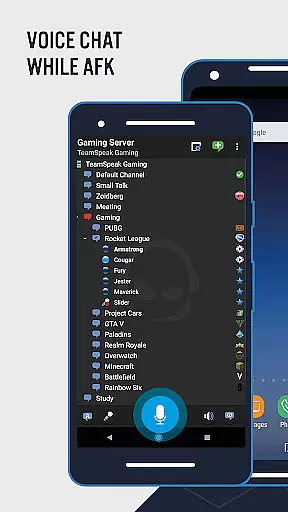
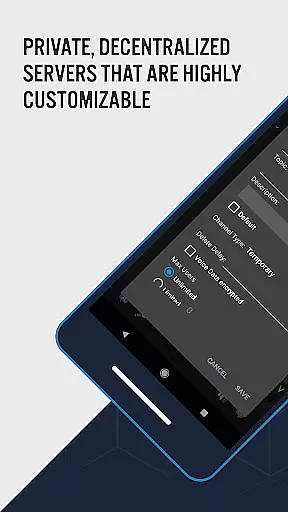
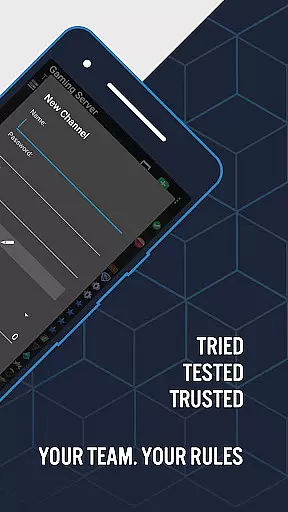
TeamSpeak 3 is a premier communication tool designed for seamless voice chat and information sharing across multiple platforms including Android, PC, MacOS, iOS, and Linux. This app excels in facilitating real-time discussions among gamers, friends, family members, and small businesses globally. Whether you're strategizing with teammates or hosting online events, TeamSpeak ensures spam-free interaction. The application supports both private servers for secure guild or clan communications and public servers for broader community engagement.
Optimized for mobile devices, TeamSpeak 3 keeps users connected on-the-go. To utilize its full potential, users must connect to a TeamSpeak 3 server, either by joining public servers through the desktop client's server list or accessing private servers via credentials provided by administrators. This cross-platform compatibility and robust feature set make TeamSpeak an essential tool for anyone seeking reliable group communication.
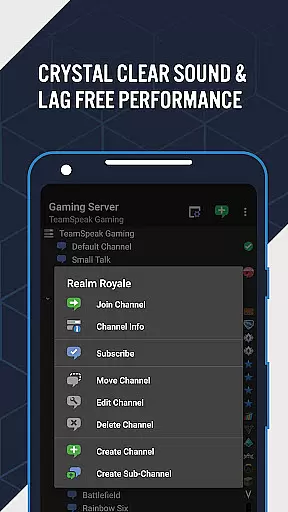
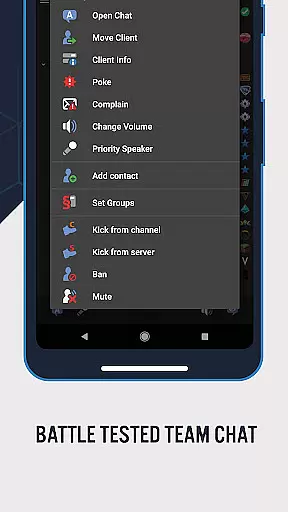
TeamSpeak 3 boasts an array of features that enhance user experience and streamline communication. Key functionalities include synchronized bookmarks for easy access to favorite channels, multi-server connectivity allowing users to switch between different servers effortlessly, and flexible communication options such as Push-To-Talk (PTT) and voice activation. Additionally, it supports essential admin functions, text messaging, identity and contacts management, and provides detailed channel and player information.
Users benefit from player status notifications ensuring they are always informed about their contacts' availability. The app also receives ongoing, free updates, reflecting the development team's commitment to continuously improving the platform. With these comprehensive features, TeamSpeak 3 delivers a sophisticated communication solution adaptable to various user needs, from casual conversations to complex organizational structures.
Real-time messaging speed and reliability are crucial for effective communication tools like TeamSpeak 3. This feature ensures that messages, whether voice or text, are delivered instantly and without delays.
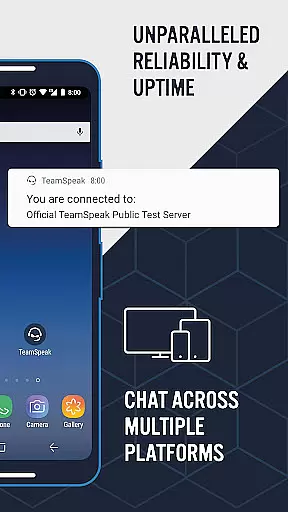
TeamSpeak 3 achieves this through optimized data transmission protocols and robust server infrastructure. The app supports multiple connectivity options, ensuring stable connections even in fluctuating network conditions. This reliability is essential for gamers, businesses, and social groups who depend on clear and uninterrupted communication.
Users benefit from seamless real-time interactions, allowing them to coordinate strategies, share information, and engage in discussions as if they were in the same room. The synchronized bookmarks and multi-server connectivity further enhance this experience by providing flexible and reliable access to different communication channels.
Media sharing support in communication apps like TeamSpeak 3 allows users to exchange various types of media, enhancing collaboration and interaction. While TeamSpeak primarily focuses on voice communication, it also offers text messaging capabilities that can be used to share links, images, and other media formats.
The app's infrastructure supports efficient data handling, ensuring that media shared through text messages is delivered quickly and accurately. This functionality is particularly useful for teams that need to share documents, images, or URLs during discussions or strategy sessions.
By integrating media sharing with its comprehensive communication features, TeamSpeak 3 provides a versatile platform for users to collaborate effectively. Whether coordinating with team members, discussing strategies, or organizing online events, the ability to share media enriches the communication experience and improves productivity.
High-quality audio
Cross-platform support
Secure private servers
Active development team
Regular free updates
Requires server connection
Complex setup process
Limited mobile functionality
No direct user connections
Dependent on third-party servers

Save 10% automatically on your first international mobile top up.
 4.60
4.60
Messenger app for faster and simpler SMS text messaging, and personalized themes
4.10
Message and video call your family and friends in HD!
3.80
Messenger, an MMS & SMS messages app with Blockers, Driving mode & Private box
4.60
Send SMS and chat messages easily with a fast text messaging app for Android.
4.10
Simplify texting with Messages SMS, offline messaging, themes & smart tools!
4.30
RemoteHams.com Android RCForb Client Pre-Release
4.30
Fast internet with AI, Adblock & VPN. Browse on a safe, incognito web browser.
4.70
Say “hello” to privacy.
4.60
Build your web browser around you with private search, and more.
4.60
Welcome to the future of phone service.
4.60
The ultimate productivity solution for all your email communication needs.
4.40
Smart and simple anti-wiring application - IMSI-catchers catcher
4.40
Get through your inbox faster with the mail app designed to simplify your life.
4.40
Federated instant messaging for your mobile device (Jabber, XMPP, Snikket)
4.10
WazzapMigrator: transfer your WhatsApp history from iPhone to Android
4.00
Caller ID, Spam Call & SMS Blocker
3.80
Secure Messaging App to Enhance Messenger Texting Experience and Organize SMS.
3.50
Weargram is an unofficial Telegram Client for Wear OS.
3.50


User Reviews