
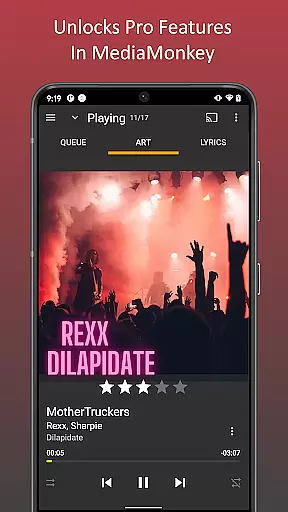
MediaMonkey Pro is a premium music management application designed for serious music collectors who require advanced features and seamless synchronization capabilities. This app serves as an unlock key for the free version of MediaMonkey, providing users with access to powerful functionalities such as Wi-Fi Sync, UPnP/DLNA support, folder browsing, and a customizable home screen.
The app is particularly useful for those who maintain extensive music libraries across multiple devices. With Wi-Fi Sync, users can effortlessly keep their music library up-to-date between their mobile device and Windows PC. The inclusion of UPnP/DLNA support allows for versatile media streaming and downloading from compatible servers, enhancing the overall multimedia experience.
MediaMonkey Pro offers a comprehensive suite of advanced features tailored for music enthusiasts. One standout capability is the Wi-Fi Sync function, which enables wireless synchronization of your device's music library—including metadata such as ratings, play history, and volume levels—with a Windows PC. This ensures that all your music data remains consistent across devices without the need for cumbersome wired connections.
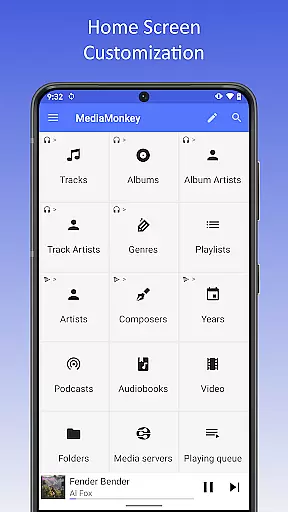
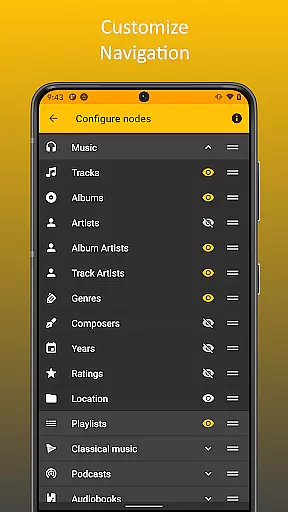
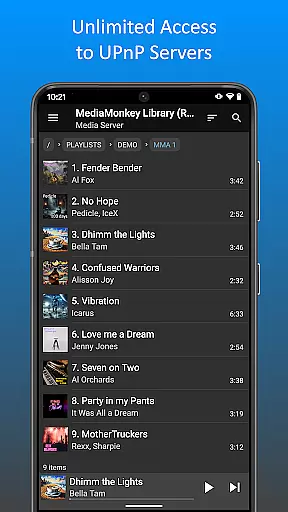
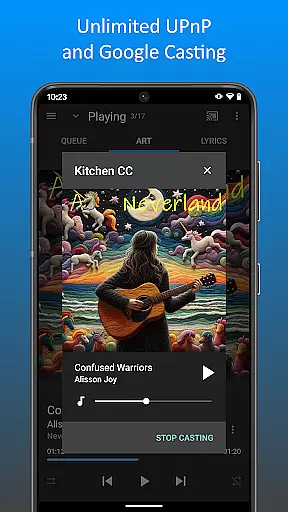
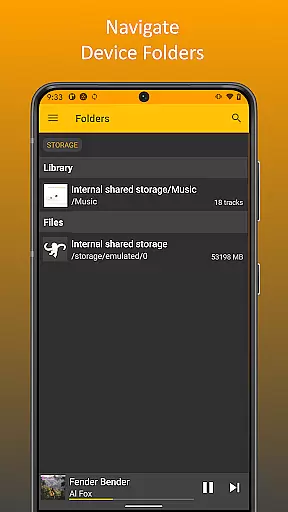
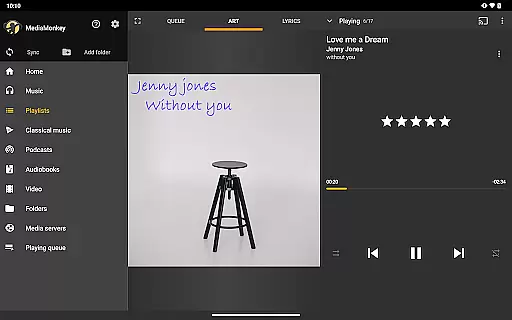
In addition to Wi-Fi Sync, the app supports UPnP/DLNA protocols, allowing users to stream or download content from compatible media servers on their local network. Folder browsing provides another layer of accessibility by letting users navigate their music library using the device’s physical file structure. Furthermore, the configurable home screen empowers users to personalize their interface, displaying only the content and features they find most relevant.
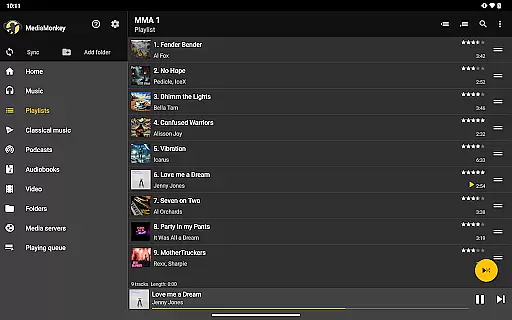
MediaMonkey Pro offers an extensive music library that caters to serious music collectors who require a comprehensive management system. The application allows users to sync their vast collections wirelessly via Wi-Fi Sync with their Windows PC, ensuring that all ratings, play history, and volume levels are accurately mirrored.
In addition to managing large libraries, MediaMonkey Pro provides access to content from UPnP/DLNA servers, expanding the user's library beyond local files. This feature not only increases the size of the accessible music library but also ensures that users can enjoy their music from various sources without worrying about copyright infringement.
The inclusion of folder browsing capabilities means that users can navigate through their music collection using the device's physical file hierarchy. This method of navigation is crucial for those with meticulously organized file structures, as it allows them to maintain their preferred method of music categorization.
By unlocking these features within the free version of MediaMonkey, users gain a versatile tool that respects both the size of their library and the legal aspects of their music collection, thus supporting ongoing development while enjoying a rich and diverse audio experience.
When it comes to audio quality options, MediaMonkey Pro stands out by offering advanced features that cater to audiophiles seeking high-fidelity sound. With the ability to customize the home screen, users can prioritize their listening experience by placing important controls and information front and center.
The app supports playback and downloading of content from UPnP/DLNA servers, which often provide high-quality audio streams. This ensures that listeners have access to the best possible sound quality from their networked devices, enhancing the overall auditory experience.
Furthermore, MediaMonkey Pro's integration with the free version of MediaMonkey means that users can enjoy a seamless transition between devices without sacrificing audio quality. Whether playing back locally stored files or streaming from a server, the app maintains the integrity of the original recordings.
Overall, MediaMonkey Pro delivers a robust set of tools for managing and enjoying a high-quality music library, making it an essential upgrade for users who demand the best in audio fidelity and control over their listening environment.
Advanced sync options
UPnP/DLNA support
Customizable interface
Seamless library management
Ideal for large collections
Requires free version
No standalone use
Premium cost
Complex for beginners
Limited to Android

Formerly known as Spotistats! View your top tracks, artists, albums and more!
 4.40
4.40
The Cubase remote control app
3.60
Gorgeous UI, Powerful music Search and Equalizer, the great choice for you!
4.70
Permanently backup Now Playing. Maps, filters & listening stats.
4.00
The only true audiophile music player with Hi-Fi audio rendering and DSP engine
3.90
24,000 free audio books and no ads!
4.90
Help you quickly get started with Shokz headphones
4.40
Ringtone Maker is free app create ringtone from music files or your recording.
4.40
Get alarms that fit your lifestyle and wake up to the sounds you love.
4.80
Make songs with AI! Any genre, custom lyric, song generator for music creation!
4.80
Music, News & Sports Radio Tuner App. Tune in Live FM & AM Radio Stations.
4.80
Pay Once, no monthly payment
4.60
Super Sound Editor, Song Maker & Mixer, Vocal Remover, Voice Recorder & Changer!
4.60
DJ Music Mixer - DJ Remix: remix songs, make beat music & record mix of DJ.
4.40
Play KORG’s revolutionary touch-based instrument on a variety of devices.
4.40
Equalizer, Bass Booster and Volume Booster (Eq & Bass) improve sound quality
4.30
Master Salsa Rhythm quickly and with a lot of fun!
4.30
Offline Tunes, Unlimited Vibes
3.90
Simply convert wav to mp3. Clear. Reliable. Safe.
4.2


User Reviews