
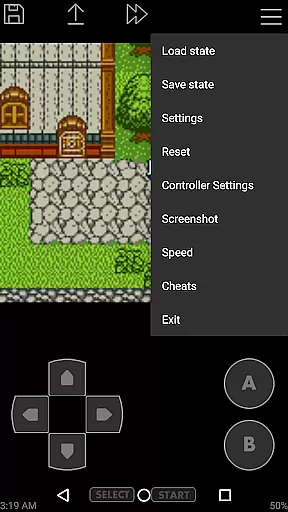
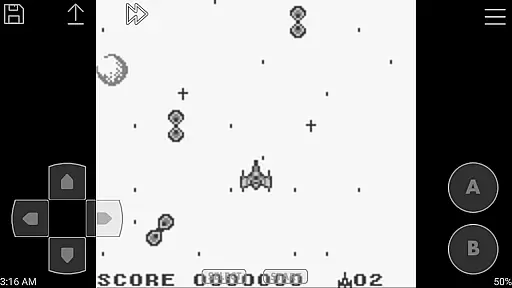
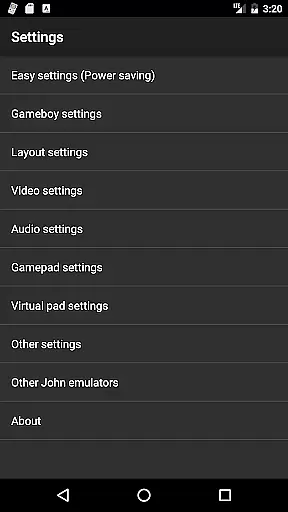
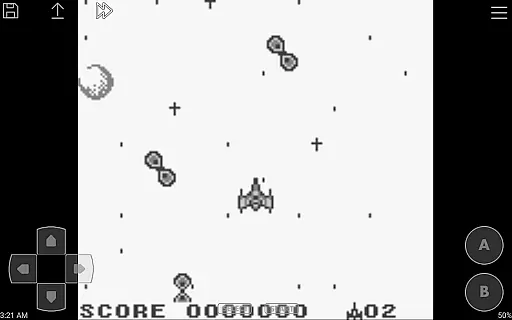
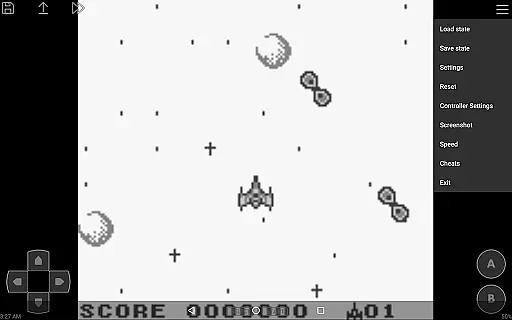
John GBC is a high-performance Game Boy/Game Boy Color emulator designed for Android 6.0 and above. This application allows users to relive classic gaming experiences with its original GBC engine and advanced features.
The emulator supports high-quality rendering, fast performance, and includes essential functionalities such as virtual on-screen keypads, save states with previews, customizable controls, and turbo buttons. It also offers unique capabilities like cheat support, Bluetooth controller compatibility, and Dropbox integration through John DataSync.
Ideal for retro gaming enthusiasts, John GBC provides an authentic emulation experience without advertisements or the need for an internet connection, making it perfect for offline play.
John GBC stands out with its comprehensive feature set tailored for both casual and hardcore gamers. The app's original GBC engine ensures accurate emulation while supporting zipped game files from various storage locations.
Advanced functionalities include precise control customization, multiple save states with visual previews, and variable speed controls ranging from 0.25x to 16x playback speed. The inclusion of cheat systems like Game Genie enhances gameplay flexibility.
Additional highlights are Bluetooth/MOGA controller support, Super Game Boy borders for enhanced visuals, and seamless Dropbox integration for cloud saves. With no ads or required internet connection, John GBC delivers uninterrupted gaming sessions.
Arcade authenticity and nostalgia are crucial elements for any arcade-style game or emulator. John GBC, as a GB/GBC emulator, brings back the classic gaming experience by emulating original Game Boy and Game Boy Color engines. This ensures that users can relive the nostalgia of playing their favorite retro games on modern Android devices.
The emulator offers high-quality rendering that stays true to the original graphics while enhancing them for today's screens. With support for zipped files and save states with previews, it captures the essence of traditional arcade gaming where players could pause and resume gameplay seamlessly. These features not only preserve but also enhance the nostalgic value for enthusiasts seeking an authentic arcade experience.
Users benefit from John GBC's ability to search game files across SDCard and Internal Storage, making it easy to manage and play a vast library of games. The virtual on-screen keypad replicates the tactile feedback of physical arcade buttons, further immersing players in a genuine arcade atmosphere. Such attention to detail ensures that every gaming session is both familiar and refreshing.
Control responsiveness is a key factor in delivering an engaging arcade experience. John GBC excels in this area by providing customizable keys and turbo buttons, allowing users to tailor controls according to their preferences. This level of customization ensures that each player can achieve optimal performance and comfort during extended gaming sessions.
The emulator supports Bluetooth and MOGA controllers, offering a more responsive and immersive control scheme compared to touch-based inputs alone. By integrating external controller support, John GBC enhances the precision and speed of user interactions, which is essential for fast-paced arcade games. Players can enjoy seamless transitions between actions, resulting in a more dynamic and enjoyable gaming experience.
Additionally, John GBC includes features like fast forward and slow down (ranging from x0.25 to x16), enabling users to adjust the pace of gameplay. This flexibility caters to different skill levels and play styles, ensuring that control responsiveness meets individual needs. Overall, these features contribute to a highly responsive and satisfying user experience that keeps players engaged and entertained.
Fast emulation speed
Customizable controls
No advertisements
Offline functionality
Cloud save support
Requires game files
Paid version only
Limited to Android 6.0+
No native iOS support
Complex setup for beginners

Nostalgia.GBC is a high quality GBC emulator.
 4.50
4.50
A retro-flavoured infinite scroller Glyph toy for the Nothing Phone (3)
4.4
Join the art challenge: Guess the word and draw fast before the timer runs out!
4.20
Sega Saturn Emulator
4.20
Infinite Arcade
4.2
Challenge your friends across the world to see who can jump the farthest!
4.50
Cool car builder & racing simulator: make a car to win the obstacle course race!
4.60
NES Emulator
4.40
Full featured version of Pizza Boy A (GBA emulator)
4.80
*Try for free.* Survive alone in a Roguelike Reverse Bullet Hell.
4.80
Punch your way through the Streets of Rage once again!
4.80
Meet Snake Run Race! Slither through an obstacle course in our fun running game!
4.70
Jump and fly your way through danger in this rythm-based action platformer!
4.70
Flip the bottle! Do tricks and don't let the bottle fall!
4.50
Genesis/Mega Drive/CD & Master System/Mark III Emulator
4.30
Bounce through platforms. Avoid obstacles. Get the bouncing ball to the finish.
4.00
Mine planets, upgrade your space ship, battle others, and dominate the galaxy!
3.90
Play retro games with ease – NES, SNES, PSX, PSP & more supported
4.3
Fast reflexes, glowing obstacles, endless action.
4.3


User Reviews