
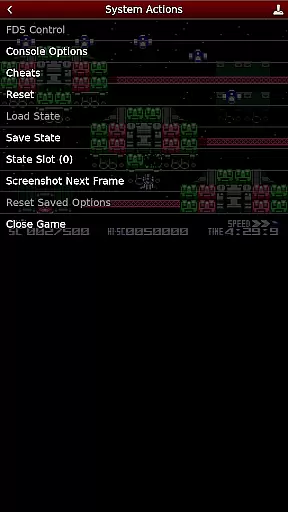
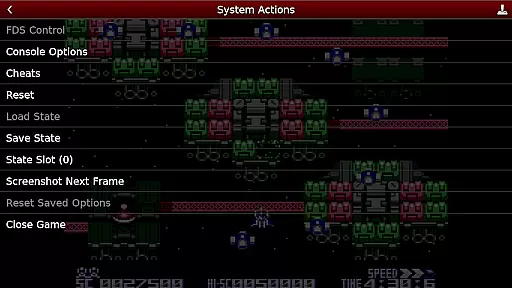
NES.emu is an advanced open-source NES emulator, also known as Famicom in Japan. It is based on FCEUX and features a minimalist UI with a focus on low audio/video latency. The app supports a wide variety of devices from the original Xperia Play to modern devices like the Nvidia Shield and Pixel phones.
With its robust compatibility, NES.emu allows users to enjoy classic NES games on their mobile devices with minimal setup. Its support for various file formats and game controllers makes it versatile and user-friendly. Whether you are revisiting childhood favorites or exploring NES games for the first time, NES.emu offers a seamless experience.
NES.emu boasts a range of features that enhance the emulation experience. It supports .nes and .unf file formats, optionally compressed with ZIP, RAR, or 7Z, providing flexibility in managing game files. Additionally, it includes Famicom Disk System emulation using .fds files and VS UniSystem support, allowing users to insert coins by pressing Start.
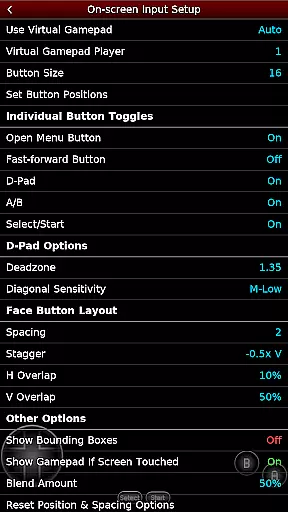
The app also supports Zapper/Gun functionality, enabling touch screen firing and simulating firing away from the TV by touching and holding outside the display area. Configurable on-screen controls and Bluetooth/USB gamepad & keyboard support compatible with any HID device recognized by the OS make it adaptable to different gaming preferences. These features collectively ensure an immersive and customizable gaming experience.
Arcade authenticity and nostalgia are crucial elements for any emulator aiming to recreate the classic gaming experience. NES.emu, as an advanced open-source NES emulator, excels in delivering these aspects by accurately replicating the original hardware's behavior.
The emulator supports a wide array of devices, from legacy models like the Xperia Play to modern ones such as the Nvidia Shield and Pixel phones. This broad compatibility ensures that users can enjoy their favorite NES games on various platforms while maintaining the authentic feel of arcade gaming.
With support for multiple file formats including .nes, .unf, and Famicom Disk System files (.fds), NES.emu allows gamers to relive the golden age of gaming. The inclusion of VS UniSystem support further enhances this nostalgic journey, enabling players to insert coins and start games just like in traditional arcades.
Control responsiveness is vital for an immersive gaming experience, especially in action-packed arcade titles. NES.emu addresses this need by offering highly responsive controls that cater to both casual and hardcore gamers.
The emulator features configurable on-screen controls, allowing users to customize button layouts according to their preferences. This flexibility ensures that players can achieve optimal performance without being hindered by default control schemes.
In addition to touch controls, NES.emu supports Bluetooth and USB gamepads, including popular models from Xbox and PS4. This extensive peripheral compatibility guarantees low-latency input across different devices, providing a seamless and responsive gaming experience that captures the essence of classic arcade gameplay.
Low audio/video latency
Versatile file format support
Wide device compatibility
Customizable controls
Active development and support
No ROMs included
Complex setup for beginners
Limited Famicom Disk System BIOS
Occasional crashes reported
Requires storage access permissions

Monster Run its a game for relax.
 4.1
4.1
Nostalgia.GBC is a high quality GBC emulator.
4.50
BallStack is a vibrant match-3 game where you stack and match colorful balls!
4.3
A fluid, action-packed arcade space shootout!
4.0
Amid the vastness of the universe, you are a Black Hole about to be swallowed!
5.00
Reach high, and shine in the neon world in 3D!
4.5
Venture into the galaxy to fight against the invasion of space invaders.
4.60
Absorb, or be absorbed...
4.70
Millions of crafters have smashed billions of blocks! Now you can join the fun!
4.40
Punch your way through the Streets of Rage once again!
4.80
Join the breathtaking chase!
4.80
R-TYPE game
4.60
Eat & evolve your shark in the ultimate shark survival game!
4.50
GBA Emulator
4.40
Relax and catch fish for your aquarium while earning rewards in these tank games
4.40
Granny keeps you locked in her house.
4.30
Sega Saturn Emulator
4.20
Epic offline war strategy game - build your city, train your army, conquer
4.20
John GBA is GBA emulator. This emulator is easy to use.
3.10


User Reviews