
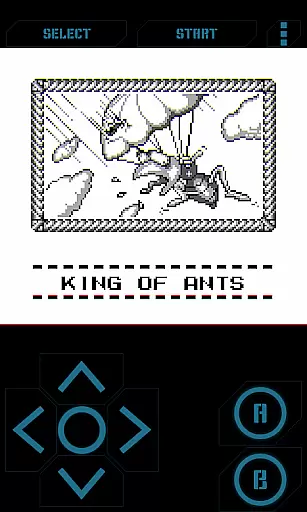
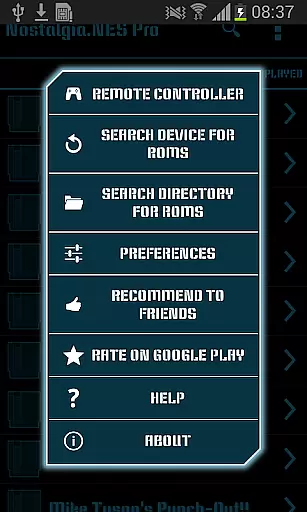
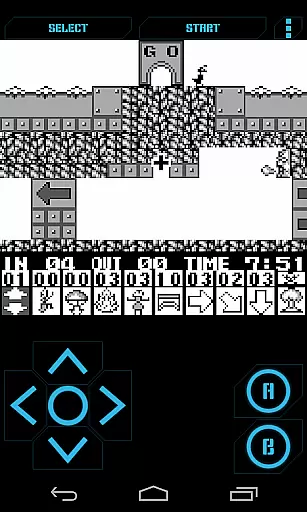
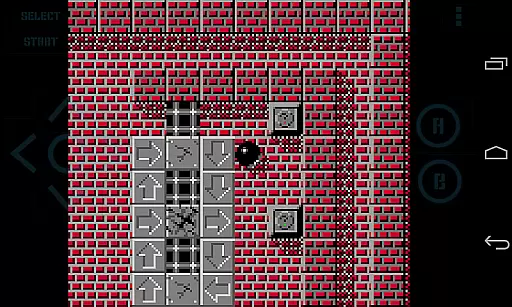
Nostalgia.GBC Pro is a premium Game Boy Color emulator that brings classic gaming to modern devices. This ad-free version offers an enhanced emulation experience based on the advanced gambatte engine, ensuring accurate performance and compatibility with various GB and GBC game files.
The application features an intuitive interface combined with customizable controls, allowing users to tailor their gaming experience. With support for hardware acceleration through OpenGL ES and external controllers like MOGA and 8bitdo, it delivers smooth gameplay. The ability to save and share game states adds convenience for both casual and dedicated players.
Ideal for retro gaming enthusiasts who want to relive classic titles on their mobile devices while enjoying modern features like rewinding and cheat codes. Nostalgia.GBC Pro represents the perfect blend of nostalgia and contemporary mobile technology.
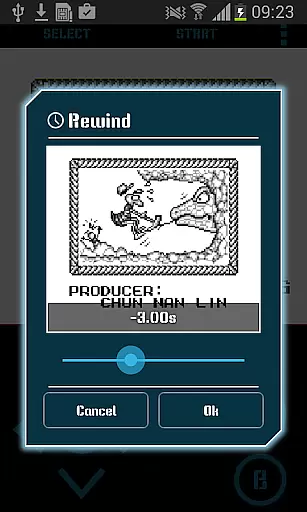
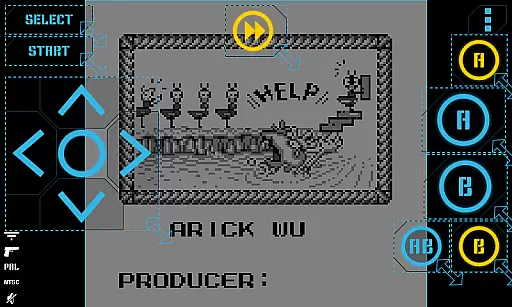
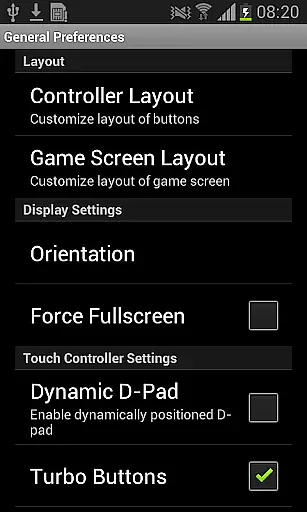
This emulator stands out with its highly customizable virtual controller system. Users can adjust button sizes and positions to create a personalized control scheme that suits their play style. The innovative rewinding feature lets players reverse time by several seconds, providing a safety net during challenging game sections.
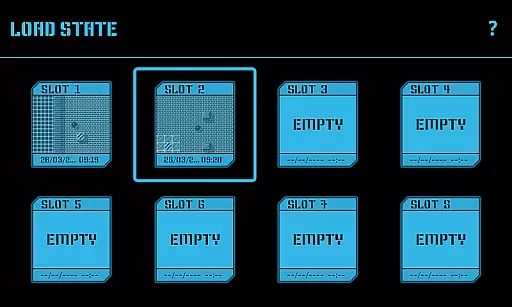
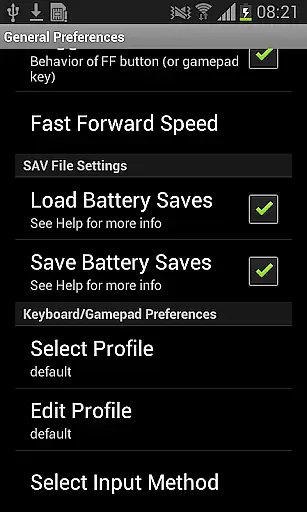
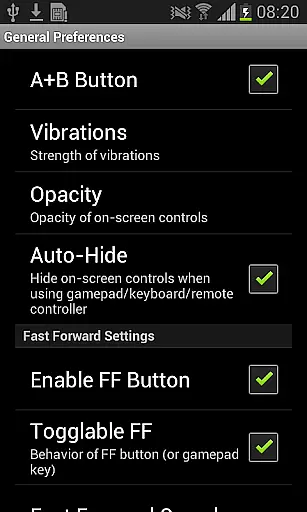
Advanced saving options include eight manual save slots with screenshots and an autosave function. These features are complemented by Turbo buttons and A+B combination keys for enhanced gameplay. The emulator supports various file formats including GB, GBC, and ZIP files stored anywhere on the device's storage.
Additional professional-grade features include hardware keyboard support, Bluetooth HID gamepad compatibility, and screenshot functionality. The open-source nature of the application (GPLv3-licensed) ensures transparency and allows developers to verify and contribute to the codebase, available at the provided source link.
Arcade authenticity is a crucial aspect of any emulator application, especially for retro gaming enthusiasts. Nostalgia.GBC Pro delivers an unparalleled arcade experience by accurately emulating the Game Boy Color system. The app's foundation on the advanced gambatte engine ensures that each game runs just as it would on original hardware.
The emulator offers a modern yet nostalgic interface that combines cool aesthetics with user-friendly controls. Players can customize virtual controllers to their liking, adjusting button sizes and positions for optimal comfort. This level of customization enhances the nostalgic experience while maintaining contemporary usability standards.
Additional features like rewind functionality and quick save/load options provide users with conveniences that were impossible on original arcade machines. These enhancements not only preserve the authentic arcade feel but also improve the overall gaming experience. The ability to share save states across devices adds another layer of modern convenience.
By supporting various file formats including GB, GBC, and ZIP files, Nostalgia.GBC Pro ensures that users can enjoy their entire retro game collection. The app's commitment to open-source development through its GPLv3 license further demonstrates its dedication to preserving gaming history while allowing community contributions to enhance its authenticity.
Control responsiveness is vital in gaming emulators, where split-second decisions can make or break gameplay. Nostalgia.GBC Pro excels in this area by implementing hardware-accelerated graphics through OpenGL ES, ensuring that every input registers immediately without any noticeable lag.
The emulator provides multiple control options to suit different preferences. Users can choose between customizable on-screen touch controls or utilize external hardware keyboards. For those seeking an even more authentic experience, the app supports HID Bluetooth gamepads from popular brands like MOGA and 8bitdo.
Turbo buttons and combined A+B button functionality offer advanced control schemes that respond instantly to player inputs. This feature set allows competitive gamers to execute complex maneuvers with precision timing, maintaining the fast-paced nature of classic arcade games.
Furthermore, the app's implementation of rewinding functionality demonstrates exceptional control responsiveness. Players can seamlessly move backward through gameplay moments, correcting mistakes without experiencing frustrating delays. This combination of responsive controls and innovative features makes Nostalgia.GBC Pro stand out among arcade emulators.
High-quality emulation
Customizable controls
Rewind feature
Save state sharing
Hardware acceleration
No games included
Paid version
Complex setup
Large file size
Requires technical knowledge

Sit back and relax! Tap to move the black hole, and swallow weapons to win.
 4.20
4.20
Granny keeps you locked in her house.
4.30
Sega Saturn Emulator
4.20
Protect the balloon! Only 1% of players can reach lvl 100 with all the balloons!
3.70
Save the Galaxy from galaxiga alien - Classic arcade shooter game
4.60
Collect layers in running game & build the biggest slinky toy to beat the giant!
4.30
John GBA is GBA emulator. This emulator is easy to use.
3.10
Play all your favorite Playstation games in your android device!!
4.50
Challenge your friends in this game! Two players on one device!
4.70
Bomb the communists back to 1916!
4.70
Cool car builder & racing simulator: make a car to win the obstacle course race!
4.60
Play fun multiplayer games with friends on one device! Two, Three, Four players!
4.60
Master the hills in this extreme downhill racing game!
4.60
Motorcycle racing games! Prove your paperboy can win in the bike race 3D!
4.50
PC Engine/TurboGrafx-16 Emulator
4.50
Shoot the web, jump and teleport! Be a stickman hero and destroy your enemies!
4.50
Suck the other’s blood and be the longest surviving mosquito!
4.40
Dad doesn’t let you go out, can you outwit your parents and escape?
4.00
Divine powers at your fingertips! An innovative and frantic shoot-'em-up!
4.4


User Reviews