
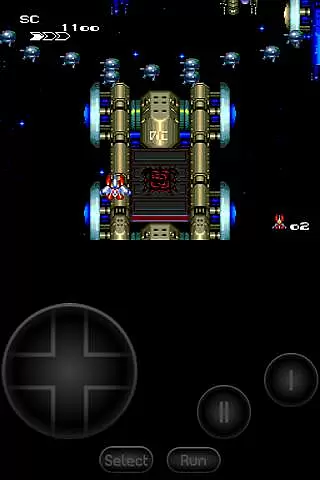
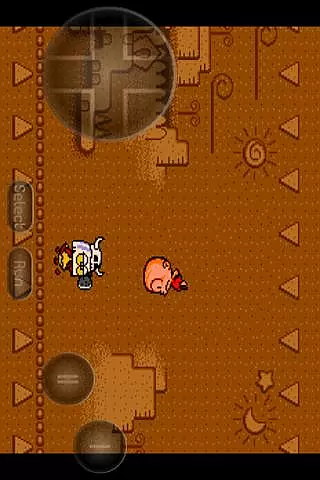
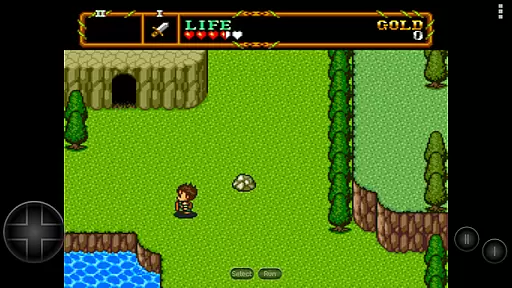
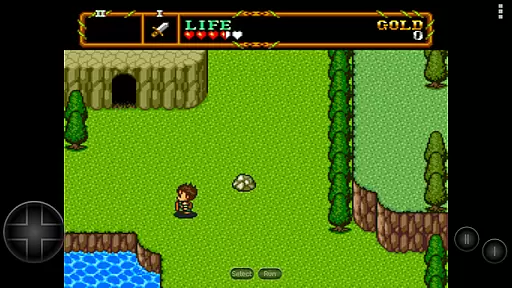
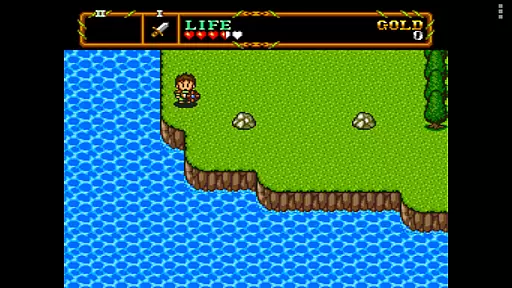
PCE.emu is an advanced open-source emulator for PC Engine and TurboGrafx-16 gaming consoles. It offers a minimalist user interface with a focus on low audio and video latency, making it suitable for a wide range of Android devices. The app supports multiple file formats including .pce, .sgx, and CD image files through .cue loading.
Designed for both classic Xperia Play and modern devices like Nvidia Shield and Pixel phones, PCE.emu provides a seamless emulation experience. With support for various controllers and customizable on-screen controls, the app ensures users can enjoy their favorite retro games with minimal setup hassle.
The emulator's compatibility with external storage and its ability to handle compressed files make it a versatile tool for retro gaming enthusiasts. By focusing on performance and broad device support, PCE.emu delivers an authentic console experience on mobile platforms.
PCE.emu stands out with its robust feature set tailored for retro gaming aficionados. The app supports multiple ROM file formats such as .pce, .sgx, and even compressed archives like ZIP, RAR, and 7Z. For CD-based games, users can load .cue files provided they have the required Super CD-ROM System card.
Audio track support includes FLAC, Ogg Vorbis, and Wav formats, ensuring high-quality sound during gameplay. Configurable on-screen controls allow for personalized touch input setups while maintaining compatibility with Bluetooth and USB gamepads, including popular models from Xbox and PS4.
Additional features include Android's storage access framework, enabling easy file management across internal and external storage options. This functionality, combined with active development and issue tracking via GitHub, ensures that PCE.emu remains up-to-date and compatible with a growing list of devices.
Arcade authenticity and nostalgia are crucial elements for any emulator aiming to recreate the classic gaming experience. PCE.emu, as an advanced PC Engine/TurboGrafx-16 emulator, excels in delivering this by supporting a wide array of original game formats such as .pce, .sgx, and CD-based games through .cue files.
The emulator's compatibility with various file compression methods like ZIP, RAR, or 7Z ensures that users can enjoy their favorite classics without worrying about format restrictions. This flexibility enhances the nostalgic journey back to the golden era of arcade gaming.
Moreover, PCE.emu offers configurable on-screen controls and extensive support for external controllers, including Bluetooth and USB gamepads. This feature allows gamers to relive the authentic arcade control schemes they remember, making each gaming session a trip down memory lane.
Control responsiveness is vital for an immersive and enjoyable gaming experience, especially in arcade emulators where precision and timing are key. PCE.emu stands out by ensuring low audio/video latency, which significantly enhances the responsiveness of the controls.
This emulator supports a wide variety of devices, from older models like the Xperia Play to modern ones such as the Nvidia Shield and Pixel phones. Such broad device compatibility guarantees that users will experience consistently responsive controls regardless of their hardware.
Additionally, the inclusion of HID device support means that popular controllers like Xbox and PS4 are fully compatible, providing gamers with familiar and precise control schemes. This level of responsiveness ensures that every action in the game is accurately reflected, offering a seamless and engaging arcade experience.
Wide device compatibility
Low latency performance
Customizable controls
Active development support
Comprehensive format support
No included ROMs
Complex setup for beginners
Limited touchscreen optimization
Requires technical knowledge
Occasional device issues

GBA Emulator
 4.40
4.40
Sharpen your mind and reflexes while playing 4Way Dash
4.1
Local offline 2 3 4 player multiplayer minigames - race, tanks, football
4.60
M64Pro FZX Classic Emulator for Android
4.5
Slice up a juicy storm!
4.20
Punch your way through the Streets of Rage once again!
4.80
Save the Galaxy from galaxiga alien - Classic arcade shooter game
4.60
NES Emulator
4.40
Crazy games: Kick your buddies, beat the boss, and turn the office into chaos!
4.40
Ready… Set… DASH! Play now!
4.70
Merge bowmasters to win the bow and arrow war! Play the fun archery game!
4.60
Nostalgia.GBC is a high quality GBC emulator.
4.50
Challenge your friends across the world to see who can jump the farthest!
4.50
Playing venom RPG alien games? Set spider alien isolation base, with no survivor
4.30
Genesis, Mega Drive, Mega CD, Master System, Game Gear Emulator!
4.20
NEOGEO's masterpiece game is now available in the app!
4.10
You are a Black Hole, escaping the darkness trying to swallow you!
3.60
BallStack is a vibrant match-3 game where you stack and match colorful balls!
4.5
Fast reflexes, glowing obstacles, endless action.
4.3


User Reviews