
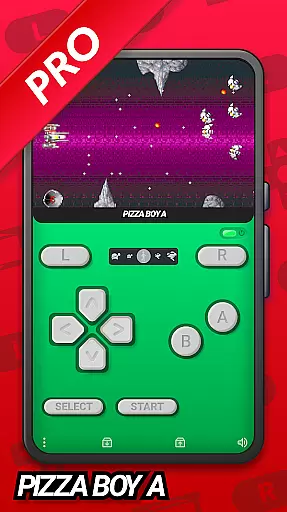
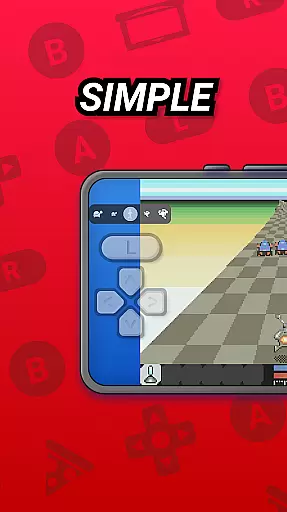
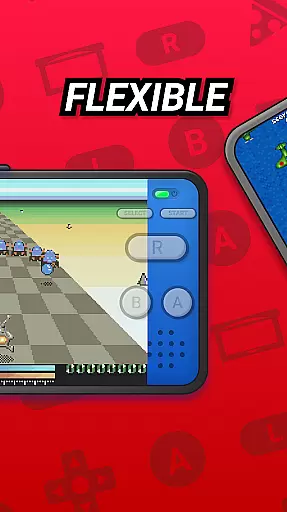
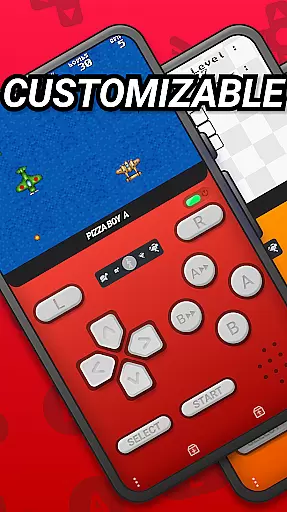
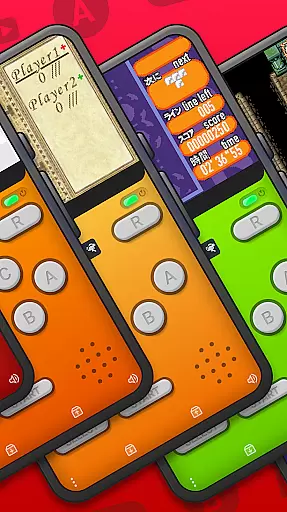
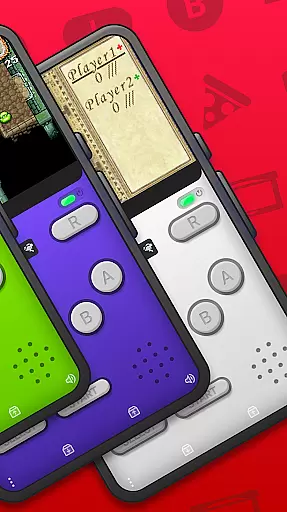
Pizza Boy A Pro stands as a premium GBA emulator tailored for Android users who cherish the nostalgia of retro gaming. This application, developed independently, offers an unparalleled emulation experience by supporting Game Boy Advance ROMs exclusively. With its meticulous design and high-performance capabilities, Pizza Boy A Pro ensures that gamers can relive their favorite moments with precision and ease.
Among its standout features are customizable skins, cheat functionalities, and Google Drive synchronization, which collectively enhance user interaction and convenience. The emulator also boasts local and WiFi multiplayer options, an advanced settings menu, and support for various cartridge hardware features like gyroscopes and rumble packs. These elements combine to deliver a rich, immersive gaming experience that remains faithful to the original console environment.
Ideal for enthusiasts seeking authenticity in their retro gaming sessions, Pizza Boy A Pro caters to both casual players and hardcore collectors. Its compatibility with OpenGL and OpenSL libraries guarantees top-tier video and audio performance, while the promise of 60 FPS even on older devices underscores its commitment to quality. By choosing Pizza Boy A Pro, users gain access to a meticulously crafted tool that honors the legacy of classic gaming through modern technology.
Pizza Boy A Pro distinguishes itself through a suite of sophisticated features designed to elevate the emulation experience. At its core, the emulator provides a stunning graphical user interface complemented by customizable skins, allowing users to personalize their interaction with the software. Advanced functionalities such as cheat integration and BIOS customization empower gamers to tailor their gameplay according to personal preferences, enhancing replay value and enjoyment.
One of the most compelling aspects of Pizza Boy A Pro is its robust support for multiplayer engagements. Through local and WiFi connectivity options, users can engage in cooperative or competitive play with friends, mirroring the social dynamics of traditional gaming setups. Additionally, the inclusion of hardware sensor support—such as gyroscopes and tilt sensors—ensures that games relying on these inputs function seamlessly within the emulator environment.
Performance optimization remains a cornerstone of Pizza Boy A Pro's appeal. Written entirely in C and assembly language, the application delivers exceptional speed and efficiency, minimizing battery consumption without compromising on frame rates. Features like quick/auto save states, slow motion/fast forward controls, and shader support further augment usability, making Pizza Boy A Pro not just an emulator but a comprehensive platform for experiencing the golden age of portable gaming.
Arcade authenticity and nostalgia are at the heart of Pizza Boy A Pro, offering users an immersive trip down memory lane. This emulator is designed to recreate the classic gaming experience of the Game Boy Advance (GBA) with remarkable precision.
The application meticulously emulates the original hardware, ensuring that games run as they did on the classic console. With support for custom BIOS and cartridges' hardware features like gyroscope and rumble pack, it delivers an authentic environment that captures the essence of arcade gaming.
Users benefit from not just the emulation accuracy but also from enhancements such as rewind functionality and customizable skins which add a modern twist to the nostalgic experience. These features ensure that while the soul of arcade gaming is preserved, players can enjoy the convenience of contemporary gaming advancements.
Pizza Boy A Pro stands out by providing this blend of authenticity and innovation, allowing gamers to relive cherished memories with enhanced performance and reliability.
Control responsiveness in Pizza Boy A Pro ensures that every action taken by the user translates seamlessly into the game. As an advanced GBA emulator, it prioritizes low latency and high sensitivity in its control scheme to provide an intuitive gaming experience.
The emulator supports hardware joypads, giving users the flexibility to choose their preferred input method. Whether using touch controls or external devices, Pizza Boy A Pro guarantees a responsive interaction due to its optimization with OpenGL and OpenSL native libraries.
Gamers can customize button sizes and positions, tailoring the interface to their personal playstyle for optimal comfort and efficiency. This level of customization contributes significantly to a more engaging and enjoyable gameplay session.
With these capabilities, Pizza Boy A Pro raises the bar for what players expect from mobile emulation control schemesu2014offering precision and adaptability that enhance overall gaming satisfaction.
Highly accurate emulation
Customizable user interface
Supports multiplayer modes
Advanced hardware integration
Optimized performance
No included game ROMs
Limited to GBA titles
Premium price point
Requires technical setup
Occasional bugs reported

Bomb the communists back to 1916!
 4.70
4.70
Motorcycle racing games! Prove your paperboy can win in the bike race 3D!
4.50
Eat & evolve your shark in the ultimate shark survival game!
4.50
A Ball Bouncer With Depth
4.00
Infinite Arcade
4.5
Infinite Arcade
4.0
Epic offline war strategy game - build your city, train your army, conquer
4.20
Ready… Set… DASH! Play now!
4.70
Flip and flail a rag doll through endless levels and plunge into outlandish fun!
4.60
Amid the vastness of the universe, you are a Black Hole about to be swallowed!
5.00
Meet Snake Run Race! Slither through an obstacle course in our fun running game!
4.70
Nostalgia.GBC is a high quality GBC emulator.
4.50
Flip the bottle! Do tricks and don't let the bottle fall!
4.50
GBA Emulator
4.40
Sega Saturn Emulator
4.20
It's quite possibly the world's hardest game!
3.90
John GBA is GBA emulator. This emulator is easy to use.
3.10
Fast reflexes, glowing obstacles, endless action.
4.1
Reach high, and shine in the neon world in 3D!
4.2


User Reviews