
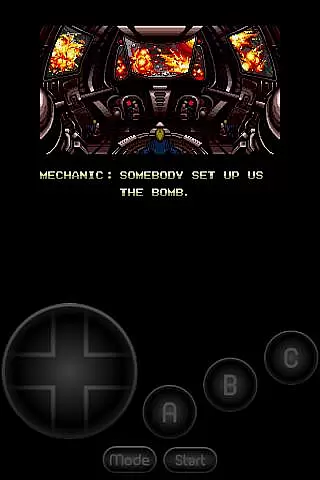
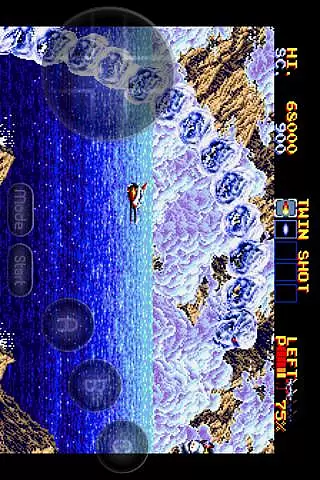
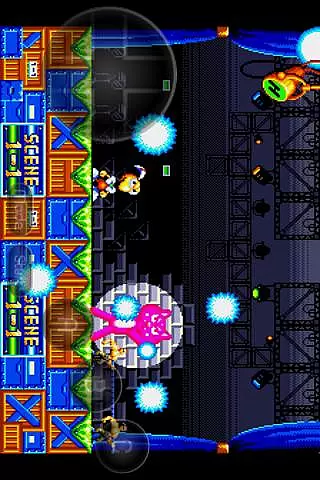
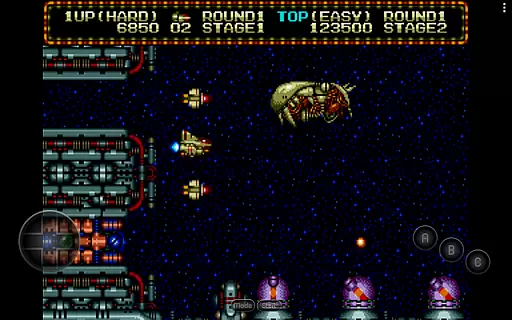
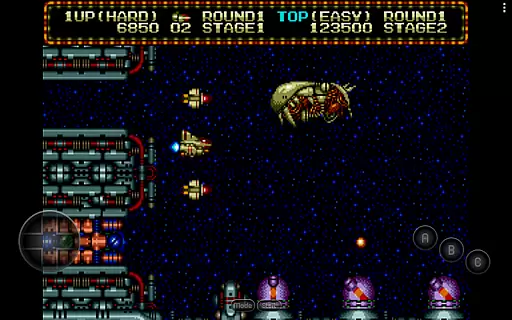
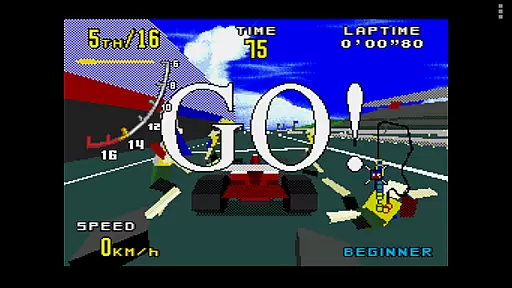
MD.emu is an advanced open-source Sega Genesis/Mega Drive, Sega CD, and Master System/Mark III emulator that offers a minimalist UI with a focus on low audio/video latency. It supports a wide range of devices from the original Xperia Play to modern devices like the Nvidia Shield and Pixel phones. With its compatibility for various file formats and controller support, it provides an authentic retro gaming experience.
The app's beta support for Sega CD allows users to load .cue or .bin files, though game-specific issues are still being addressed. Its comprehensive feature set includes SVP chip support for Virtua Racing, 6-button controller and 4-player multitap support, and cheat code functionality. MD.emu ensures a seamless experience by supporting both internal and external storage through Android's storage access framework.
MD.emu boasts a rich array of features designed to enhance the emulation experience. The app supports multiple file formats such as .bin, .smd, .gen, and .sms, which can be optionally compressed with ZIP, RAR, or 7Z. This flexibility ensures that users can enjoy their favorite games without worrying about format compatibility.
In addition to its robust file support, MD.emu offers extensive controller options including Bluetooth/USB gamepad and keyboard support compatible with HID devices like Xbox and PS controllers. The configurable on-screen controls provide a customizable interface, while gun support for Menacer and Justifier adds another layer of authenticity. These features collectively deliver a versatile and immersive gaming experience.
Arcade authenticity and nostalgia are central to MD.emu, an advanced emulator for Sega Genesis/Mega Drive, Sega CD, and Master System/Mark III. This app meticulously replicates the original gaming experience, ensuring that classics feel as genuine as they did decades ago.
MD.emu supports a wide array of file formats including .bin, .smd, .gen, and .sms, optionally compressed with ZIP, RAR, or 7Z. It also includes SVP chip support for Virtua Racing and gun support for games like Menacer and Justifier, enhancing its authentic arcade feel.
Users benefit from low audio/video latency and compatibility with various devices, from older models like the Xperia Play to modern ones such as the Nvidia Shield and Pixel phones. The minimalist UI further accentuates the nostalgic experience without unnecessary distractions.
Ultimately, MD.emu offers an immersive trip down memory lane, allowing gamers to relive the golden era of arcade gaming with precision and authenticity.
Control responsiveness is a standout feature of MD.emu, ensuring that every action translates seamlessly into gameplay. The emulator supports Bluetooth and USB gamepads, along with keyboards, making it compatible with HID devices like Xbox and PS controllers recognized by the OS.
The app provides configurable on-screen controls, giving users the flexibility to customize their gaming setup according to personal preferences. This adaptability enhances the overall control experience, catering to both casual and hardcore gamers.
With support for 6-button controllers and 4-player multitap, MD.emu delivers a versatile and responsive control scheme. Gamers can enjoy complex interactions in their favorite titles without any lag or delay, maintaining the integrity of fast-paced arcade games.
In summary, MD.emu's superior control responsiveness ensures that users enjoy a fluid and engaging gaming experience, staying true to the dynamic nature of arcade classics.
Wide device compatibility
Low audio/video latency
Supports multiple file formats
Customizable on-screen controls
Active development and issue reporting
Beta-level Sega CD support
No ROMs included
Requires BIOS files for CD emulation
Device-specific issues may arise
Limited user interface customization

Spaceship racing on a rocky planet — pure action and challenge.
 4.3
4.3
Epic offline war strategy game - build your city, train your army, conquer
4.20
Punch your way through the Streets of Rage once again!
4.80
Jump and fly your way through danger in this rythm-based action platformer!
4.50
Create your restaurant story & make food on a crazy kitchen in this cooking game
4.70
Save the Galaxy from galaxiga alien - Classic arcade shooter game
4.60
The precise emulator of 8 bit handheld... Now even better!
4.50
Full featured version of Pizza Boy A (GBA emulator)
4.80
Train your Champ. Compete. Get rewards.
4.50
*Try for free.* Survive alone in a Roguelike Reverse Bullet Hell.
4.80
Join the breathtaking chase!
4.80
Bomb the communists back to 1916!
4.70
Ready… Set… DASH! Play now!
4.70
Play, Craft and Share your Endless Runner Levels on Kooply Run: Subway Craft
4.50
Mine & Craft Block Mini World! Survival Crafting and Building & Creative Online.
4.30
This app is a very fast emulator
3.40
Monster Run its a game for relax.
4.4
A retro-flavoured infinite scroller Glyph toy for the Nothing Phone (3)
4.4
Divine powers at your fingertips! An innovative and frantic shoot-'em-up!
4.2


User Reviews