
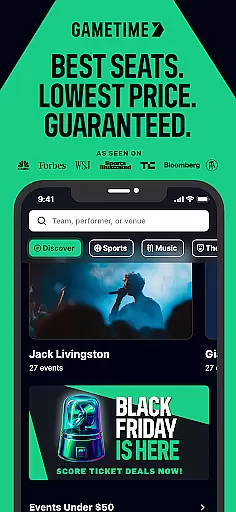
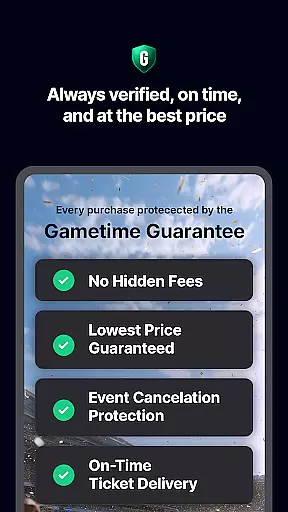
Gametime is a leading mobile application designed to help users secure tickets for live events at optimal prices. The app specializes in providing access to sports games, concerts, theater shows, and comedy performances, often offering deals as event times approach. With its unique Gametime Ticket Coverage policy, the app ensures comprehensive service protection, including lowest price guarantees and lightning-fast refunds.
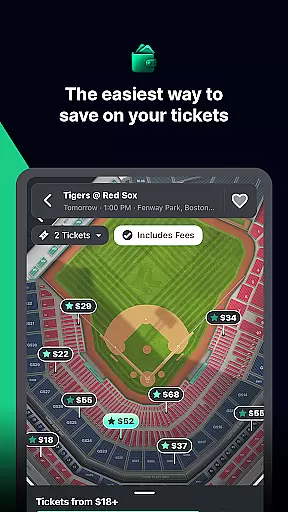
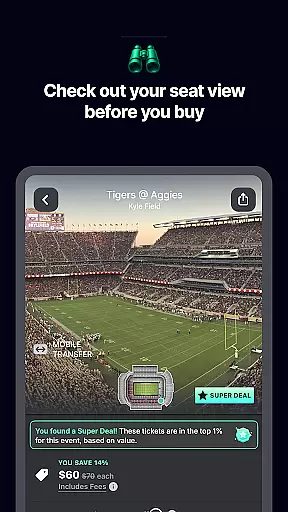
One of the standout features is its user-friendly interface that allows for easy seat selection through detailed venue maps and panoramic seat views. The app also supports eco-friendly practices by delivering tickets digitally, eliminating the need for paper tickets. Additionally, users can buy tickets up to 90 minutes after an event starts, making it ideal for last-minute plans. This functionality makes Gametime particularly valuable for fans seeking affordable access to popular events like Taylor Swift concerts or NBA games.
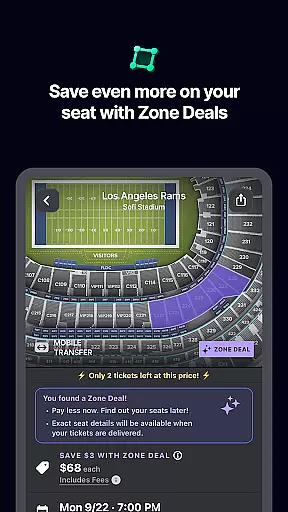
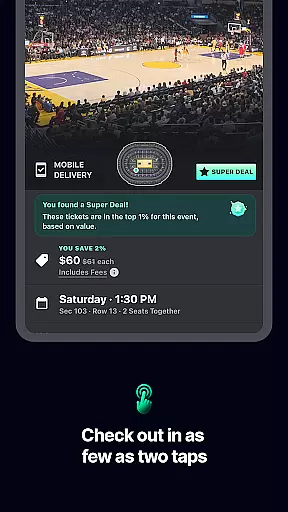
Gametime stands out with its innovative features tailored for live event enthusiasts. The app's dynamic pricing model allows ticket prices to decrease closer to event time, ensuring users get the best possible deals. Its proprietary Gametime Ticket Coverage provides peace of mind with benefits like job loss protection and price difference refunds. The inclusion of Zone Deals offers additional discounts, enhancing savings opportunities.
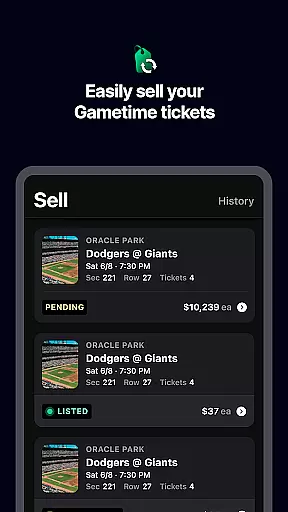
The app's technical capabilities are equally impressive. Users can browse through high-resolution panoramic photos of venues to understand their potential view before purchasing. A streamlined two-click checkout process ensures quick transactions, while mobile ticket delivery eliminates printing hassengers. Furthermore, the app facilitates seamless ticket sharing among friends via mobile devices. These features collectively create a comprehensive solution for both buying and selling tickets in today's digital age.
Task creation and detail customization are essential features for any event management app like Gametime. This functionality allows users to not only find but also tailor their event-going experience with precision.
Gametime offers an intuitive interface where users can browse through a vast array of events, including sports, concerts, and theater shows. The app provides detailed event information, ensuring that users have all the necessary details at their fingertips before making a purchase. With features such as panoramic seat views and venue maps, users can customize their experience by choosing the best seats according to their preferences.
The value of this feature lies in its ability to empower users with control over their event planning. By offering special zone deals and last-minute tickets, Gametime ensures that users can make informed decisions that suit both their schedules and budgets. This level of customization enhances user satisfaction and increases the likelihood of repeat usage.
Ultimately, the task creation and customization capabilities within Gametime provide a seamless blend of convenience and personalization. Users benefit from a streamlined process that caters to their specific needs, whether they're looking for the best view in the house or trying to score a deal on a last-minute ticket purchase.
Reminder settings play a crucial role in ensuring that users never miss an event. For apps like Gametime, which specializes in providing access to live events, having reliable reminder functionalities is key to enhancing the overall user experience.
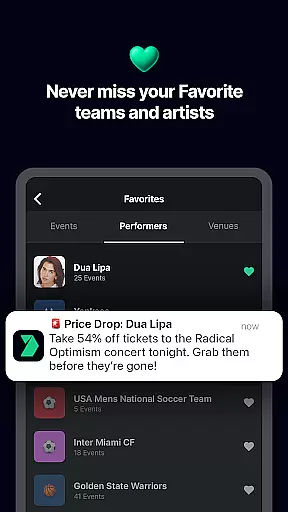
Gametime incorporates advanced reminder settings that allow users to set notifications for upcoming events. Whether it's a concert, sports game, or theater performance, users can configure reminders based on their preferences. These reminders can be set to notify users days, hours, or even minutes before the event starts, ensuring timely attendance.
This feature adds significant value by keeping users organized and informed. It reduces the risk of forgetting event details amidst busy schedules and helps users plan their time effectively. Moreover, the flexibility in setting reminders caters to different user habits and urgency levels, making the app versatile and user-friendly.
In summary, Gametime's reminder settings offer a practical solution for managing event schedules. By integrating customizable alerts, the app ensures that users remain engaged and well-prepared, ultimately leading to a more enjoyable and stress-free event experience.
User-friendly interface
Comprehensive service protection
Dynamic pricing advantage
Wide event coverage
Mobile convenience
Resale market limitations
Potential price fluctuations
Event availability issues
Refund restrictions
Technical dependency

It is an Event Planning Application.
 4.4
4.4
Find tickets to upcoming concerts, sports events, festivals, shows, attractions
4.70
Create Wedding Invitation and Wedding Anniversary Cards using our app
4.60
TV Garden is a video player to play your own TV streams from around the world!
4.1
Create invitation cards for birthdays, weddings, Christmas and more.
4.80
Track birthdays, habits & goals. Unlimited countdowns and count-ups
4.20
TV.Garden is a video player to play your own TV streams from around the world!
3.40
Instant photo sharing for every occasion
3.80
Connect with an ecosystem of 5M+ eventgoers and organizers.
4.50
Invitation card maker for birthday party & Wedding. Digital greeting card editor
4.90
TodayTix is the easiest way to get tickets to the best shows in your city.
4.90
The KRUU app - plan, celebrate, remember
4.80
Design Invitations & Cards for Any Occasion
4.80
Plan your wedding for free on the go: vendors, budget, website and checklists!
4.80
Buy and Sell Tickets for Concerts, Sports, and Theater.
4.70
Microsoft Build is an annual developer conference hosted by Microsoft
4.20
The Official App
4.2
Mobile Event Guide for Greater NY Dental Meeting
4.0
Browse events, find transportation, keep up with the latest news from your team
4.2


User Reviews