
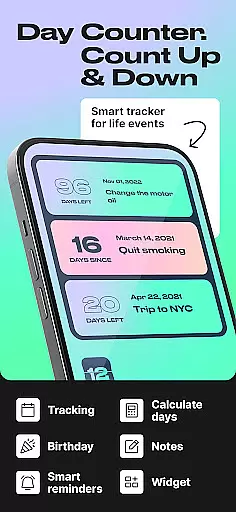
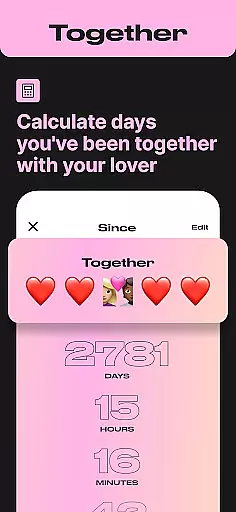
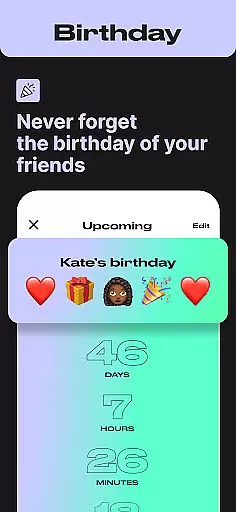
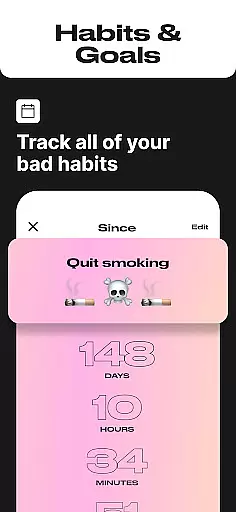
Day Counter is an intuitive and versatile time tracking application designed to help users monitor important events, deadlines, and personal milestones. The app offers two primary modes - count up and countdown - allowing users to track days since or until any significant moment. With its clean and minimalistic design, the app provides a distraction-free experience while offering powerful features like unlimited counters, custom notifications, and widgets.
This elegant solution is perfect for both personal and professional use. Users can manage work projects, track habit streaks, prepare for exams, or simply remember birthdays and holidays. The app's flexibility makes it suitable for various scenarios, from productivity enhancement to personal growth tracking. By providing precise timers and reminders, Day Counter ensures users never miss important dates or deadlines.
Day Counter stands out with its comprehensive feature set tailored for efficient time management. The app allows users to create and manage an unlimited number of counters for various purposes, from work-related deadlines to personal goals. Its dual-mode functionality supports both countdown and count-up timers, making it suitable for tracking past achievements and future milestones alike.
The application's strength lies in its practical implementation of features. Customizable notifications ensure users receive timely reminders for important events, while the widget support keeps crucial information readily accessible on the home screen. The clean interface and minimal design enhance usability, allowing users to focus on their schedules without distractions. These features collectively contribute to better time management and increased productivity.
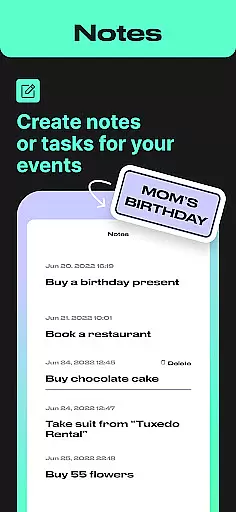
Task creation and detail customization are essential features for any event management app. Day Counter excels in this area by offering users the ability to create unlimited counters for various events, from personal milestones to work deadlines.
The app allows users to customize each counter with specific details such as naming the event, setting the exact date, and choosing between count up or countdown modes. This flexibility ensures that every important moment is tracked precisely how the user wants it.
With clean and minimal design, users can focus on their events without any distractions. The customization options extend to setting personalized notifications, ensuring you never miss a significant milestone or memory.
This level of detail customization not only enhances user engagement but also makes time tracking more meaningful and relevant to individual needs.
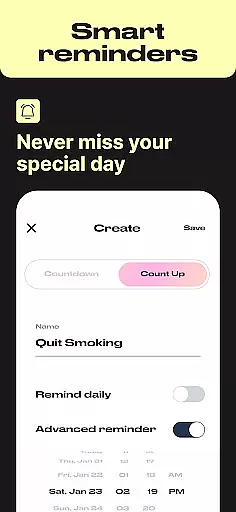
Reminder settings in Day Counter provide an indispensable tool for staying on top of your schedule. By allowing users to set custom notifications, the app ensures that no important event or deadline is overlooked.
Whether it's a birthday, anniversary, or a critical work project, the reminder feature sends timely alerts to keep users informed and prepared. These reminders can be tailored to individual preferences, enhancing the overall user experience.
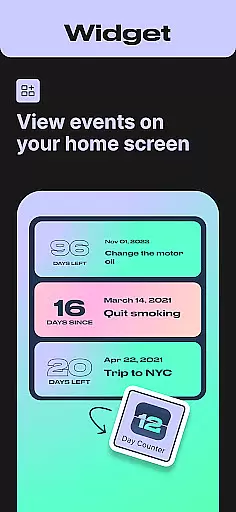
In addition to standard reminders, Day Counter supports widgets and integrates seamlessly into daily routines. This means users have quick access to their counters and reminders directly from their home screen.
Ultimately, these reminder settings empower users to take control of their time, helping them stay organized and focused on both short-term tasks and long-term goals.
User-friendly interface
Unlimited event tracking
Custom notification system
Clean minimalistic design
Versatile functionality
Limited advanced analytics
No cross-platform sync
Premium features locked
Basic widget customization
Occasional performance lags

An App for Bhutanese
 4.4
4.4
Local events, contests, and giveaways for local dads
3.70
Create Wedding Invitation and Wedding Anniversary Cards using our app
4.60
Create invitation cards for birthdays, weddings, Christmas and more.
4.80
Get live football here
4.30
Instant photo sharing for every occasion
3.80
ETH Mining provides secure way to mine Ethereum & earn ETH in Cloud mining app
3.50
RAISE-365 makes fundraising easy and fun!
3.20
Buy and Sell Tickets for Concerts, Sports, and Theater.
4.70
Find EDM shows near you! See your favorite artists live, and discover new music.
4.90
The KRUU app - plan, celebrate, remember
4.80
Save money on concert, sport, and theater tickets, and discover upcoming events.
4.80
Here you can choose tickets for films, performances, concerts and other events
4.60
Wedding planner app with wedding venues, wedding checklist, countdown & budget.
4.60
Fast Scans. Happy Fans. For Every Hometown!
4.60
The calendar app in this 2026 year see all dates.
4.20
No invest, Easy way to earn USDT through crypto cloud mining
3.80
Some connections are better kept private
4.4
TV Garden is a video player to play your own TV streams from around the world!
4.2


User Reviews