
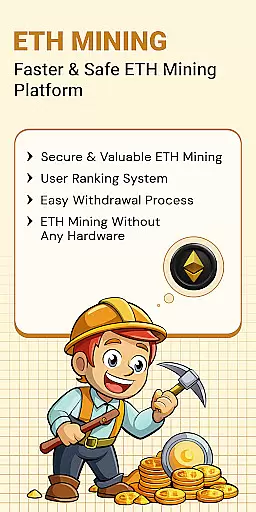
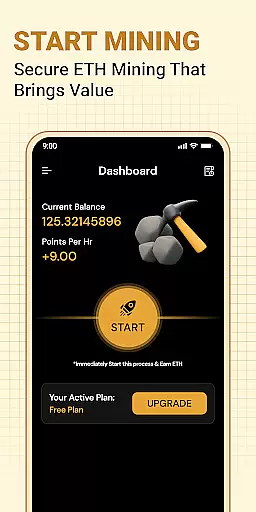
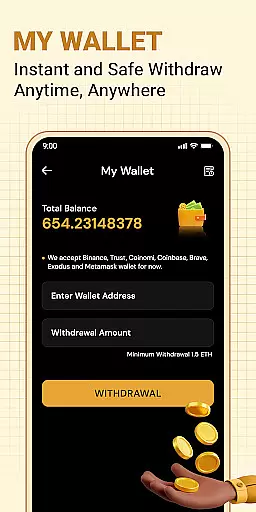

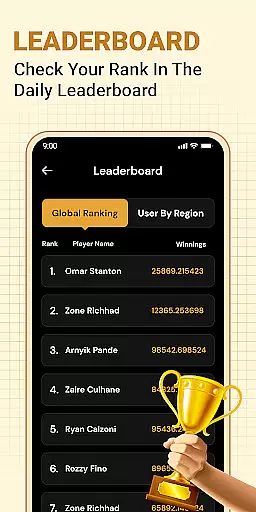
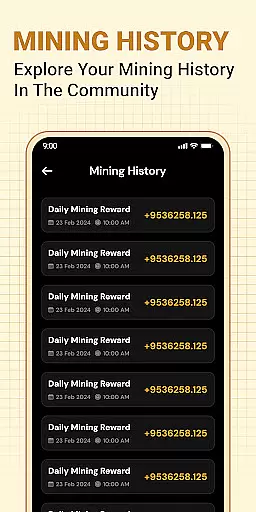
ETH Cloud Miner is an innovative app designed for users who want to monitor their Ethereum cloud mining activities conveniently. This application allows you to track your mining stats in real-time, including hashrate, uptime, and estimated daily rewards, all from the convenience of your mobile device. The app connects to third-party cloud mining providers, enabling you to view live data without using your device's CPU or GPU.
One of the standout features of ETH Cloud Miner is its ability to provide a seamless user experience by displaying critical mining information on an intuitive dashboard. Whether you are new to cryptocurrency or an experienced miner, this app helps you stay informed about your mining performance without needing high-end hardware. It is particularly useful for those who have invested in cloud mining services and need a reliable way to check their mining progress on the go.
ETH Cloud Miner offers a range of features that make it a valuable tool for anyone involved in Ethereum cloud mining. First and foremost, the app provides real-time monitoring of your mining stats, such as hashrate, session data, and estimated earnings. This feature ensures that you always have up-to-date information about your mining activities, allowing you to make informed decisions.
In addition to real-time monitoring, the app includes a user-friendly dashboard that displays all essential mining data in one place. You can easily log in to your cloud mining account and retrieve performance data with just a few taps. Another notable feature is the app's lightweight design, which ensures that it does not drain your device's battery or use its processing power, as all mining operations occur on remote servers.
Task creation and detail customization are essential features for users who need to manage their Ethereum mining activities effectively. This functionality allows users to set up specific tasks related to their cloud mining operations, ensuring they can monitor and adjust their strategies as needed.
The ETH Cloud Miner app enables users to create detailed tasks that correspond to different aspects of their mining performance. For instance, users can establish tasks to check their hashrate at regular intervals or set up notifications for when their estimated daily rewards change significantly.
By offering a high degree of customization, the app empowers users to tailor each task to their unique needs. Whether it's setting precise parameters for monitoring uptime or configuring alerts for mining session data, users can fine-tune these tasks to align with their operational goals.
This level of personalization ensures that users stay informed about critical changes in their cloud mining activities, ultimately leading to more efficient and profitable mining experiences.
Reminder settings play a crucial role in keeping users engaged with their Ethereum mining activities by providing timely notifications and updates. These settings ensure that users never miss important changes in their mining performance or forget to check vital statistics.
In the ETH Cloud Miner app, reminder settings allow users to configure notifications based on various triggers related to their mining data. For example, users can set reminders to alert them when their hashrate drops below a certain threshold or when their estimated daily rewards increase.
The flexibility of these reminder settings means that users can choose the frequency and conditions under which they receive alerts. This adaptability is particularly beneficial for users who want to maintain optimal mining efficiency without constantly monitoring their dashboard.
Ultimately, well-configured reminder settings help users maximize their mining potential by ensuring they are always aware of significant developments in their cloud mining operations.
User-friendly interface
Real-time data tracking
No device resource usage
Cloud-based mining support
Intuitive dashboard display
Limited to cloud mining
Third-party dependency
No direct mining capability
Premium service costs
Requires stable internet

Fantasy of Lights Event App
 5.00
5.00
Microsoft Build is an annual developer conference hosted by Microsoft
4.20
Purchase line-skip passes, drinks, cover, and more at bars and clubs
3.50
Beautiful invitation cards + easy RSVP tracking for any event. Design Invites.
4.80
Find EDM shows near you! See your favorite artists live, and discover new music.
4.90
Discover events, experiences, and things to do near you - Anytime, Anywhere!
4.70
Thanksgiving Wishes, Thanksgiving Stickers & Animated GIF for Whatsapp Stickers
4.4
Octrober 2025: We've updated the MyGenMobile App with a new look and feel!
4.40
Find Live Event Ticket Deals to Sports, Concerts, Festivals, & Comedy For Less!
4.80
Create invitation cards for birthdays, weddings, Christmas and more.
4.80
Discover events & experiences in NYC, LA, Chicago, DC, Miami and more!
4.70
Create Wedding Invitation and Wedding Anniversary Cards using our app
4.60
Text message invitations for birthday party, wedding, graduation, baby shower +
4.60
The world's largest selection of tickets is now at your fingertips
3.90
The Official App
3.70
Create Birthday Cards in Birthday Invitation Maker and Birthday Card Creator App
3.00
Buy event tickets easily with our user-friendly App. Stay updated on hot events
4.3
Browse events, find transportation, keep up with the latest news from your team
4.4
The official app of the Carmel Christkindlmarkt!
4.5


User Reviews