
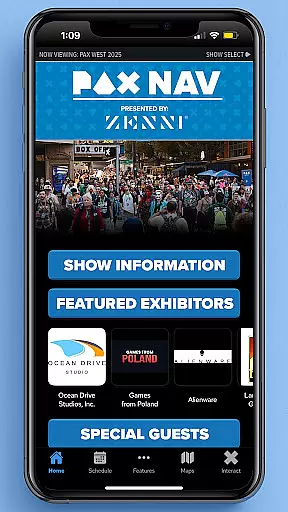
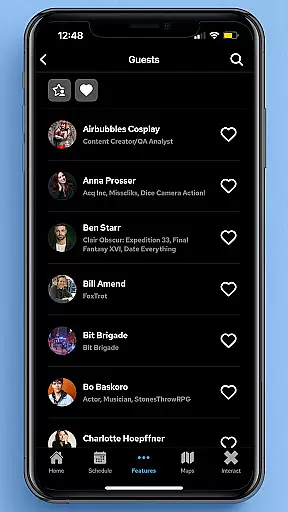
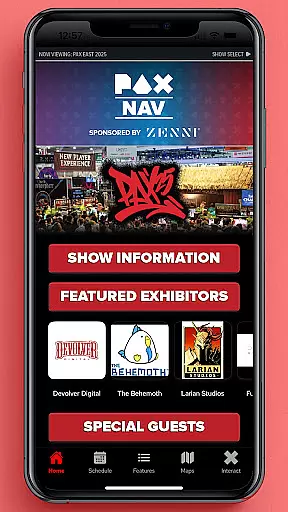
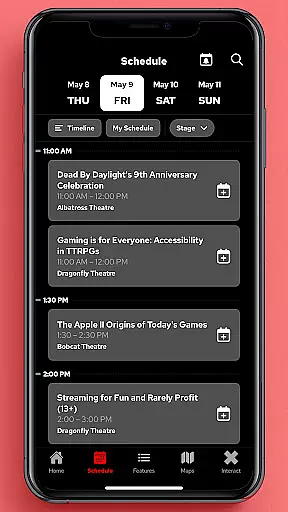
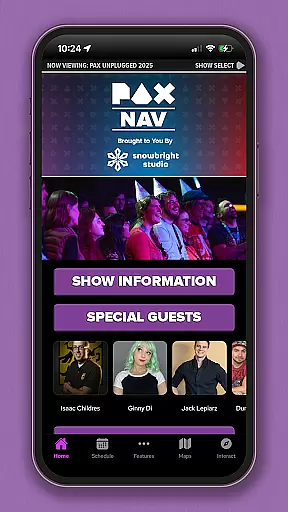
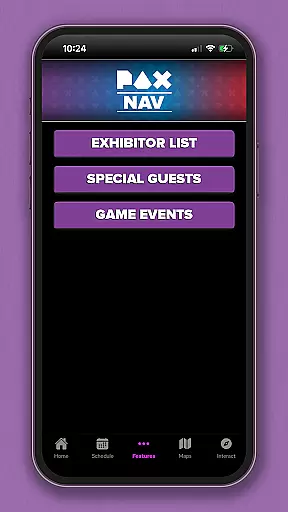
PAX Nav is the ultimate companion for attendees of PAX events, including PAX West, PAX East, and PAX Unplugged. The app provides comprehensive tools to enhance your event experience.
With PAX Nav, users can access the complete event schedule, browse exhibitor lists, view interactive maps, discover exclusive show specials, and even gain entry into the PAX XP program. Whether you're planning your day or navigating the venue, this app ensures you make the most of your PAX adventure.
This app is particularly useful for frequent PAX attendees who want to stay organized and informed throughout the event. By consolidating all essential information into one convenient platform, PAX Nav helps users optimize their event participation and engagement.
PAX Nav offers a robust set of features designed to maximize your event experience. One of its standout capabilities is the detailed schedule management system, which allows users to plan their days with precision.
In addition to scheduling, the app provides interactive maps that help you navigate large convention centers effortlessly. Users can also explore exhibitor lists and take advantage of special promotions available exclusively through the app. Furthermore, PAX Nav integrates seamlessly with the PAX XP program, offering an enhanced level of engagement for dedicated fans.
The app's intuitive interface ensures that all these features are easily accessible, making it simple for users to customize their event journey according to their preferences and interests.
Task creation and detail customization are essential features for event management applications like PAX Nav. This functionality allows users to create personalized schedules by selecting specific panels, workshops, or exhibitors they want to see at the event.
PAX Nav takes this a step further by providing detailed information about each session or exhibitor. Users can view descriptions, speaker bios, time slots, and venue locations, ensuring they make informed decisions when planning their day. The app's intuitive interface makes it easy to add or remove items from your personal schedule.
The benefits of this feature are significant. Attendees can optimize their event experience by focusing on the content that matters most to them. Whether you're interested in video game panels, tabletop gaming sessions, or visiting specific exhibitors, the app helps you organize your time efficiently.
This level of customization not only enhances user engagement but also increases overall satisfaction with the event. By allowing attendees to tailor their schedules, PAX Nav ensures that everyone can maximize their convention experience according to their unique interests and preferences.
Reminder settings in event applications serve as crucial tools for managing time and commitments during busy conventions. In PAX Nav, this feature allows users to set up custom notifications for their selected events, ensuring they never miss an important panel or meeting.
The application provides flexible options for setting reminders. Users can choose between different alert times - from 5 minutes to several hours before the scheduled event. This flexibility enables attendees to plan their movements around the convention center effectively. Additionally, the app supports multiple reminder types, including discreet vibration alerts or more noticeable sound notifications.
This feature offers substantial value to users. By receiving timely reminders, attendees can better manage their time between sessions, meals, and networking opportunities. The ability to customize notification preferences ensures that users receive alerts in a way that suits their personal style and schedule.
Moreover, the reminder system integrates seamlessly with the app's scheduling features. When combined with the detailed customization options, this creates a comprehensive event management solution that helps users navigate large conventions like PAX West or East with confidence and efficiency.
User-friendly interface
Comprehensive event tools
Exclusive show specials
Seamless PAX XP integration
Interactive maps
Limited to PAX events
Occasional updates needed
Some features require login
Heavy on battery usage
Internet connection required

Manage all your events, leads, ticketing, payments and check-ins.
 4.30
4.30
Create Birthday Cards in Birthday Invitation Maker and Birthday Card Creator App
3.00
The Ultimate Tournament Hub
4.70
Clubs, Festivals, Discounted Tickets, Guest Lists & VIP Tables
4.90
Create invitation cards for birthdays, weddings, Christmas and more.
4.80
Thanksgiving Wishes, Thanksgiving Stickers & Animated GIF for Whatsapp Stickers
4.3
Introducing the official Magic: The Gathering app for mobile.
4.20
Octrober 2025: We've updated the MyGenMobile App with a new look and feel!
4.40
Buy and Sell Tickets for Concerts, Sports, and Theater.
4.70
The KRUU app - plan, celebrate, remember
4.80
Birthday Greetings provides Birthday Card, Frames, Gifs & Father's day Wishes
4.80
Listen Full Quran MP3 Offline - Qibla Compass, Salah Timing & 99 Names of Allah
4.60
For weddings, parties & events
4.60
Freebie Games for Epic Games, Steam, Amazon, Rockstar etc.
4.40
Buy and sell tickets to sports, concerts, theater, festivals, and comedy events
4.10
TV.Garden is a video player to play your own TV streams from around the world!
3.40
Buy event tickets easily with our user-friendly App. Stay updated on hot events
4.3
It is an Event Planning Application.
4.5
The official app of the Carmel Christkindlmarkt!
4.1


User Reviews