
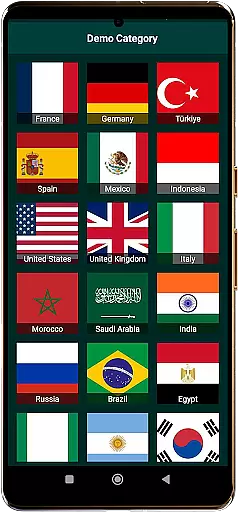
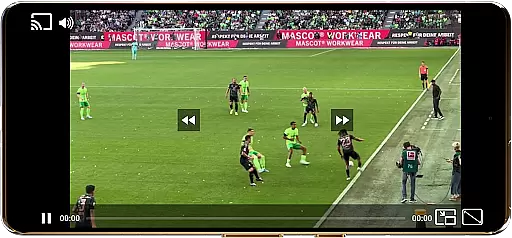
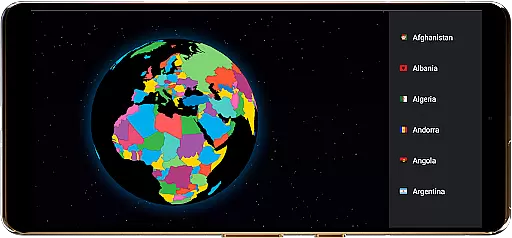
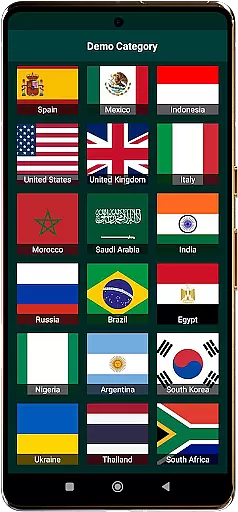
TV Garden World Video Player is a versatile media player app designed for seamless TV viewing experiences. The app allows users to watch global and local live TV channels using their own private streaming links, supporting formats like HLS, DASH, and MP4. With features such as Picture-in-Picture mode, Chromecast support, and customizable playback settings, it ensures smooth multitasking and an immersive viewing experience.
This app is ideal for users who want to access international news, live sports, entertainment, and music channels from countries like the USA, UK, India, and more. By importing personal streaming links, users can enjoy a personalized TV experience while benefiting from advanced audio and video optimization. TV Garden empowers users to explore new TV channels worldwide without hosting or streaming content directly.
TV Garden stands out with its broad format compatibility, supporting HLS, DASH, MP4, and direct streaming links, ensuring users can play virtually any online TV channel. Its smooth playback feature eliminates lag during live streams, making it perfect for watching live sports or news events without interruptions.
The app also offers Picture-in-Picture mode, enabling multitasking while streaming, along with enhanced audio quality for an immersive experience. Users can customize controls, save favorite streams, and cast content to TVs via Chromecast. These innovative features make TV Garden a powerful tool for creating a tailored and hassle-free TV viewing experience.
Task creation and detail customization are essential features for any event management application. TV Garden World Video Player offers a unique approach to organizing your viewing schedule by allowing users to create personalized tasks for their favorite TV streams.
The app enables you to add your streaming links into the Favorites section, effectively creating a task list of channels you wish to watch. Each entry can be considered a task, with detailed information such as stream source and channel category, which you can customize according to your preferences.
This level of customization ensures that users have control over their viewing experience, making it easier to manage various international TV channels. Whether you're interested in Live News, Sports, or Entertainment Channels, you can tailor each task to match your specific interests and timing needs.
By offering this feature, TV Garden empowers viewers to curate their own global TV experience, ensuring they never miss out on important events or shows. This organized approach to content consumption enhances user engagement and satisfaction, providing a seamless blend of local and international TV access.
Reminder settings play a crucial role in ensuring you never miss an important broadcast or your favorite show. In TV Garden World Video Player, while there isn't a traditional reminder system, the Favorites section acts as a dynamic notification tool for upcoming viewing tasks.
When you add streaming links to your Favorites, you essentially set up a personalized reminder system. The app maintains these entries, allowing quick access to your preferred Global TV or Live Sports channels at any time. Although it doesn't send push notifications, having your favorites readily available creates an efficient viewing routine.
For enhanced functionality, users can organize their Favorites list based on categories or viewing times, effectively creating a manual reminder system that suits their lifestyle. This method works particularly well for those who have regular viewing habits or follow specific international events.
While traditional reminders might be absent, TV Garden's innovative use of the Favorites feature provides a flexible alternative. This approach caters to modern viewing habits where users prefer immediate access over scheduled notifications, maintaining the essence of timely content delivery without conventional alerts.
User-friendly interface
Wide format support
Smooth streaming performance
Customizable playback options
Chromecast integration
No built-in channels
Requires manual link input
Limited to legal streams
Dependent on user-provided URLs
No offline viewing

The Official App
 4.0
4.0
Manage all your events, leads, ticketing, payments and check-ins.
4.30
Fantasy of Lights Event App
5.00
Rocket Monkey - Space rocket launch schedule for launch sites around the world
4.20
Get live football here
4.30
Wedding planner app with wedding venues, wedding checklist, countdown & budget.
4.60
The KRUU app - plan, celebrate, remember
4.80
No invest, Easy way to earn USDT through crypto cloud mining
3.80
Buy and Sell Tickets for Concerts, Sports, and Theater.
4.70
Clubs, Festivals, Discounted Tickets, Guest Lists & VIP Tables
4.90
The Ultimate Tournament Hub
4.70
Discover events, experiences, and things to do near you - Anytime, Anywhere!
4.70
Here you can choose tickets for films, performances, concerts and other events
4.60
For weddings, parties & events
4.60
Greeting card maker with photos best app| Birthday cards| All wishes eCards FREE
4.50
Events, Meetings, Photo Shoots
4.50
Freebie Games for Epic Games, Steam, Amazon, Rockstar etc.
4.40
Introducing the official Magic: The Gathering app for mobile.
4.20
Microsoft Ignite is an event that showcases latest advancements in technology
4.00


User Reviews